


People may be searching for "best coffee shop near me" or "plumber in Manchester," in order to find a local business that can help them.
Local SEO for your business will help people to find you.
Getting started with local SEO for your business doesn’t need any complex techniques. It doesn’t require a large marketing budget or advanced technical skill. Simply making a few changes to your website will improve its visibility in Google Search and Google Maps.
In this article, we’ll show you 10 actions that you can take within your website in order to improve your local visibility for relevant traffic and convert searches into potential customers.
What is local SEO?
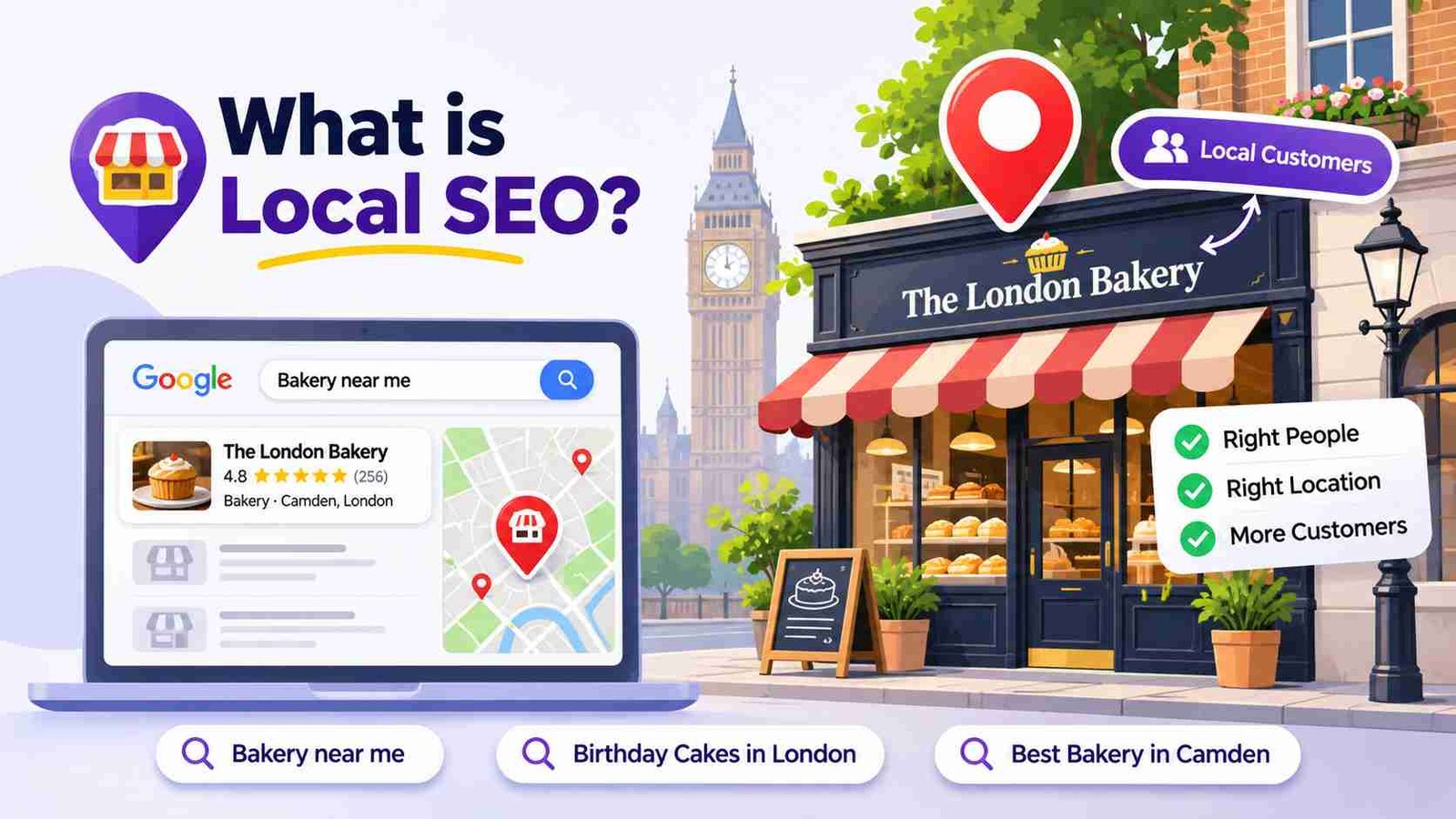
Local SEO means optimising your website so that people can easily find your business in local searches.
While general SEO aims to reach out to a broader audience, local SEO can help a business target local customers within certain locations, towns and areas.
If you have a bakery in London, you may wish to be found in local searches such as:
- "Bakery near me"
- "Birthday Cakes in London"
- "Best Bakery in Camden"
Google will display different local businesses based on the relevance of their offerings, distance from the search location and their notority.
By having strong local SEO on your website, Google can easily understand what service/products you provide, where you operate from, and how you may be beneficial to local customers.
Why Is Local SEO Important for Small Businesses?
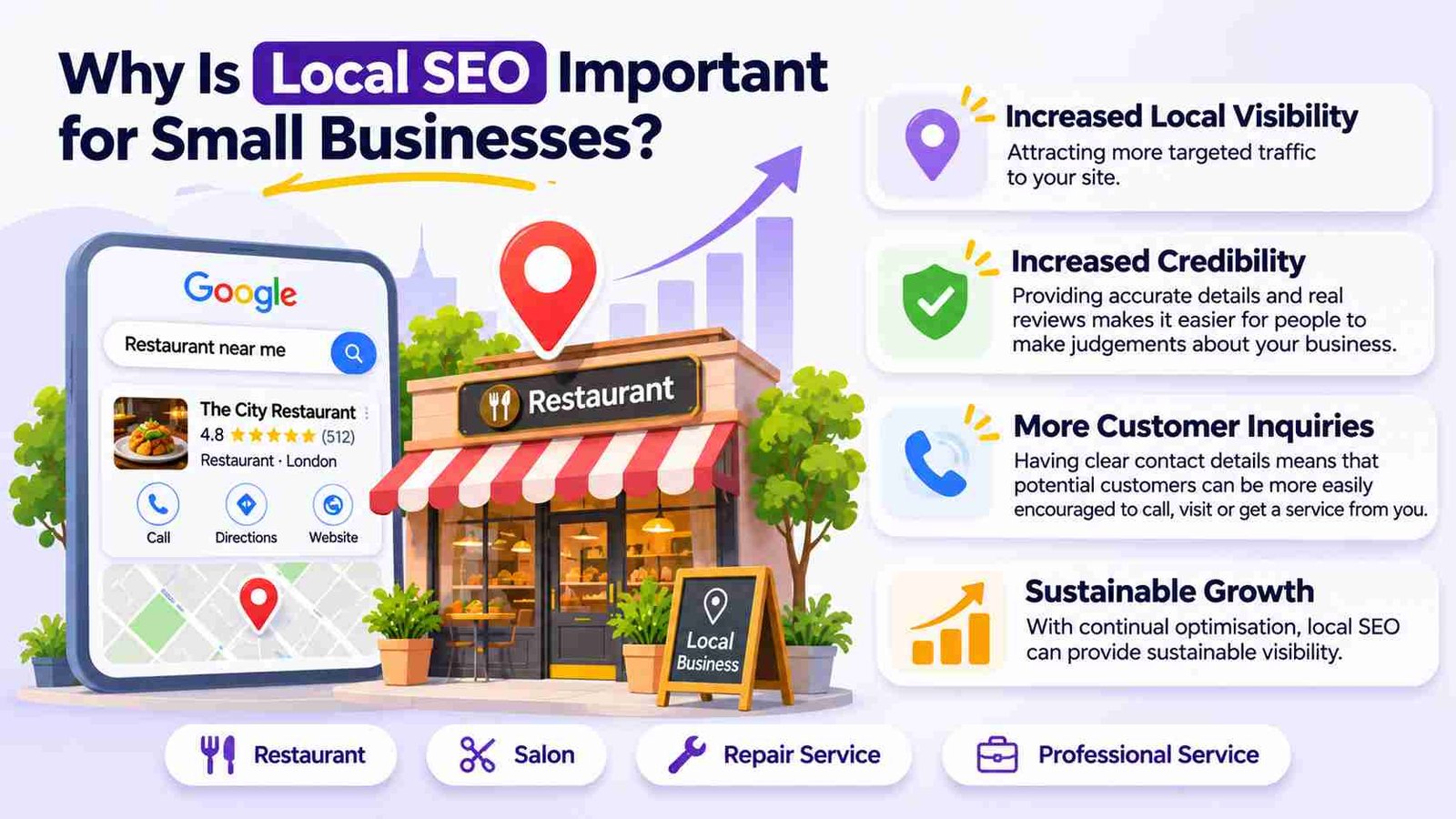
Local SEO can allow you to attract new customers, without paying for advertising.
Its main benefits include:
- Increased local visibility: Attracting more targeted traffic to your site.
- Increased credibility: Providing accurate details and real reviews makes it easier for people to make judgements about your business.
- More customer inquiries: Having clear contact details means that potential customers can be more easily encouraged to call, visit or get a service from you.
- Sustainable growth: With continual optimisation, local SEO can provide sustainable visibility.
If you are running a restaurant, salon, repair service or professional service, improving your local SEO can allow you to target people who are actively looking for the services/products you provide.
1. Create and Optimize Your Google Business Profile
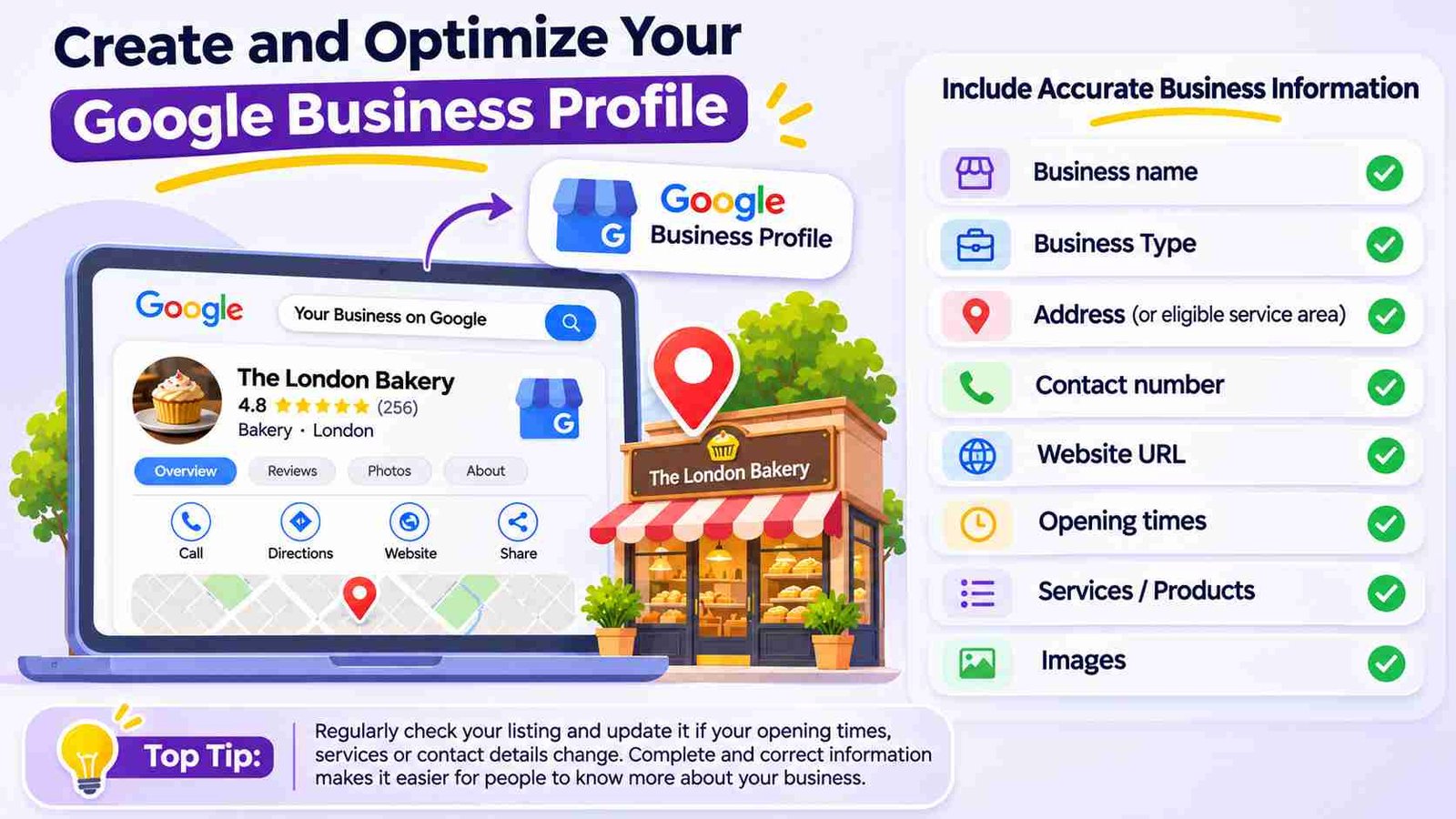
Creating a Google Business listing is very useful for local SEO.
Eligible businesses can control how they appear in Google Search and Google Maps.
To create a Google Business Profile Listing go to Google Business and claim/create a listing for your business.
Be sure to include the following information accurately:
- Business name
- Business Type
- Address (or eligible service area)
- Contact number
- Website URL
- Opening times
- Services/Products
- Images
Ensure that the business type reflects what your business provides. Don’t add unnecessary keywords to your business name.
Top Tip: Be sure to regularly check your listing. If your opening times, services provided or contact details change be sure to update it. Giving complete and correct information makes it easier for people to know more about your business.
2. Identify Localised Keywords
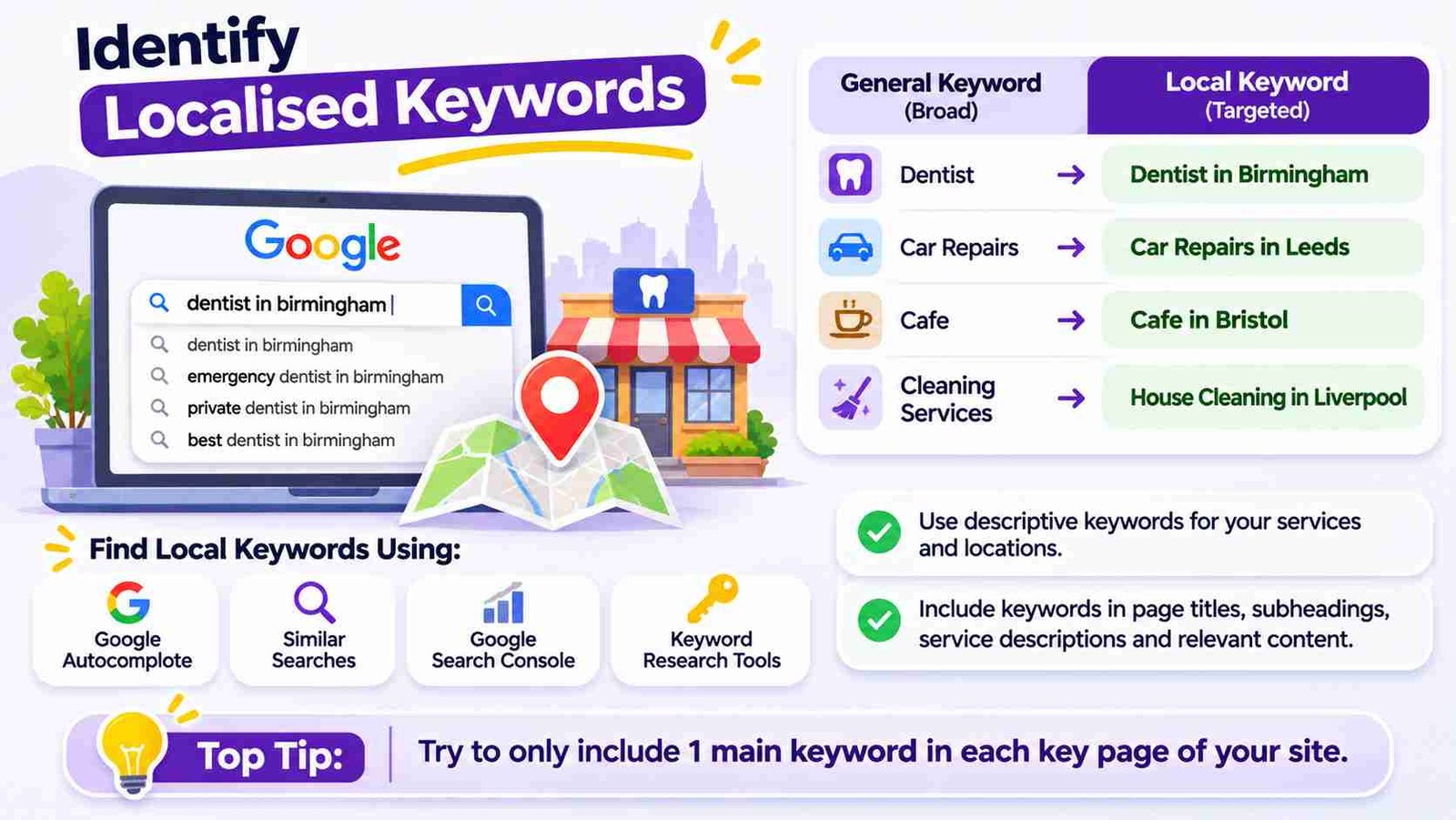
Local keyword research will help you identify what queries people may be performing to find your business.
Rather than generalised keywords (dentist, car repairs), look for search queries which combine services you offer with a location.
For example:
| General Keyword | Local Keyword |
|---|---|
| Dentist | Dentist in Birmingham |
| Car Repairs | Car Repairs in Leeds |
| Cafe | Cafe in Bristol |
| Cleaning Services | House Cleaning in Liverpool |
Use Google autocomplete, similar searches, Google Search Console and keyword research tools to find the right keywords.
Ensure keywords are descriptive of the services you provide and the areas you provide them to.
Once you have identified suitable keywords, include them in page titles, subheadings, service descriptions and suitable content within your site.
Top Tip: Try to only include 1 main keyword in each key page of your site.
3. Keep Your Business Information Consistent
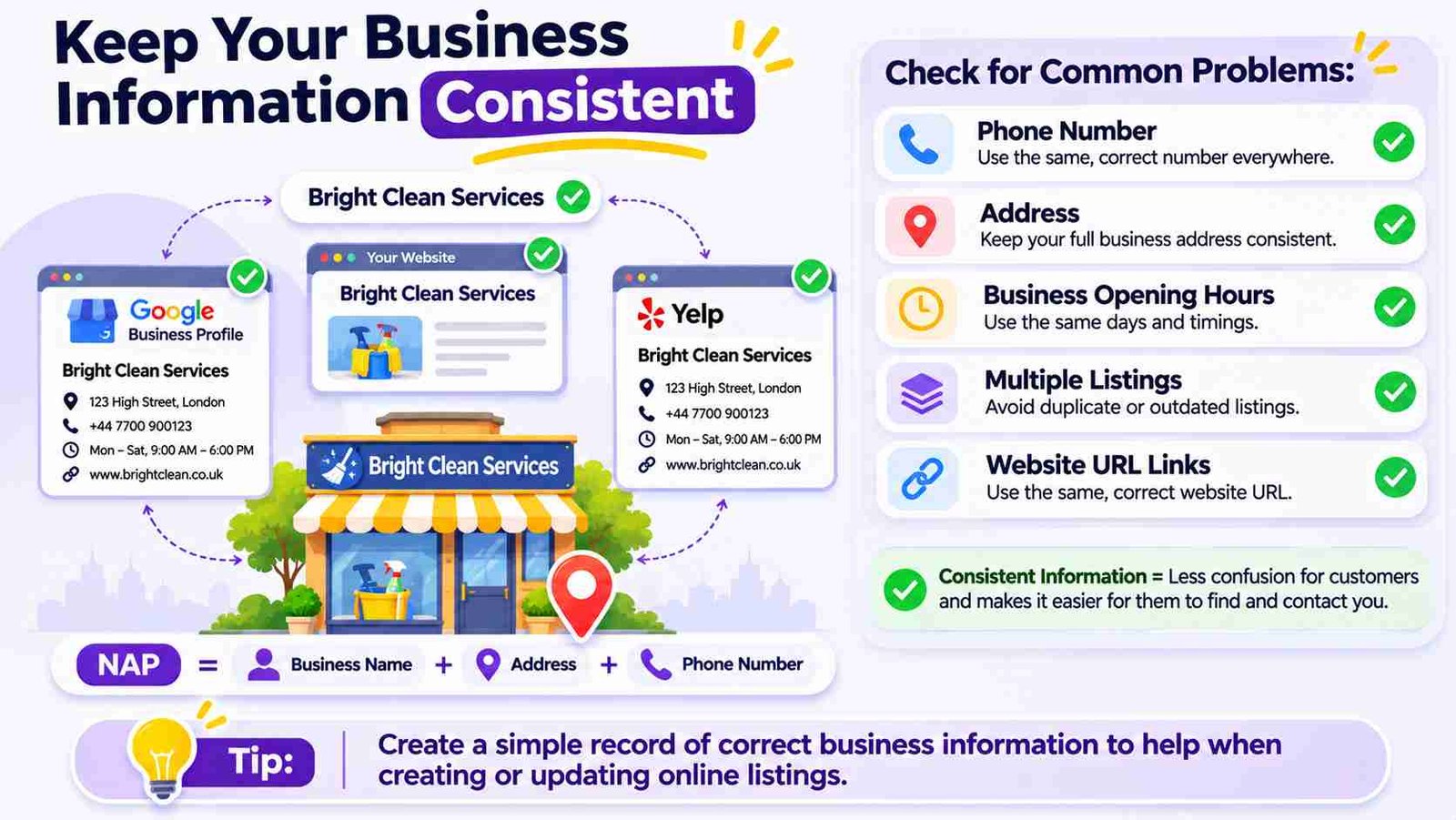
Ensure the information provided by your business in online listings is accurate.
Ensure that your business name, address, and phone number (NAP) are consistent.
If the business name in your example is Bright Clean Services ensure that the business name is consistent on your website, Google Business account and relevant directory listings.
Check for common problems such as:
- Phone Number
- Address
- Business Opening Hours
- Multiple listings
- Website URL links
Inconsistencies may cause confusion for customers and make it difficult for customers to get hold of you.
Tip: Create a simple record of correct business information to help when creating or updating online listings.
4. Optimize Your Website for Local Searches
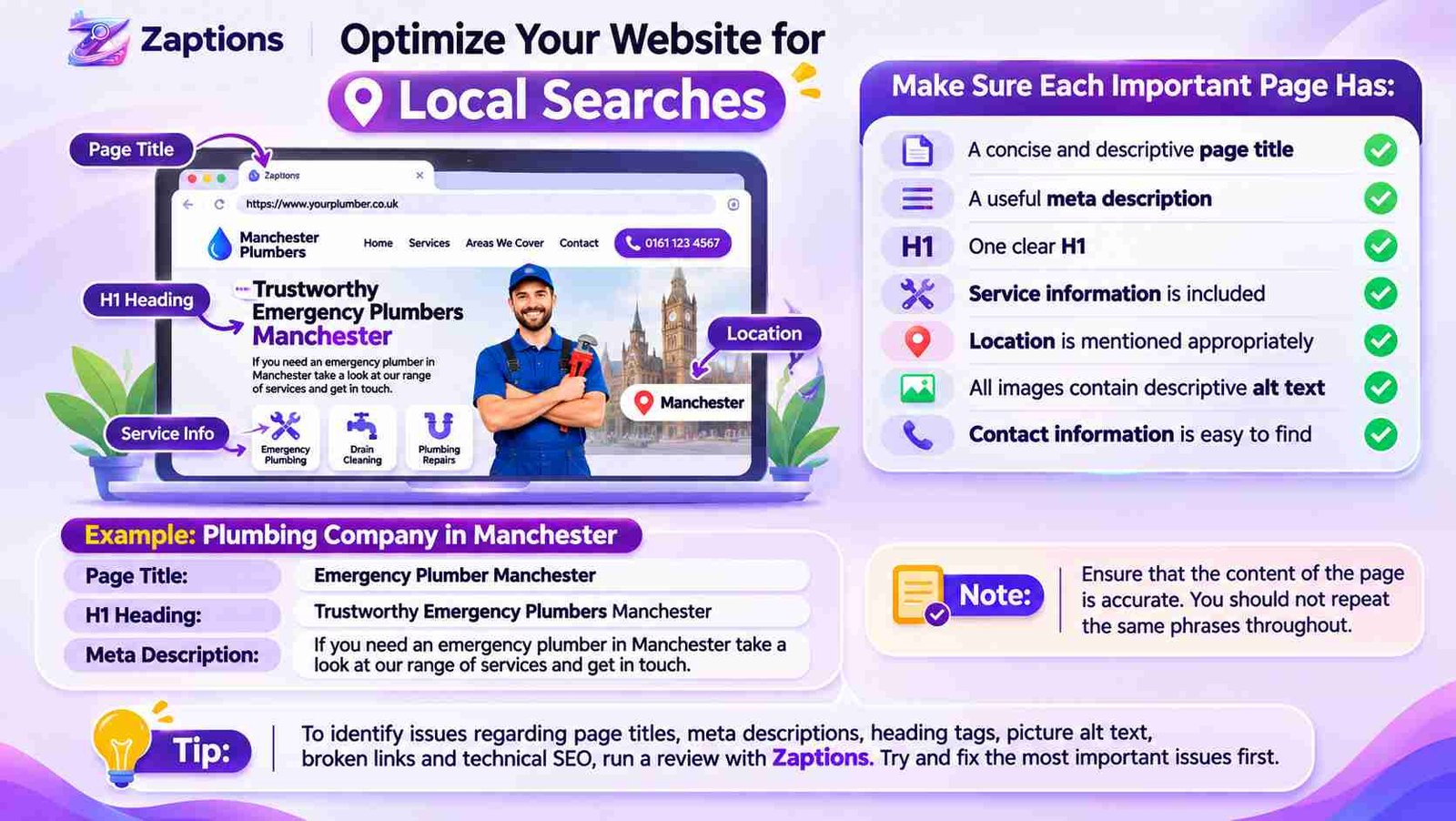
Ensure that your website contains information about what services you offer and which locations you operate within.
Optimise key pages including homepage, service landing pages, and contact page.
Make sure each important page has:
- Page title is concise and descriptive
- Meta Description is useful
- There is 1 clear h1
- Service information is included
- Location is mentioned appropriately
- All images contain descriptive alt text
- Contact information is easy to find
For example, a plumbing company in Manchester may have the following text:
Page Title: Emergency Plumber Manchester
H1 heading: Trustworthy Emergency Plumbers Manchester
Meta description: If you need an emergency plumber in Manchester take a look at our range of services and get in touch.
Note: Ensure that the content of the page is accurate. You should not repeat the same phrases throughout.
Tip: To identify issues regarding page titles, meta descriptions, heading tags, picture alt text, broken links and technical SEO, run a review with Zaptions. Try and fix the most important issues first.
5. Create Helpful Location-Specific Content
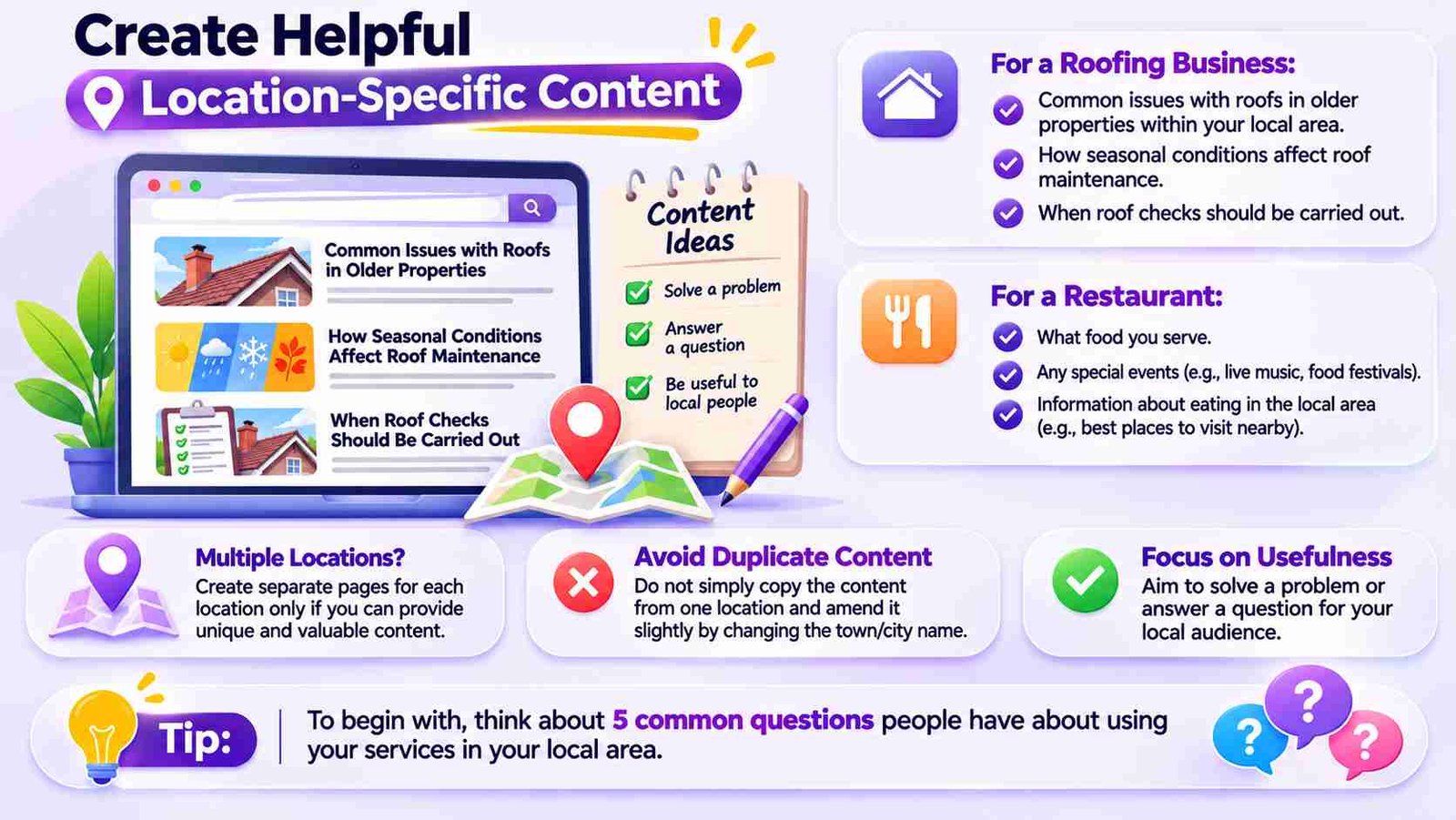
Create local content to give local people the information they need.
You may consider creating articles around the following topics:
- Common issues with roofs in older properties within your local area.
- How seasonal conditions affect roof maintenance.
- When roof checks should be carried out.
Or if you run a restaurant, you might want to give information about what food you serve, any special events, or information about eating in the local area.
To make the most useful content, aim to solve a problem or answer a question.
If you operate within multiple locations, make separate pages for each location only if you can provide unique and valuable content.
Do not simply copy the content from one location and amend it slightly by changing the name of the town/city.
Tip: To begin with, think about 5 common questions people have about using your services in your local area.
6. Encourage real customer reviews
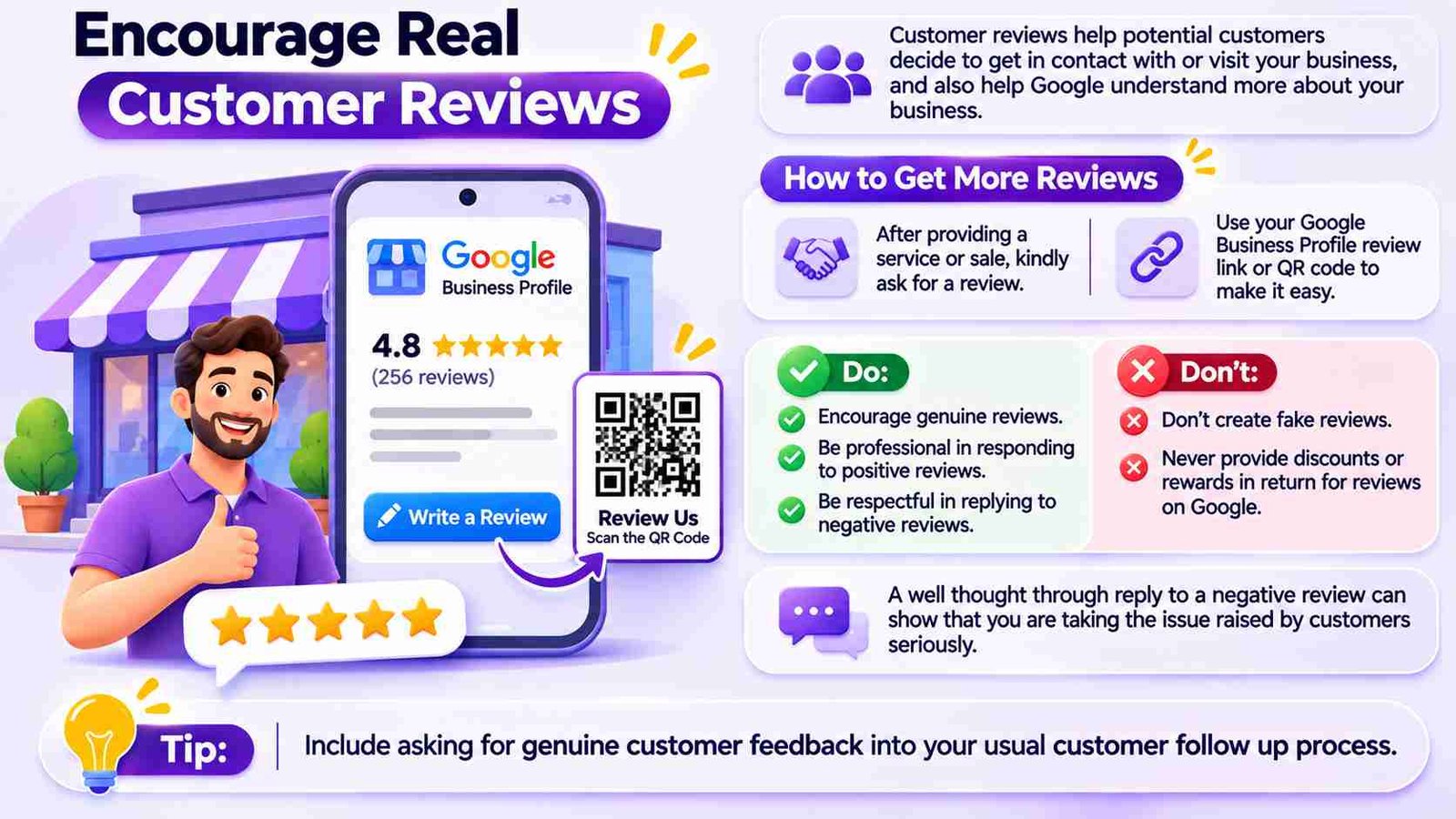
Customer reviews can help potential customers decide to get in contact with or visit your business.
Customer reviews will also be used by Google to understand more about local businesses.
After providing a service or making a sale, kindly ask customers to leave a review.
Use the review link or QR code provided on your Google Business Profile to make it easier.
Ensure you:
- Encourage genuine reviews.
- Be professional in responding to positive reviews.
- Be respectful in replying to negative reviews.
- Don’t create fake reviews
Never provide discounts/rewards in return for reviews on Google.
A well thought through reply to a negative review can show that you are taking the issue raised by customers seriously.
Tip: Include asking for genuine customer feedback into your usual customer follow up process.
7. Build Relevant Local Citations and Backlinks
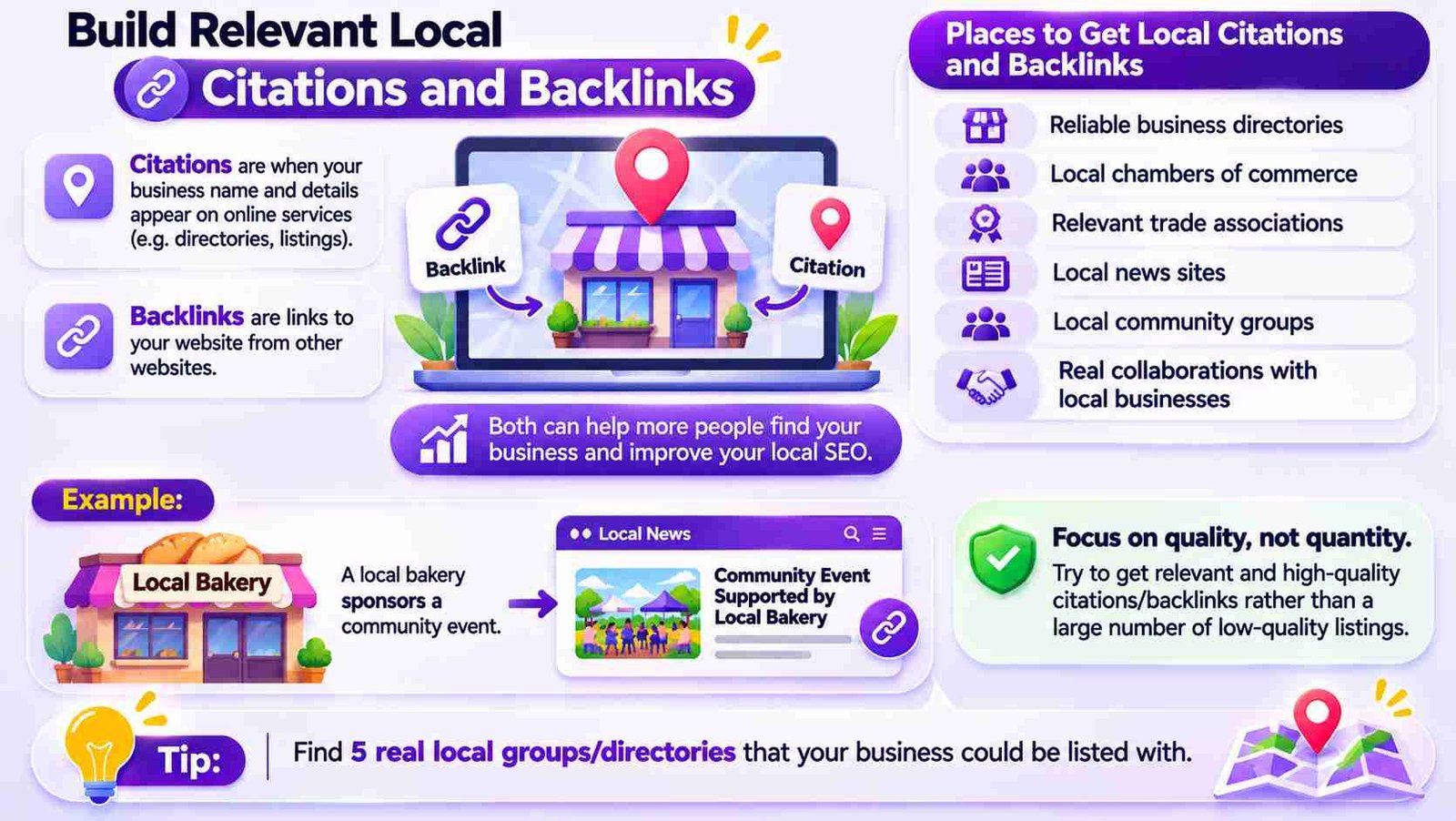
Citations are when your business name and details appear on online services.
Backlinks are links to your website from other websites.
Both can help potential customers find your business. Having relevant and reliable backlinks can help improve your SEO.
Look for places to get local citations and backlinks from including:
- Reliable business directories
- Local chambers of commerce
- Relevant trade associations
- Local news sites
- Local community groups
- Real collaborations with local businesses
For example, if the local bakery sponsors a local community event, then it may get a citation and backlink from the event organiser.
Try focusing on obtaining relevant, high quality citations/backlinks rather than large numbers of low quality citations from directories.
Tip: Find 5 real local groups/ directories that your business could be listed with.
8. Optimise site for mobile users, with quick loading speed
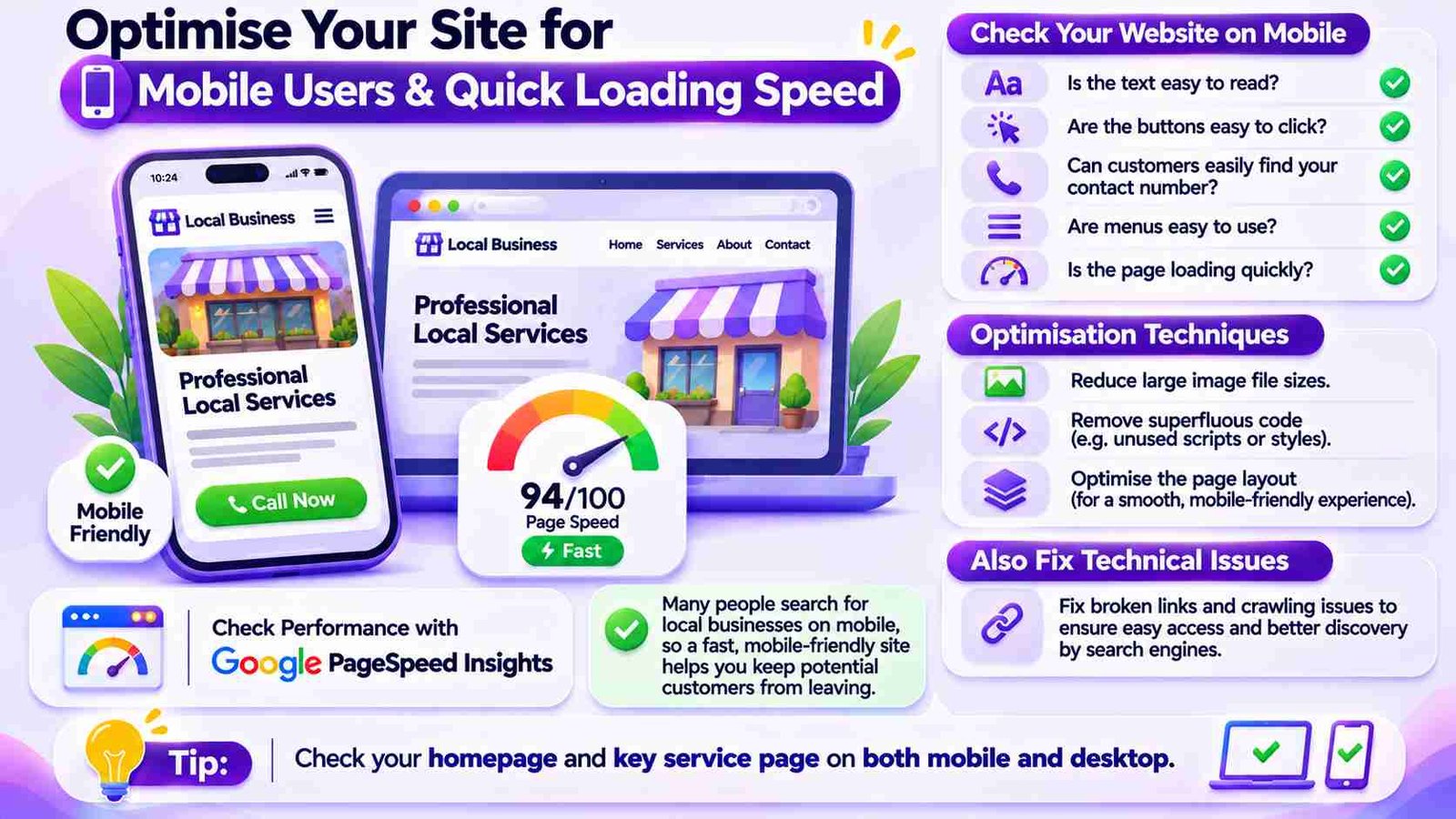
Many people will be searching for local businesses on their mobile.
If the website isn’t optimised for mobile, potential customers may become frustrated and leave.
Check your website on a mobile device. Ask questions like:
- Is the text easy to read?
- Are the buttons easy to click?
- Can customers easily find your contact number?
- Are menus easy to use?
- Is the page loading quickly?
Check how well a page is performing on Google Page Speed Insights.
Optimisation techniques may include reducing large image file sizes, removing superfluous code, and optimising page layout.
Technical issues such as broken links and crawling issues should be fixed to allow easy access to your site and discovery by search engines.
Tip: Check your homepage and key service page on mobile and desktop.
9. Add Local Business Structured Data
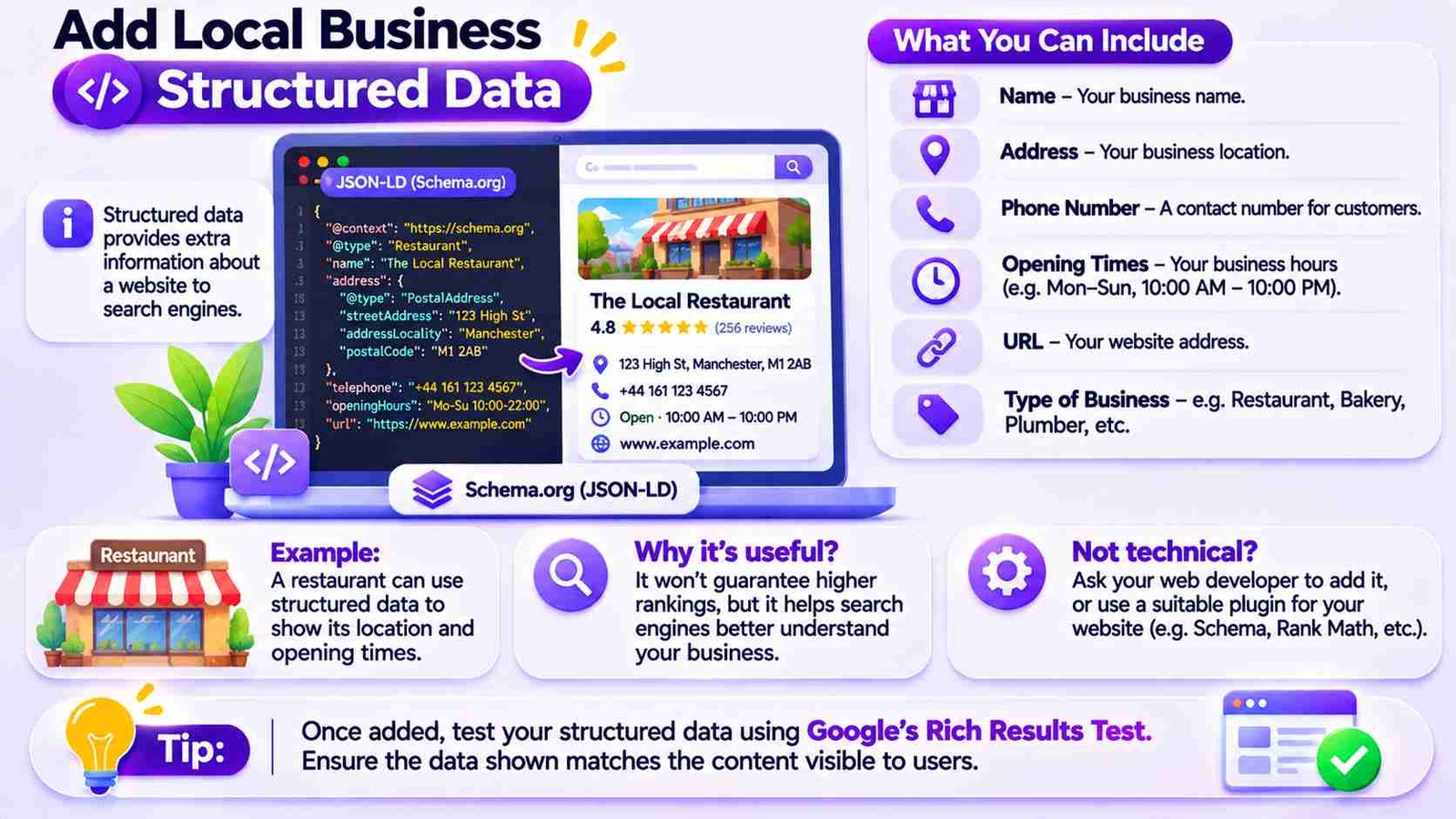
Structured data provides extra information about a website to search engines.
On qualifying business pages, local business structured data can be used to provide extra information including:
- Name
- Address
- Phone Number
- Opening Times
- URL
- Type of Business
Structured data is usually added in JSON-LD format using Schema.org vocabulary.
A restaurant could add structured data to show the location and opening times.
Whilst structured data won’t guarantee higher rankings in search results, adding correct structured data can help search engines better understand key aspects of your business.
If you aren’t experienced with technical SEO, ask your web developer to add this or install a plugin suitable for your website.
Tip: Once added, test your structured data using Google’s Rich Results Test. Ensure the data shown matches the content visible to users.
10. Monitor Your Local SEO and Improve
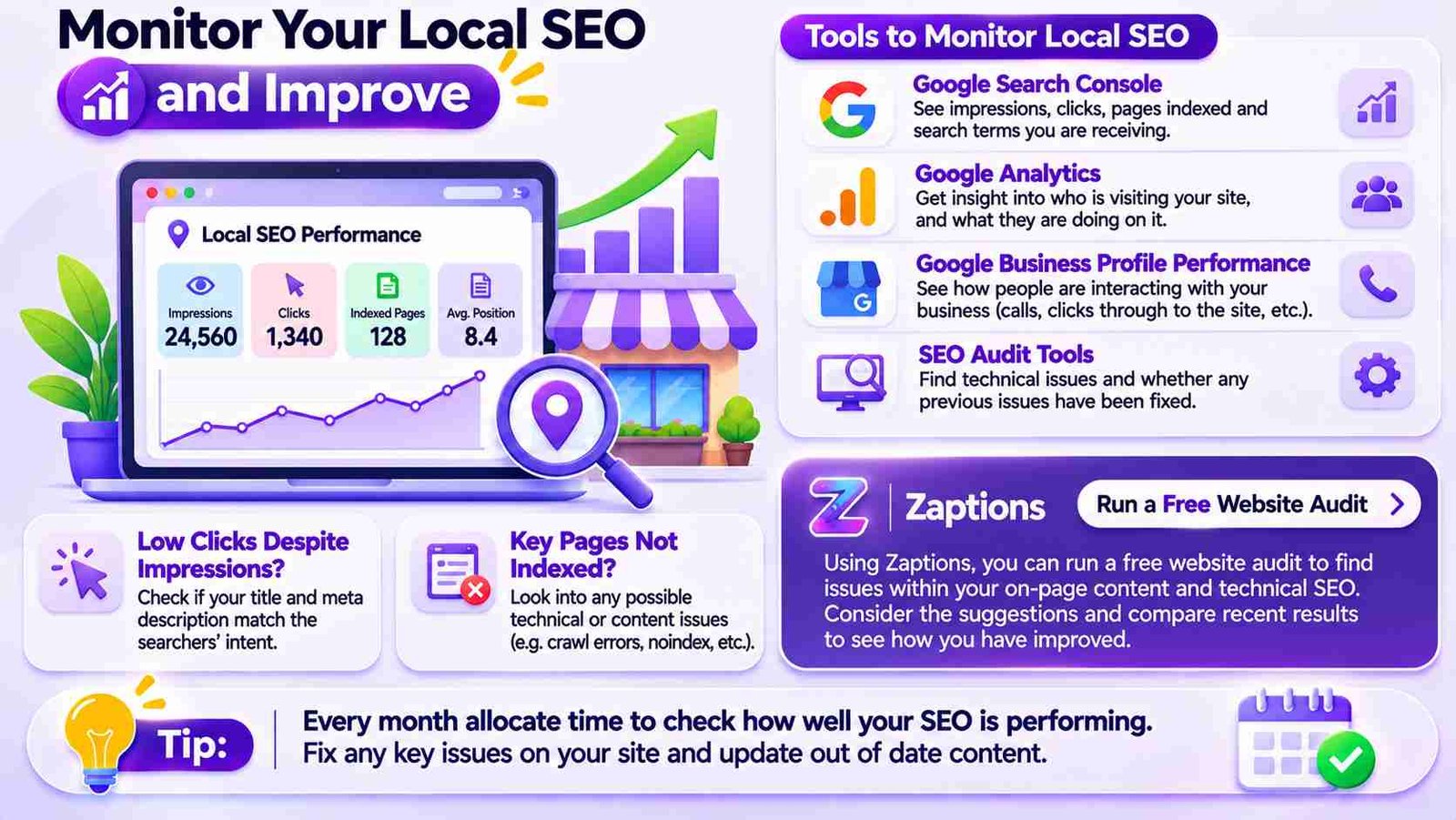
Local SEO should be regularly improved.
Once you have optimised your business listing and website, monitor how well they are performing.
You can do this using:
Google Search Console: See how many impressions, clicks, pages indexed and search terms you are receiving.
Google Analytics: Get insight into who is visiting your site, and what they are doing on it (depending on how it has been set up).
Google Business Profile Performance: See how people are interacting with your business (calls, clicks through to the site, etc.)
SEO Audit Tools: To find technical issues and whether any previous issues have been fixed.
If you are receiving impressions on a page providing services, but very few clicks, consider whether the title and meta description match the searchers’ intent appropriately.
If key pages are not being indexed, look into any possible technical or content issues.
Using Zaptions you can run a free website audit. This will find any issues within your on-page content and technical SEO. Consider the suggestions and compare recent results to see how you have improved.
Tip: Every month allocate time to check how well your SEO is performing. Fix any key issues on your site and update out of date content.
Common Local SEO Mistakes to Avoid
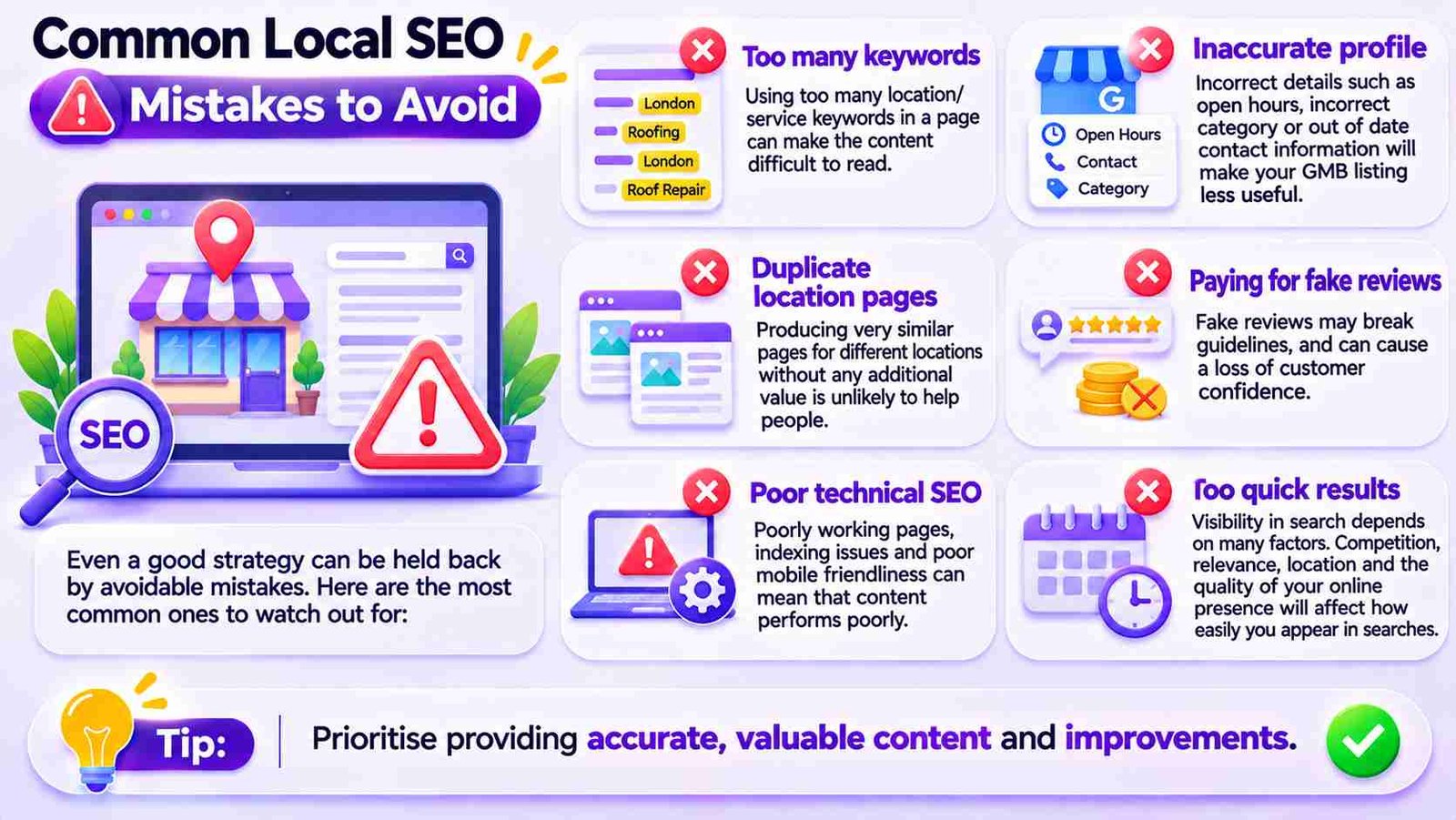
Even a good strategy can be held back by avoidable mistakes.
Too many keywords: Using too many location/service keywords in a page can make the content difficult to read.
Inaccurate profile: Incorrect details such as open hours, incorrect category or out of date contact information will make your GMB listing less useful.
Duplicate location pages: Producing very similar pages for different locations without any additional value is unlikely to help people.
Paying for fake reviews: Fake reviews may break guidelines, and can cause a loss of customer confidence.
Poor technical SEO: Poorly working pages, indexing issues and poor mobile friendliness can mean that content performs poorly.
Too quick results: Visibility in search depends on many factors. Competition, relevance, location and the quality of your online presence will affect how easily you appear in searches.
Prioritise providing accurate, valuable content and improvements.
Local SEO beginner checklist
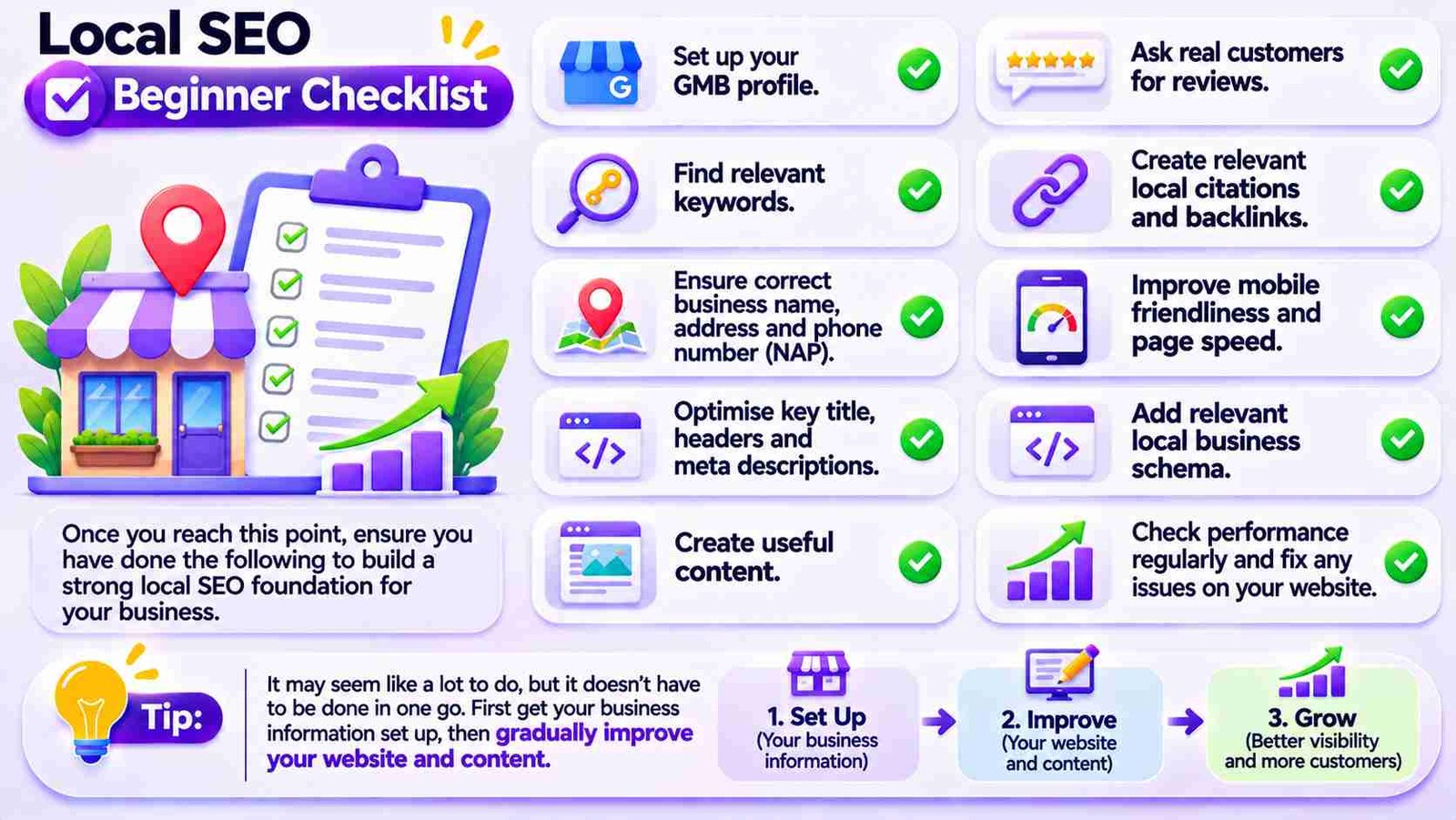
Once you reach this point, ensure you have done the following:
- Set up your GMB profile.
- Find relevant keywords.
- Ensure correct business name, address and phone number.
- Optimise key title, headers and meta descriptions.
- Create useful content.
- Ask real customers for reviews.
- Create relevant local citations and backlinks.
- Improve mobile friendliness and page speed.
- Add relevant local business schema.
- Check performance regularly and fix any issues on your website.
Although it may seem like a lot to do, it doesn’t have to be done in one go. First get your business information set up, then gradually improve your website and content.
Frequently Asked Questions
1. Can I do local SEO myself?
Many aspects of local SEO can be done by you. This includes updating your Google Business listing, improving content on your site and checking that information about your business is correct. More technical aspects may need expert help (developers).
2. Is local SEO free?
Many aspects of local SEO can be completed free of charge. The Google Business listing, Google Search Console and many analysis tools are all free. However, maintaining content and websites, and using expert services may incur costs.
3. How long until I see results from local SEO?
This very much depends on the situation. Some improvements can be seen quite quickly, but significant improvements in competitive local searches may take months. It depends on where you begin, the level of competition and how much work is being done.
4. Do I need a website for local SEO?
It is possible to have a Google Business listing and not have a website. However having a website means more control in terms of providing information on the services you offer, the content and conversions. As part of a wider strategy, having a website is useful.
5. What is the difference between SEO and local SEO?
General SEO looks to increase visibility within searches (regardless of location). Local SEO adds additional focus to local searches to help customers locate local businesses.
6. How will I know if my local SEO is working?
Look at your visibility in local searches, clicks, engagement within your listing, inquiries and conversions. Compare these metrics over time.
Final Thoughts
To begin doing local SEO for your business it is best to start with the basics. Ensure that information on your business is accurate, and that your Google Business listing is fully completed. Include helpful content on your website, positive reviews from customers and ensure that your website is in good technical health.
You do not need to know every aspect of SEO to begin with. Making regular improvements to your local SEO can allow customers to find your business and find the right information.
As your local SEO improves, regularly check your website for any issues. Often small issues with websites, for example broken links, missing titles and incorrect headers can be easy to miss.
Check your website SEO
Go to Zaptions and complete a free SEO Audit. You will be able to identify technical and page content issues within your website, understand how well your site is performing in terms of SEO, and receive suggestions to improve.
Complete a free SEO Audit today.
Latest Posts
-
Website SEO Checklist: 10 Essential Optimizations
Nov 24, 2026 -

Robots.txt Generator A Complete Guide
Nov 14, 2026 -
Free Broken Link Checker Guide with Zaptions
Nov 03, 2026 -
How SERP Optimization Improves Google Rankings
Oct 29, 2026 -
How Backlinks Help Improve SEO Rankings
Oct 27, 2026