


Have you ever wondered why some websites rank high in search results on Google, and others don’t?
It often comes down to how your page looks in the search results.
By having an optimised search result page with a clear title, engaging meta description, and relevant content can help you a lot.
This is where SERP Optimization comes in.
Using a SERP Preview Tool can help you see how your website would look in Google search results. This will allow you to optimise your SEO Title, meta description and how your page looks in search to make your pages more appealing.
In this article we will take a look at how SERP optimization can help, why it is important for SEO and how you can improve your website using Zaptions.
What Is SERP In SEO?
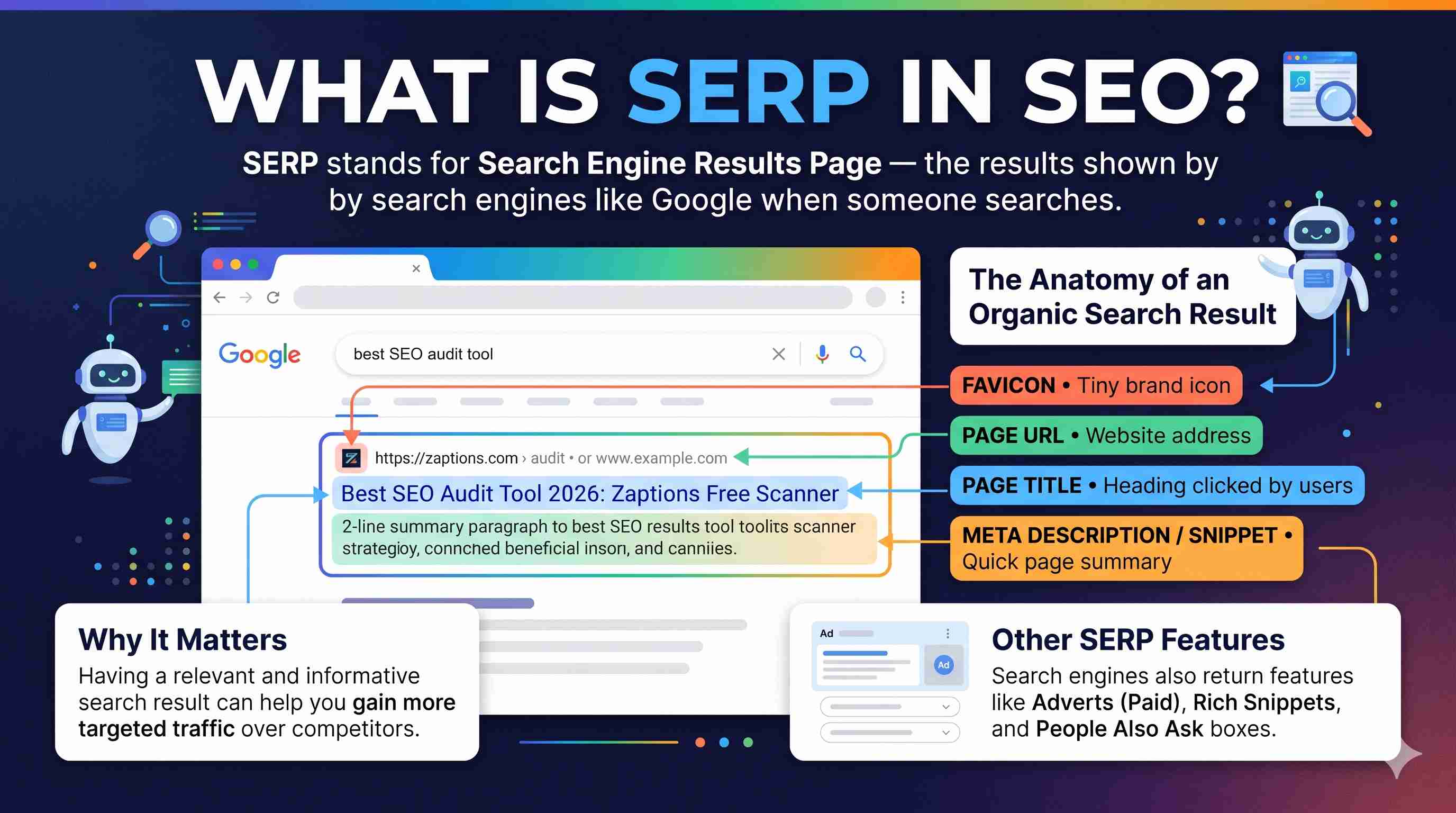
SERP stands for Search Engine Results Page. They are the results shown by search engines such as Google when people type in a keyword or phrase.
For example if someone searches for the best SEO audit tool then Google would return a list of relevant websites, adverts and other search features.
Typically an organic search result will include:
- Page Title: This is the heading that will be clicked on.
- Page URL: This is the address of the website.
- Meta Description / Snippet: This will give the user a quick summary of the page.
- Favicon: This is the small icon that represents your website/brand.
This will let users know which website they should go to.
Having a relevant and informative search result can help you gain more targeted traffic from your competitors.
Why Should You Optimise Your SERP?
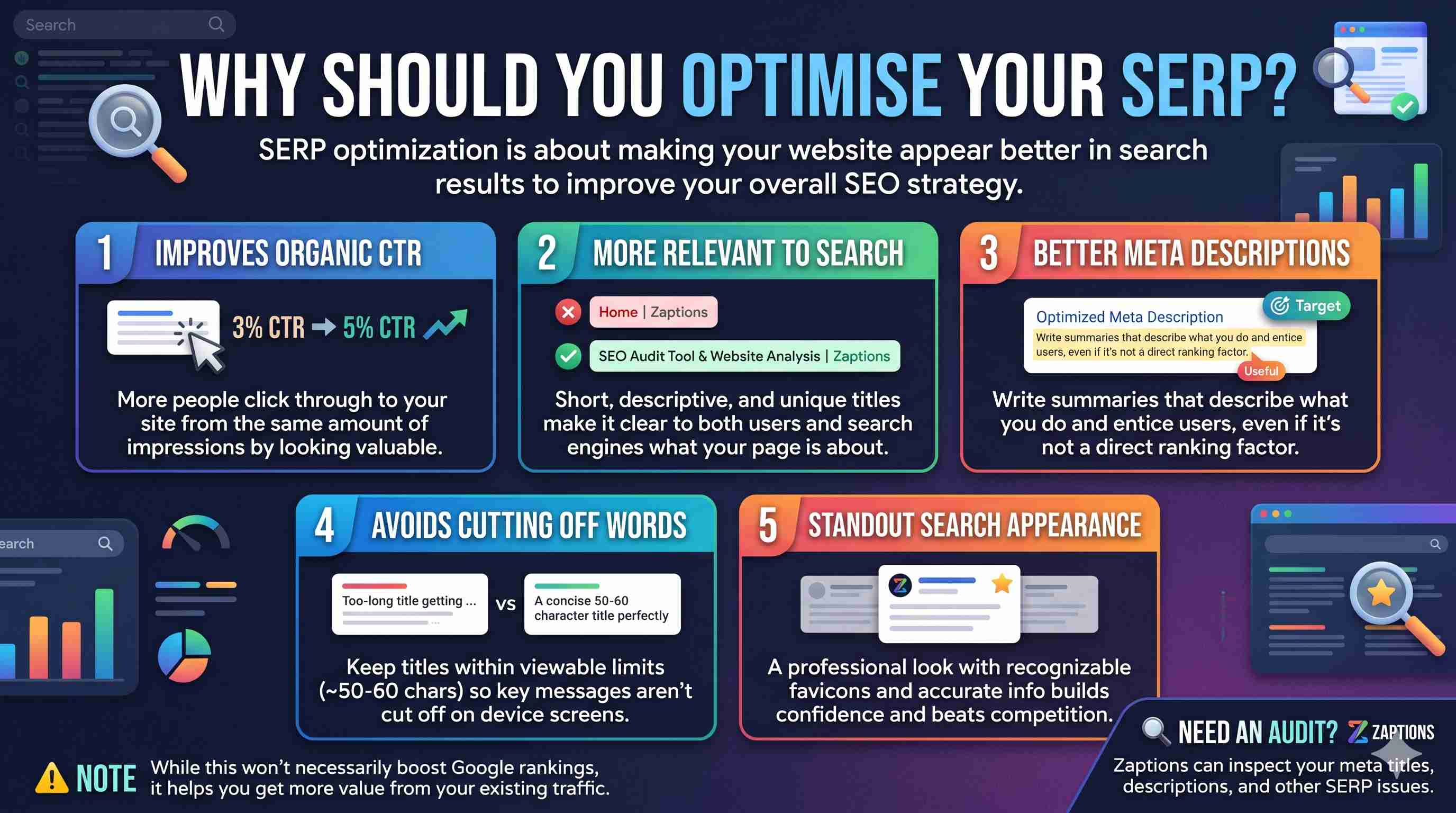
SERP optimization is about making your website appear better in the search results.
Whilst it won’t necessarily improve your ranking on Google, you can improve your overall SEO strategy.
1. Improves Organic CTR
The organic CTR shows how many people clicked through to your website after seeing your website in the search results.
For example if your page had 1,000 impressions on Google.
30 people clicked through. Your CTR would be 3% for Organic.
You then improve your title and description so it makes your page look valuable. 50 people clicked through.
Your CTR has increased to 5%.
This means you have more traffic coming through from the same amount of impressions.
Having a good title and relevant snippet will entice users to click through to your website.
Note: Whilst this won’t necessarily improve your rankings, optimising your search results can help you gain more value from the traffic you currently get.
2. More Relevant To The Search Query
Having a descriptive SEO title will make it easier for users and the search engine to understand what your page is about.
For example:
Poor SEO Title:
Home | Zaptions
Optimized SEO Title:
SEO Audit Tool & Website Analysis | Zaptions
This makes it clear what the page is about. This also uses relevant search terms.
Google recommend keeping your page titles short, descriptive and unique that accurately describe what’s on the page.
Having a search title that matches the searchers intent will make your page more clear and appealing to your target audience.
3. Helps You Create Better Meta Descriptions
A meta description is a short summary that will be shown by search engines under your title.
For example:
Poor Meta Description:
Welcome to our website. We provide different tools and services for everyone.
Optimized Meta Description:
Analyse your website with Zaptions. Find SEO problems and improve technical SEO, content quality and visibility.
This describes what your website does and makes people want to come to your website.
Whilst Google don’t use this as a direct ranking factor, having a useful meta description can improve your chances of gaining relevant traffic through the snippet.
Google could also create their own snippet based on your page.
4. Avoids Cutting Of Key Words In Title
A common mistake people make when optimizing for SEO is having too long of a title.
If your title is longer than the space Google has to show it will cut off.
For example:
Long Title:
Best Free SEO Audit and Website Optimization Tool for Businesses, Bloggers, Digital Marketers and SEO Professionals
Improved Title:
Free SEO Audit & Website Analysis Tool | Zaptions
This title is much clearer and gets across the key message.
There isn’t a set character limit that Google impose. How much of your title will show depends on how wide the device is and what characters are used.
Many SEO professionals aim for around 50-60 characters. However it is much more useful to actually see how it looks.
A SERP Preview Tool will help you avoid cutting off your title.
5. Better Website Appearance In Search
There is competition in the search results.
Often people will look at several results before clicking on one.
Having a clear and relevant title with an informative description can help your result stand out. Having consistent branding, recognisable favicons and accurate information can also help people recognise your website.
Having a professional search result appearance will make people feel confident and encourage them to look at your content.
What Is a SERP Preview Tool?
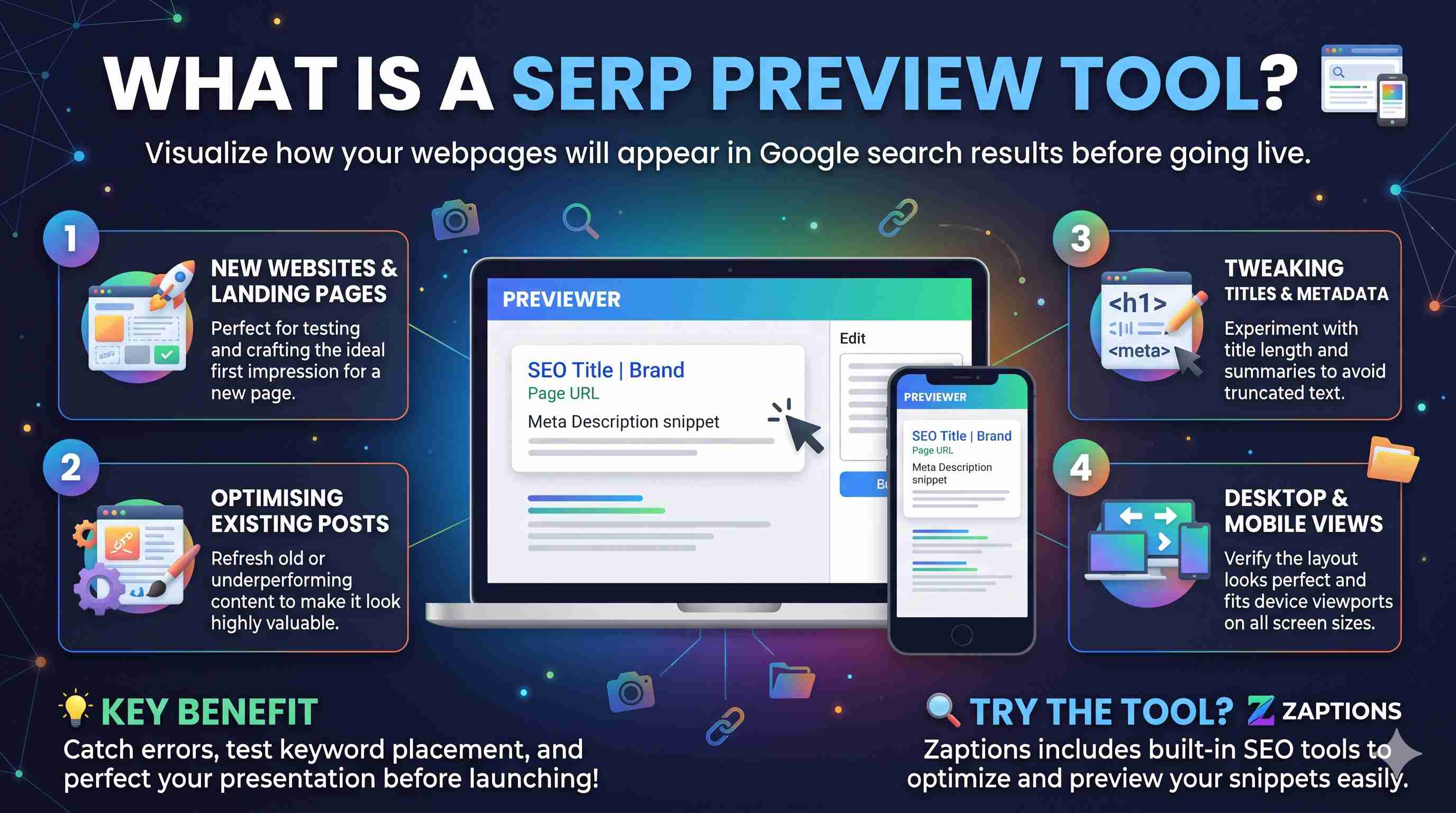
A SERP Preview Tool allows website owners, bloggers, SEOs and digital marketers to see how their webpages would appear within Google search results.
This means you can tweak your content before going live.
This is useful if:
- You're creating a new website or landing page
- Optimising existing blog posts
- Making changes to your SEO titles and meta descriptions
- Improving your search snippets
- Allowing you to see how you can improve your search snippet on both desktop and mobile versions.
It helps you identify opportunities to improve your search presentation before making changes to your live website.
Zaptions SERP Preview Tool
Having a quick view of how your search snippet will look makes optimisation quicker and easier.
Our SERP Preview tool will let you analyse and optimise your key elements within your search result.
By using this interactive tool, simply type in your URL, fetch any present metadata, edit your key SEO elements and utilise the live SERP preview.
Features of the Zaptions SERP Preview Tool
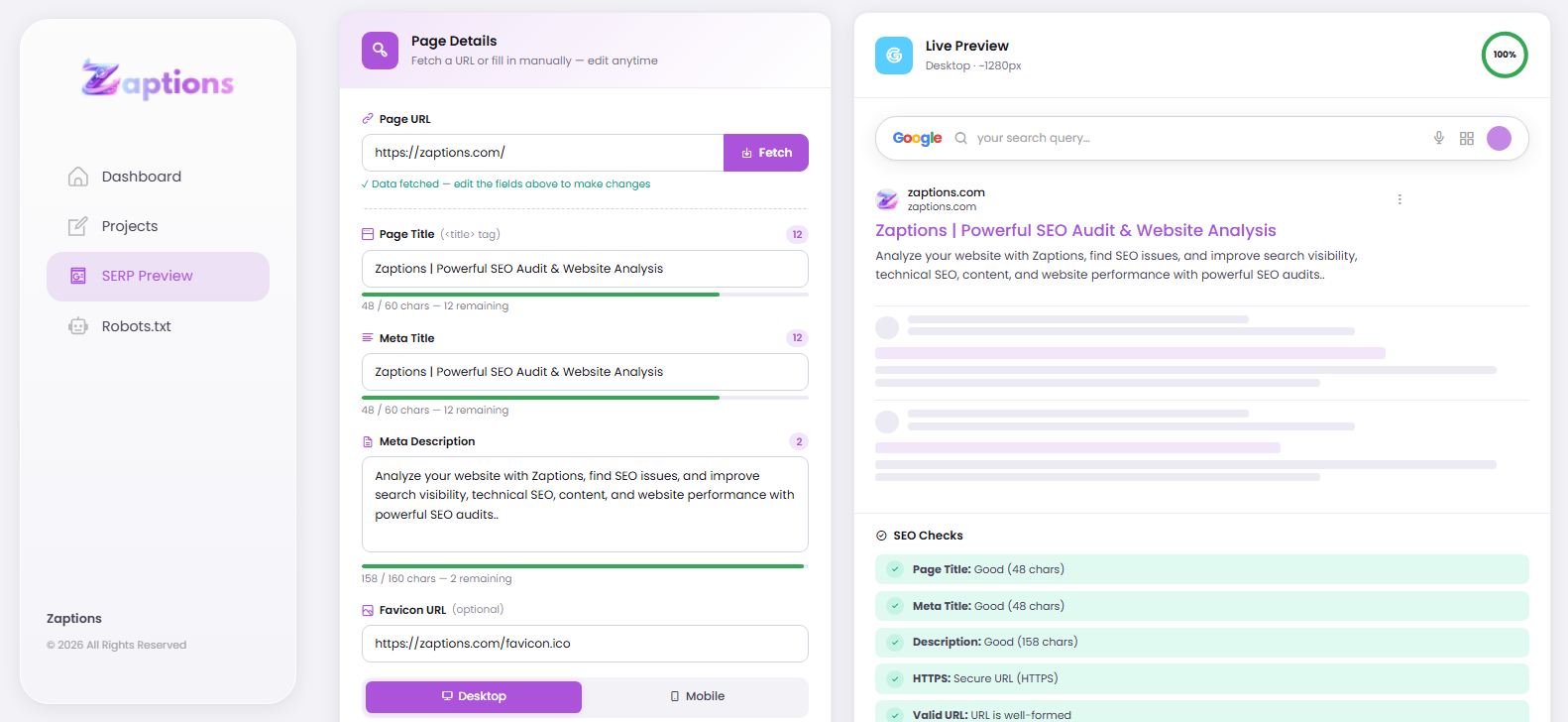
1. Fetch Public Page Metadata
Type your URL and click the Fetch button to get any available page metadata.
This is a great starting point for seeing what metadata is present.
2. SEO Title Editor
Try out different page titles to get the best one.
This helps create short titles with relevant keywords that clearly describe your page.
3. Meta Description Optimiser
Write and tweak your meta description.
Ensure you explain all of the benefits of your page and encourage those who are looking for relevant information to click through.
4. Live SERP Preview
See how your search results would appear in Google.
This allows you to see how your title, meta description, website URL and favicon are working together.
5. Desktop And Mobile Preview
Your search result may look different on both mobile and desktop.
Our tool will let you see how your SERP looks on both.
6. SEO Checker
Our tool will show you some useful checks for your page title, meta description, HTTPS, URL, brand separator and some metadata/indexing signals.
This will highlight any common issues that may impact how your page is displayed.
7. Copy Optimised Metadata
Once you've made some changes to your title and meta description, click the Copy Metas button to copy your metadata.
This helps you quickly analyse and improve your search snippet.
How To Use Our SERP Preview Tool
To begin simply:
Step 1: Enter Your Website URL
Go into our SERP Preview Tool and type in your URL.
Step 2: Fetch Metadata
Click the Fetch button to get any available metadata.
Look at your title, meta description and favicon.
Step 3: Optimize Your Title
Update your title to be short, descriptive and relevant to your target search.
Make sure your main keyword is included naturally and ideally towards the start.
Don't stuff your title full of keywords or make false claims.
Step 4: Optimise Your Meta Description
Write a clear meta description.
Write in a natural way to give someone an idea of what your page is offering.
Try keeping it around 140-160 characters long, however there is no set number of characters Google will display in their snippet.
Step 5: Desktop And Mobile Preview
Change between desktop and mobile.
Ensure your key words are still showing and the overall snippet looks clean and professional.
Step 6: View SEO Checker
Take a look at the SEO checker and see if there are any issues with your title, meta description or page metadata.
Just because you pass all of these doesn't mean you'll rank higher or have fully optimised technical SEO.
Step 7: Copy And Apply Your Metadata
Copy your metadata and apply it to the relevant page in your CMS or code.
Once you've published your changes, give them time for the search engines to recrawl.
Best Practice Tips
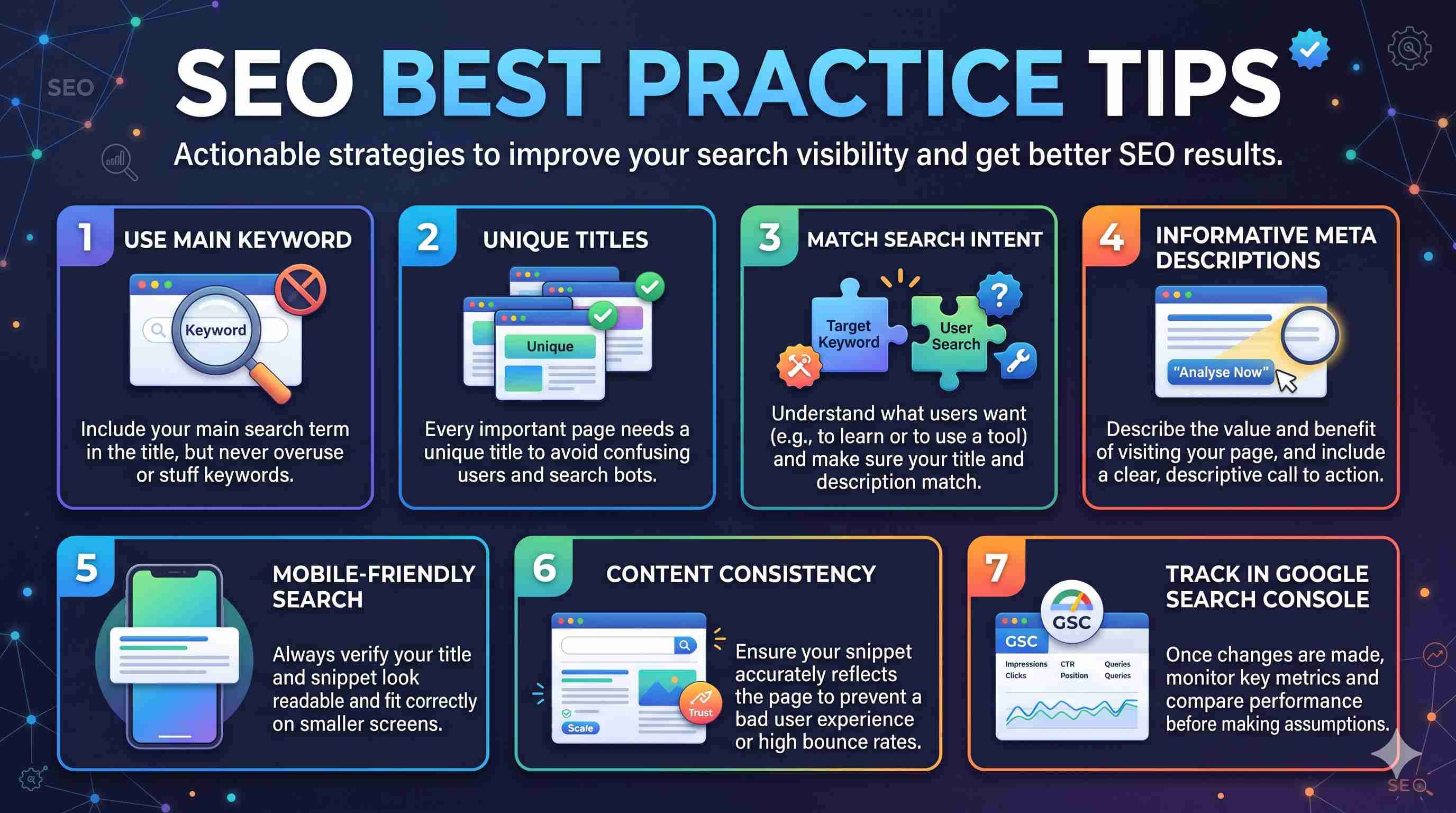
Tips you can use to improve your SEO results.
Use your main keyword
Use your main search term in the title.
Don’t overuse keywords.
Unique Titles
Every important page should have a unique title.
Having the same title across multiple pages could cause confusion for users and search engines.
Search Intent
Try to understand what users are looking for when they perform a search using your target keyword.
For example, if someone searches how to improve SEO, you should consider that they want to learn more about SEO. If they search for an SEO audit tool, they might want to use a tool straight away.
Ensure your search title and description match the intent.
Informative Meta Description
Describe the value of your page. Rather than including too many keywords, describe the benefit of visiting your page.
Be descriptive with your call to action. For example: Analyse your website or Learn more through our full guide.
Ensure your search looks good on mobile
There are some constraints on how your search will look on mobile.
Always ensure your metadata looks readable on smaller screens.
Consistency
Ensure your title and description truly reflects what the user will see.
If users are misled by the search snippet, then they will have a bad experience.
Google Search Console
Once you have made improvements, you should check the following metrics in Google Search Console:
- Organic Impressions
- Organic Clicks
- Average CTR
- Average Position
- Page and Query Performance.
Compare performance against relevant times. Ensure that any changes in rankings, search volume and query mix are considered before making assumptions from the metadata.
Will SERP Optimisation help me rank better on Google?
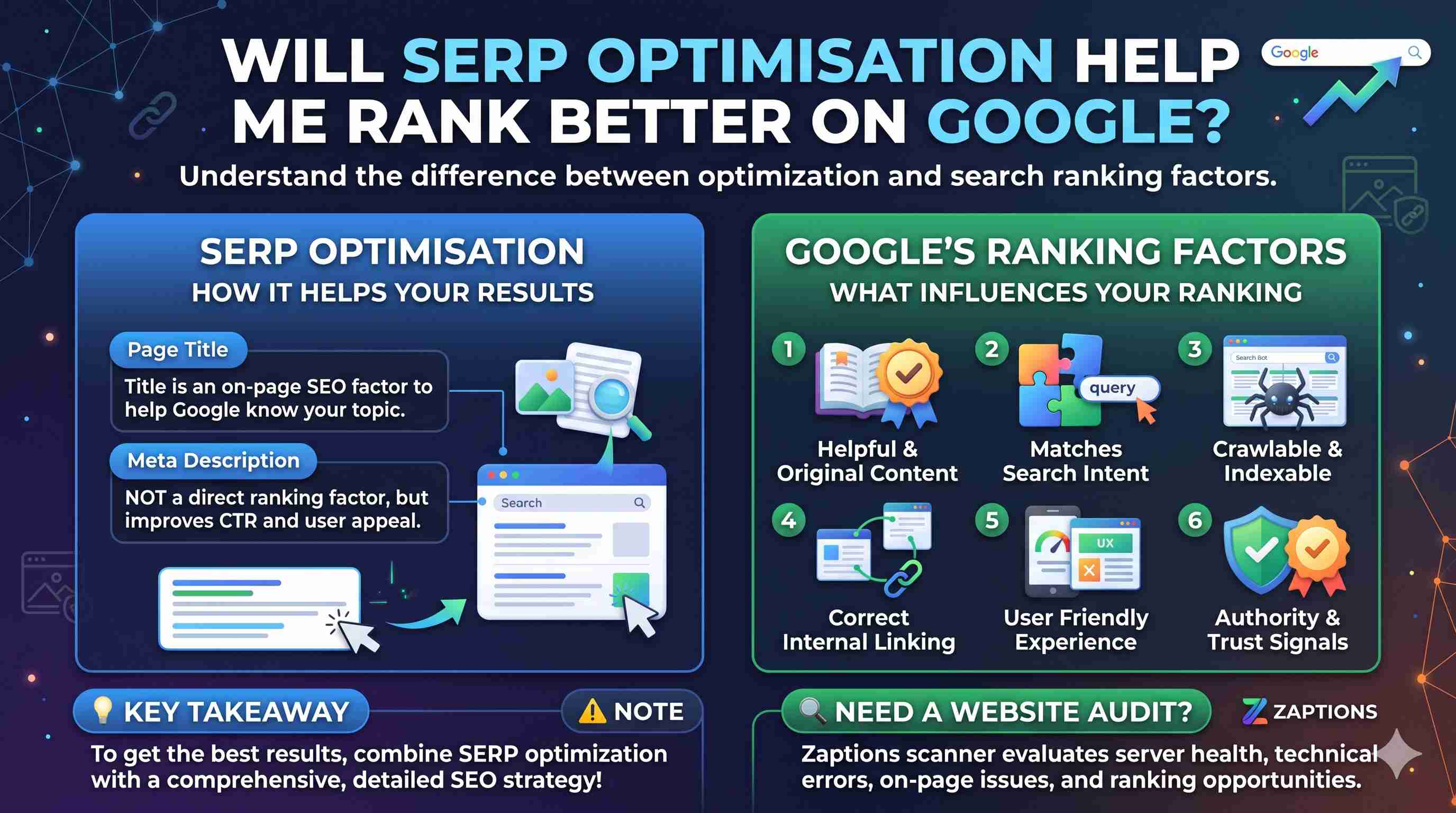
An important point to note.
Although SERP optimisation has some relation to optimising your rankings, they aren’t the same.
Having a descriptive page title will help Google know what your page is about. This is an important on-page SEO factor.
However, the meta description isn’t a direct ranking factor.
Optimising your title and snippet will help improve the relevance and appeal of your search result. However there are many other factors that will influence your rankings
These include:
- Helpful, original and relevant content.
- Content matches user search intent.
- Crawlable and indexable.
- Correct internal linking.
- User friendly site and page experience.
- Relevant authority and trust signals.
To get the best results, combine SERP optimisation with a detailed SEO strategy.
Whilst a SERP preview tool will help you improve how your search looks, there are also many other technical, content and performance factors to consider.
Common Mistakes
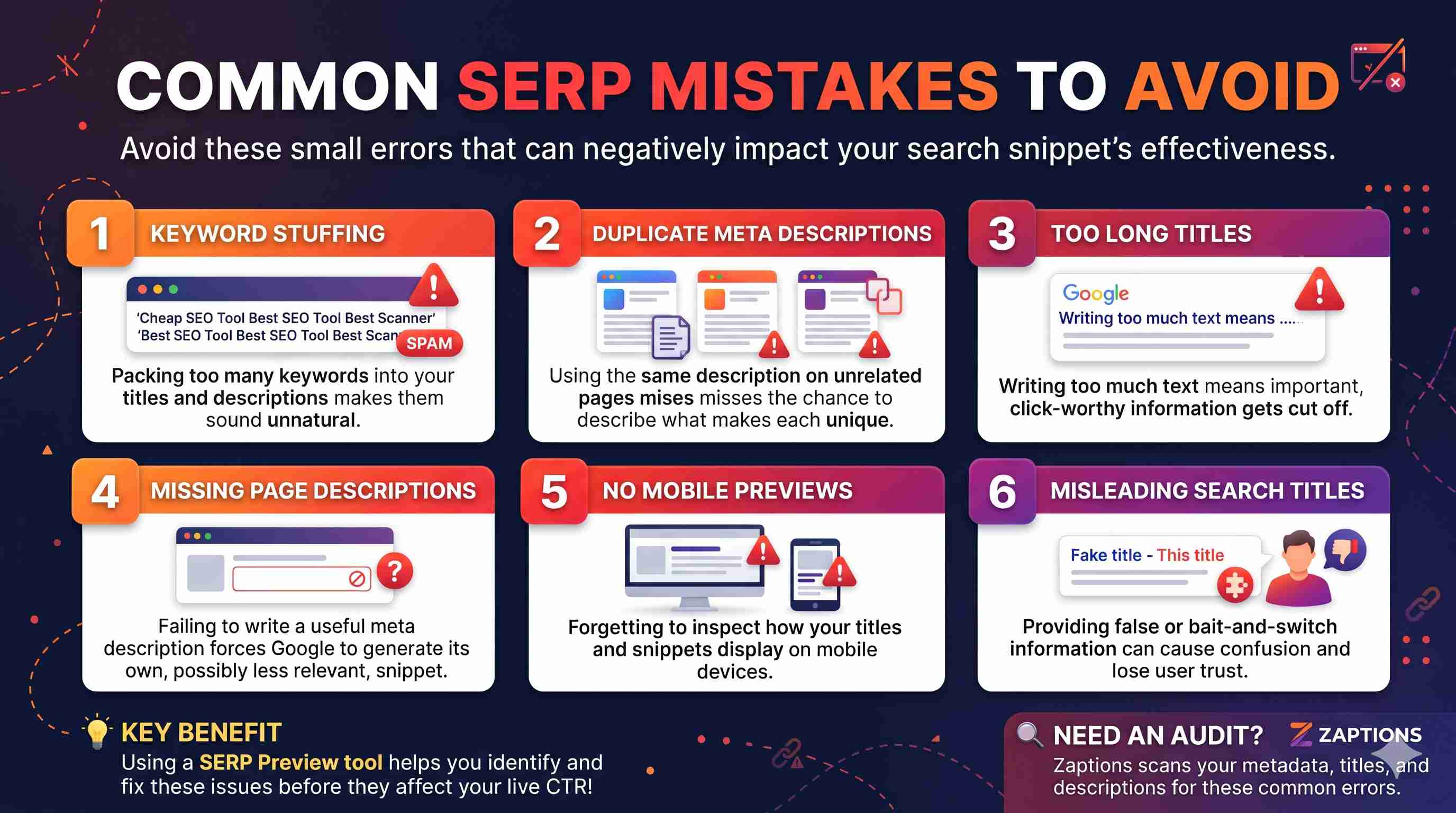
Small mistakes can impact how effective your search result is.
- Keyword Stuffing: Too many keywords will make your titles sound unnatural.
- Identical Meta Descriptions: Missing an opportunity to describe what makes each page unique, by using the same meta description on unrelated pages.
- Long Title: Too much text can mean important information gets cut off.
- No Page Description: Missing out on giving a useful description to give a hint of what the page is about. Although Google may still produce a snippet from the content.
- Not Checking Mobile Preview: Your title may look clear on desktop but get cut off on mobile.
- Misleading Search Title: Providing false information can cause confusion and lose user trust.
Using a SERP Preview tool will help you to identify issues by regularly checking how your search looks.
Final Thoughts
SEO is not just about increasing your website ranking. It’s about ensuring your website is relevant, useful and appealing to those searching for information.
Having a good search appearance can help increase the amount of relevant organic traffic to your pages.
By optimising your page titles, providing informative meta descriptions and checking how your search looks across devices, you can make the most out of your current visibility.
The Zaptions SERP Preview Tool provides an easy way to optimise your search by allowing you to edit your metadata, view a live preview and check how your search looks on desktop and mobile. It also includes some handy SEO checks.
Whether you’re a blogger, developer, business owner or SEO professional, it is a great idea to check how your search looks.
Want to improve how your website looks on Google?
Try our Zaptions SERP Preview Tool.
Go to Zaptions to discover website SEO analysis and optimisation tools.
Frequently Asked Questions (FAQs)
1. What is SERP?
Search Engine Results Page are the results shown by search engines.
2. Can I improve traffic to my website with SERP?
Yes! By improving your listing in search engines you can improve the number of clicks and quality traffic you receive. This will depend on your visibility in search, the users intent and competition.
3. Is meta description a ranking factor for Google?
No. Whilst meta description is not a direct ranking factor for Google you may see an increase in clicks if it is useful.
4. How long should my SEO title be?
Google don’t have a set limit however 50-60 characters is a good place to start. Truncation can vary depending on how much space is available.
5. How long should my meta description be?
A good place to start would be between 140-160 characters however you may see shorter or longer snippets. Snippets can sometimes be pulled directly from the page.
6. What is a SERP Preview Tool?
This allows you to see how your page title, URL, favicon and description will appear in search engines.
7. Can Zaptions improve my Google rankings?
No tool can guarantee improved rankings. Zaptions will allow you to review and optimise elements of your search.
8. Will Google always show my SEO title and meta description?
No. Google can automatically create or change your title links and snippets based on your page content and what the user searches for.
Latest Posts
-
Free Broken Link Checker Guide
Nov 03, 2026 -
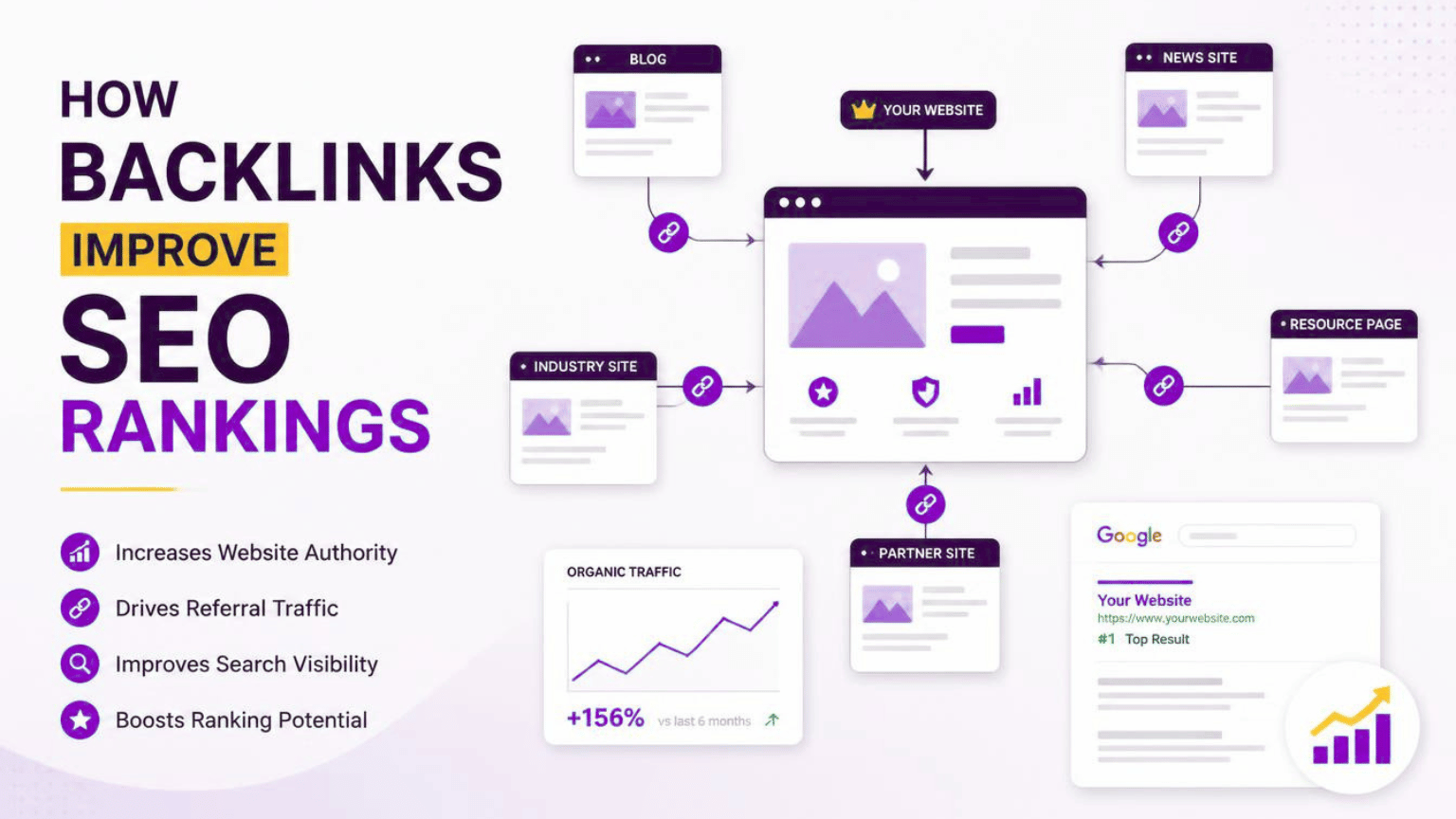
How Backlinks Help Improve SEO Rankings
Oct 27, 2026 -
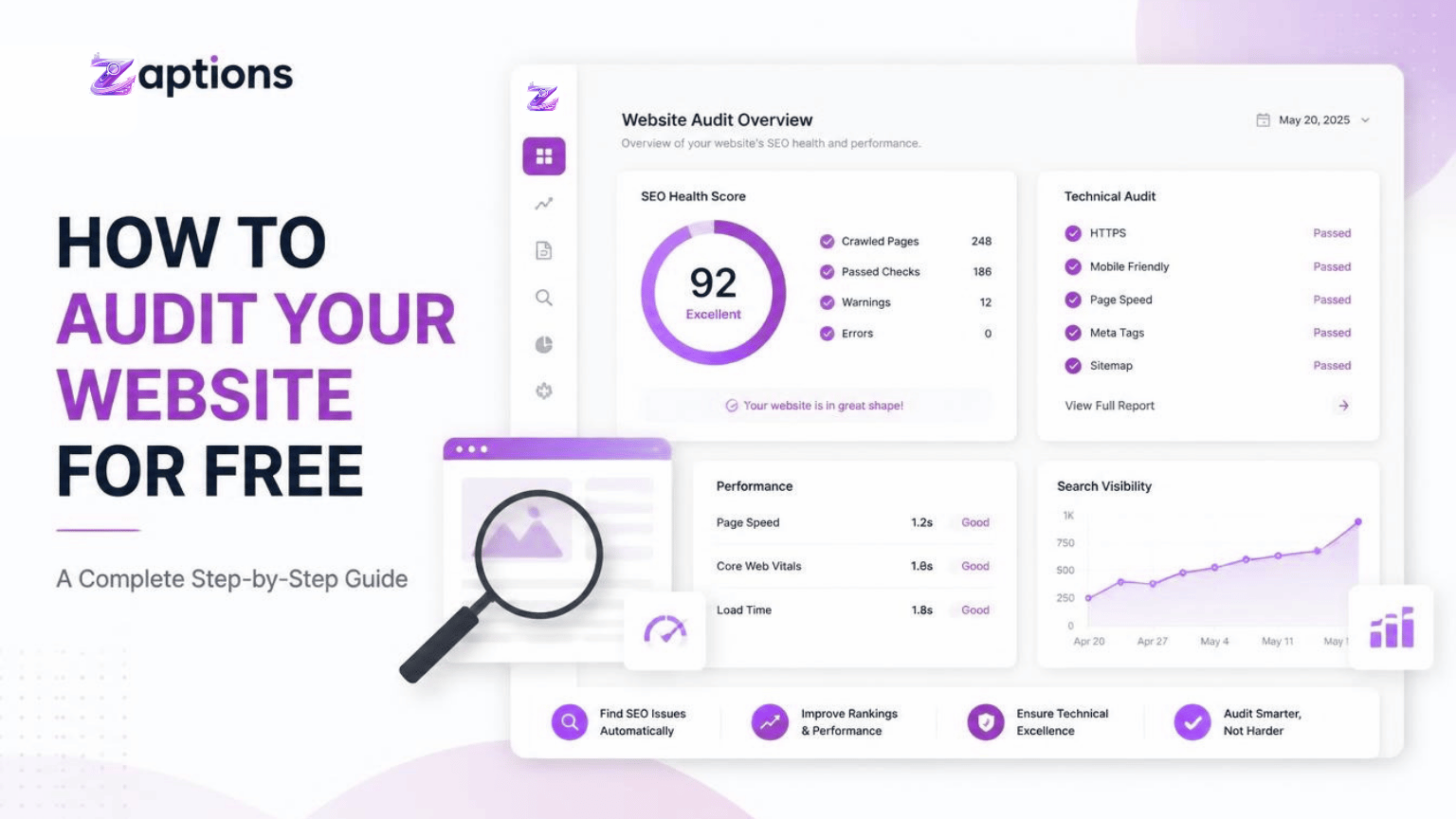
How to Audit Your Website for Free
Oct 26, 2026