

Are you having trouble ranking your website on Google? Publishing great content but not getting enough organic traffic?
There could be underlying issues within your site such as technical SEO errors, broken links, missing meta descriptions, and poor website structure that cause search engines to not crawl and rank your website properly.
That’s why Zaptions exists.
Zaptions is our FREE SEO audit and website analysis tool that allows website owners to identify SEO problems on their site and learn how to correct them.
In this tutorial, we’ll teach you how to use Zaptions step by step and demonstrate with a real world example how performing an SEO audit can help you improve your website’s health.
What Is Zaptions?
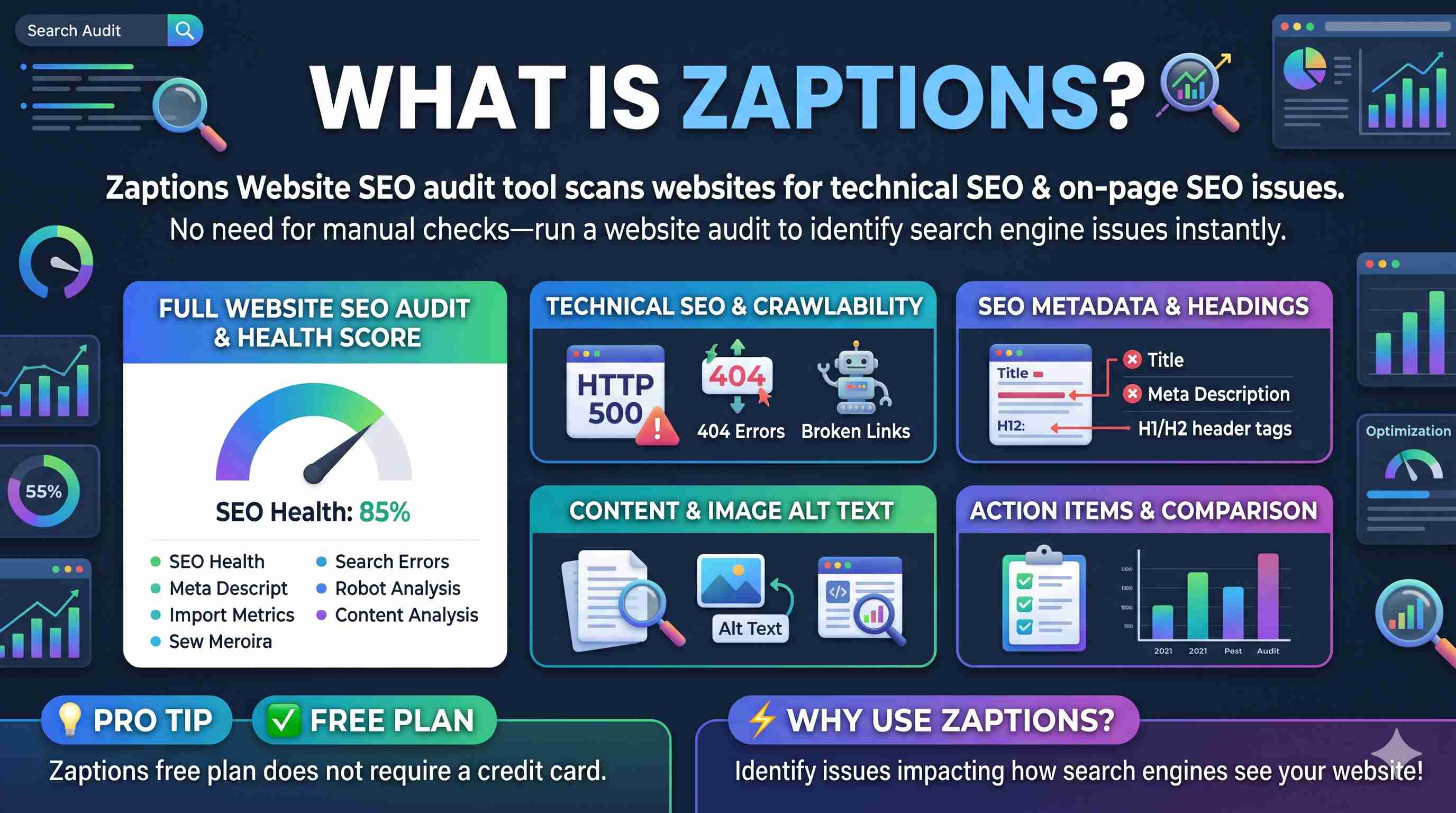
Zaptions Website SEO audit tool scans websites for technical SEO & on-page SEO issues.
Rather than auditing each page of your site manually you can run a website audit and then analyze the report to identify issues that might impact how search engines see your website.
Key Features of Zaptions
- Full Website SEO Audit: Evaluate your site’s health and find optimization tips.
- Technical SEO Audit: Learn about crawlability issues, HTTP errors, and indexing problems.
- Broken Links: Discover links that point to missing pages.
- Title and Meta Description: Learn where missing SEO elements might be hurting your pages.
- Heading Analysis: View how you are using Heading 1s, Heading 2s, and more.
- Image Alt Text: View which images are missing alt text.
- Content Analysis: Discover ways to optimize on-page content.
- SEO Health Score: View the overall SEO health of your website.
- Action Items: Easily view what issues should be fixed.
- Audit Comparison: Compare past audits to determine improvement.
Zaptions free plan does not require a credit card.
Step 1: Go to Zaptions Website
First, open your browser and navigate to:
Navigate to https://zaptions.com in your browser.
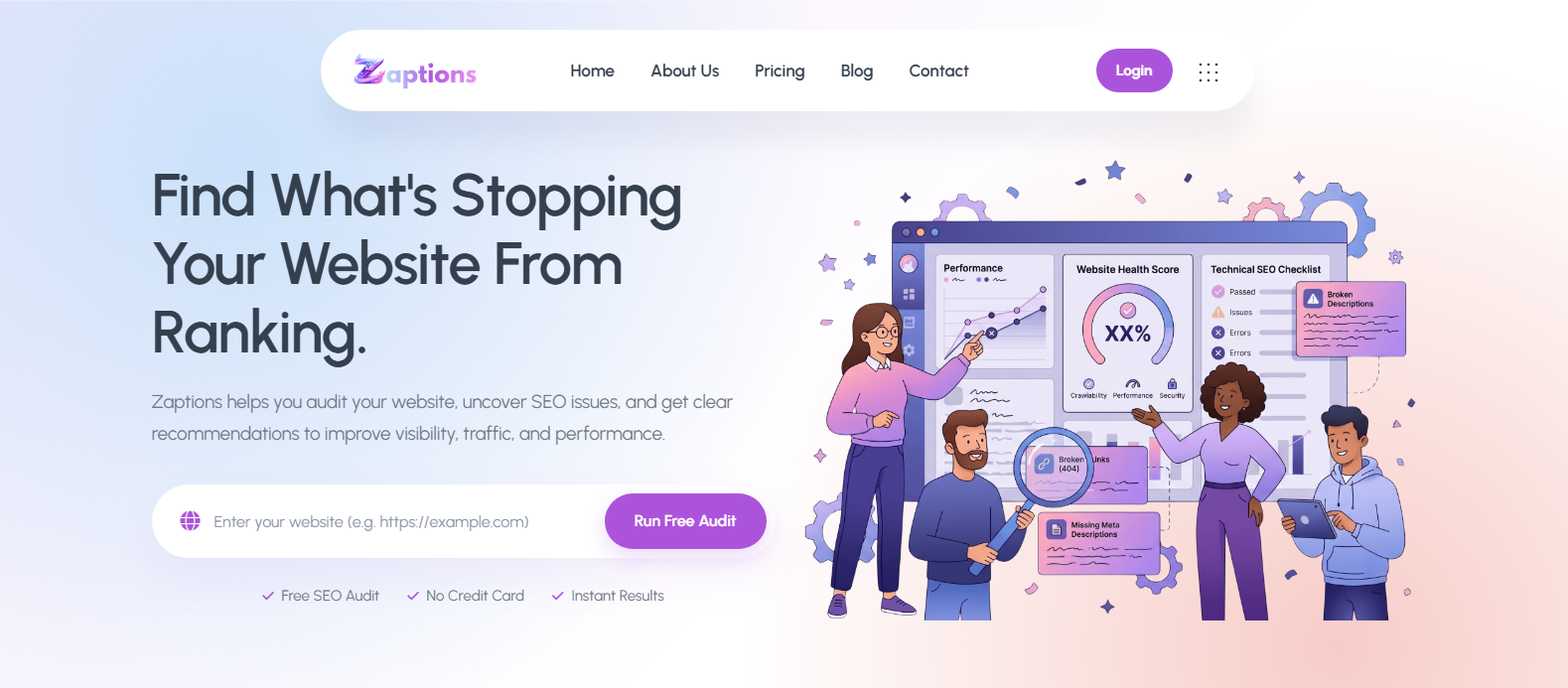
On Zaptions’ homepage, click where it says “Enter Your Site URL to Begin 100% FREE Audit”
Type in the url of the website you want to audit and click Run Free Audit. In our example we will use:
https://www.example-fashion-store.com
(Note: this is not a real website. It is for demonstration purposes only) .
Enter your websites url in the designated area and click Run Free Audit.
Step 2: Sign Up For Free
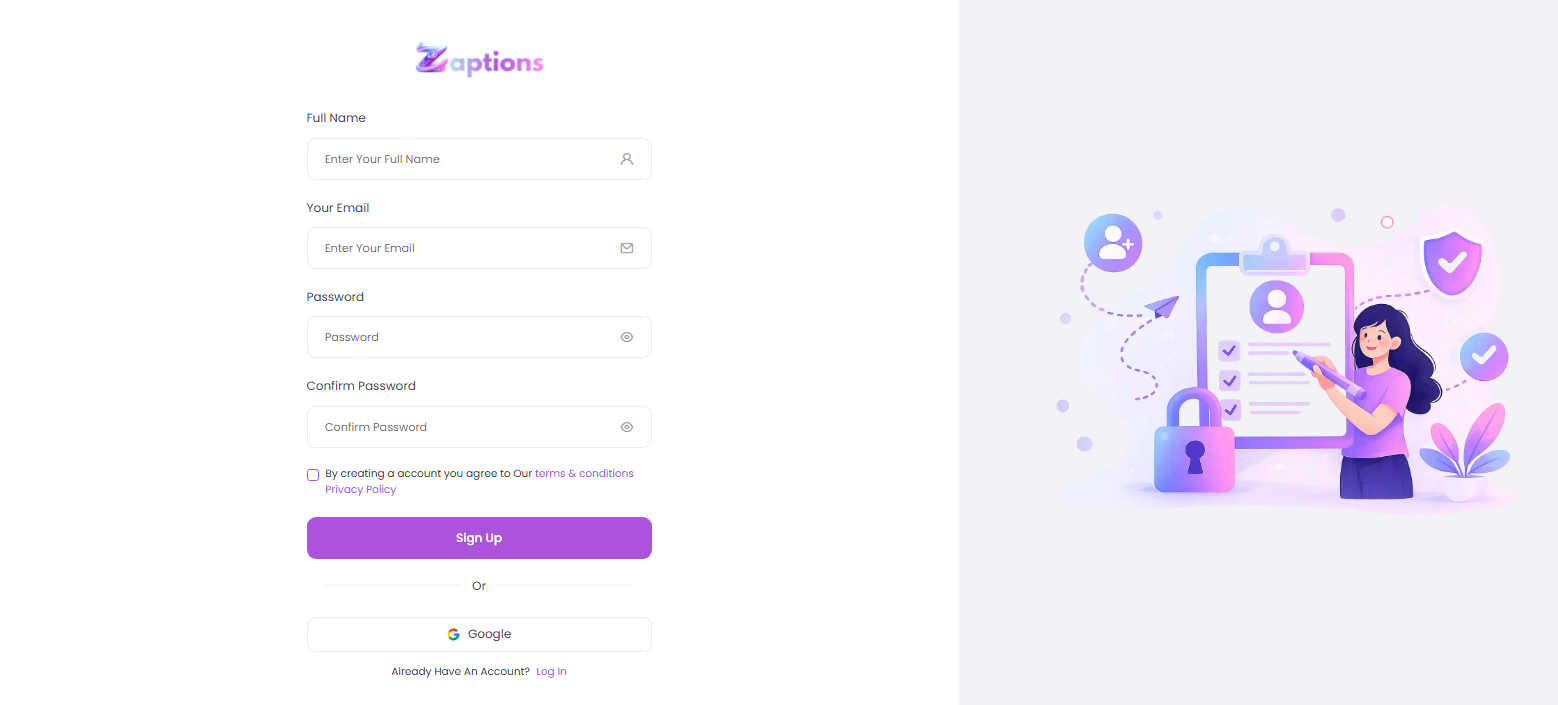
The nice thing about Zaptions is you can register an account and begin doing website SEO audits. Without buying anything!
If you get prompted to register an account:
- Visit the registration page.
- Fill out the necessary information to sign up.
- Log into your new account.
- Begin Audit!
Now that you are logged in you can use their audit functions to scan your website.
Step 3: Run Your Website SEO Audit
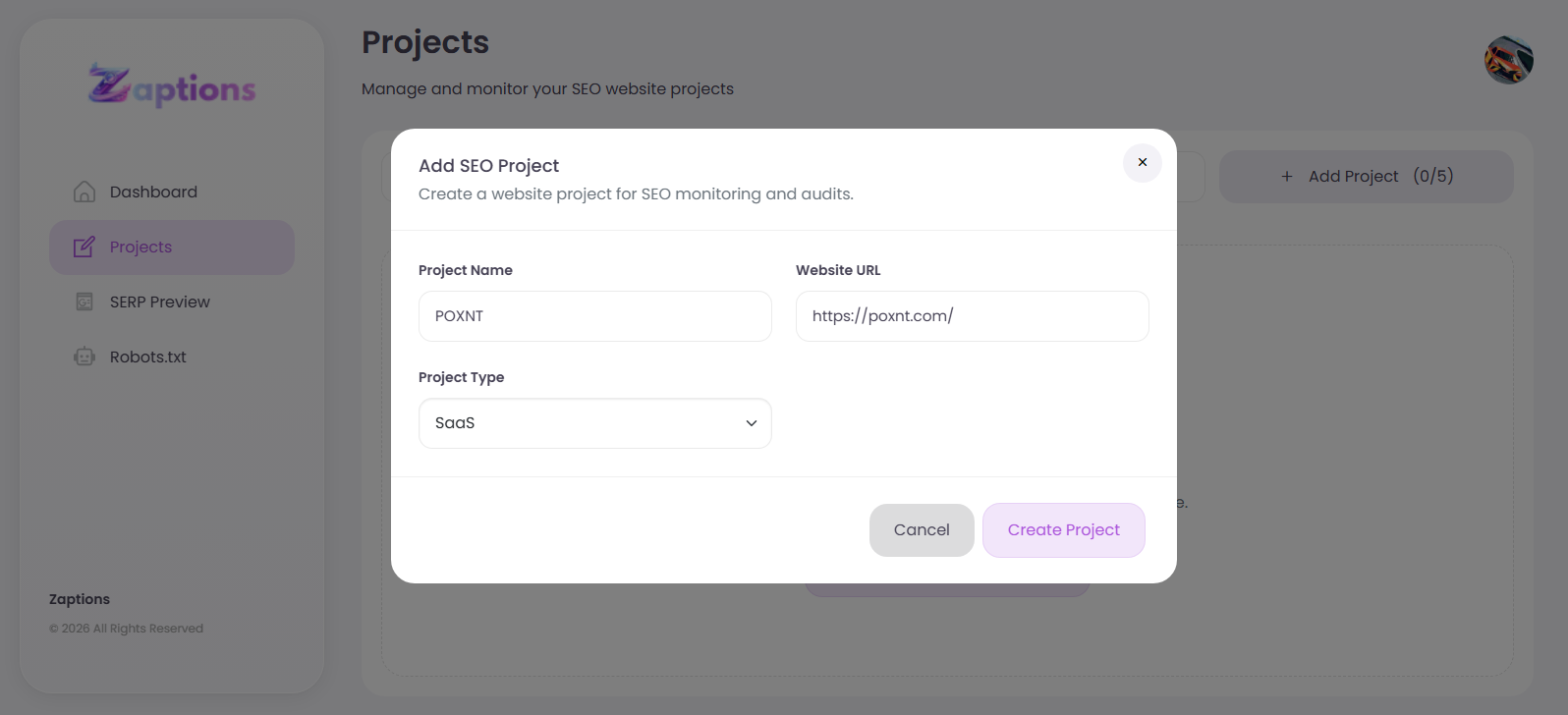
Once you enter your website URL, Zaptions will scan your website and provide an SEO report, which includes, but is not limited to, the elements listed below.
Zaptions crawls your website and checks SEO-related elements, including:
- Page titles and meta descriptions
- Heading
- Links (internal and broken)
- Image alt attributes
- HTTP status errors
- Technical SEO
- Crawlability
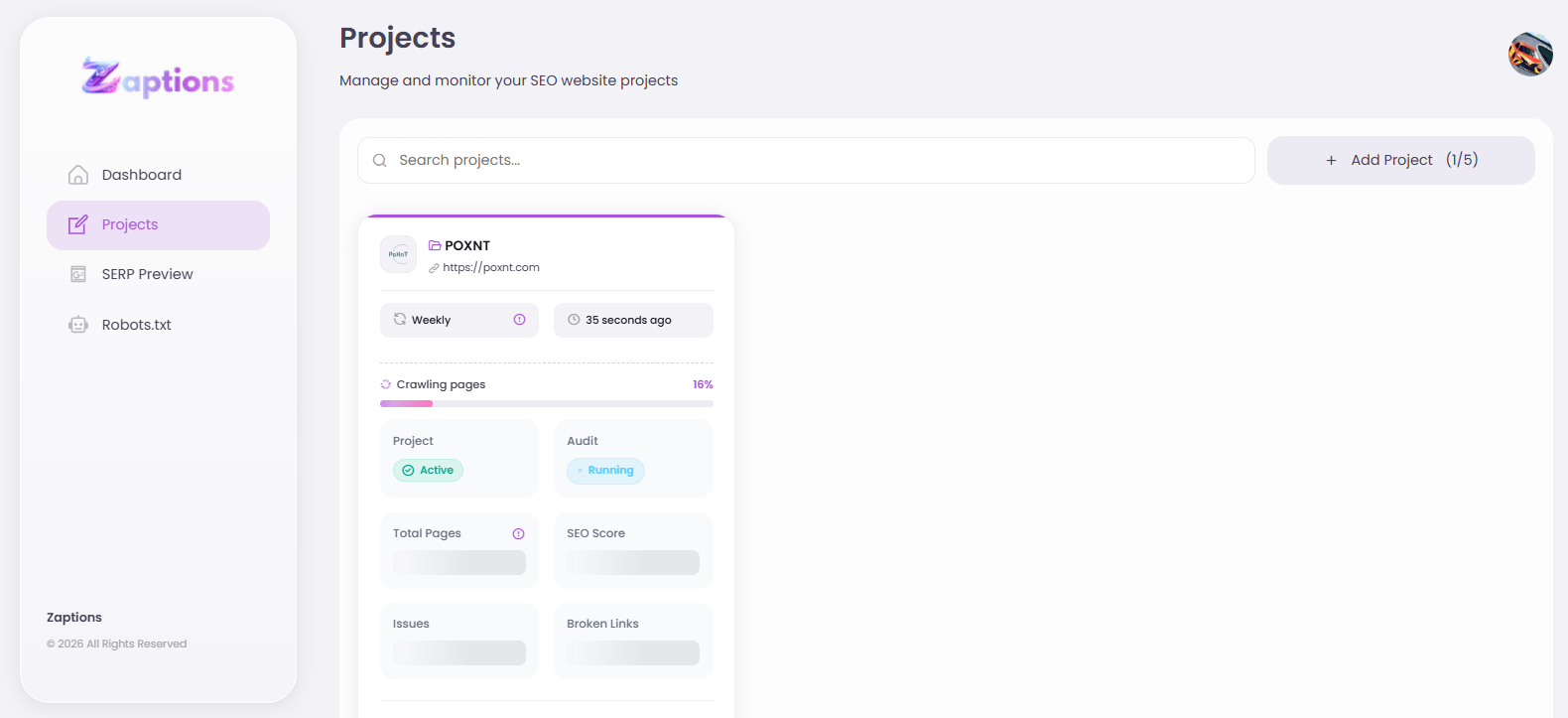
According to Zaptions, the length of time it takes to complete an audit is dependent upon the size of your website. An audit of a smaller website is usually completed in a matter of minutes.
Step 4: Comprehend the SEO Audit Report
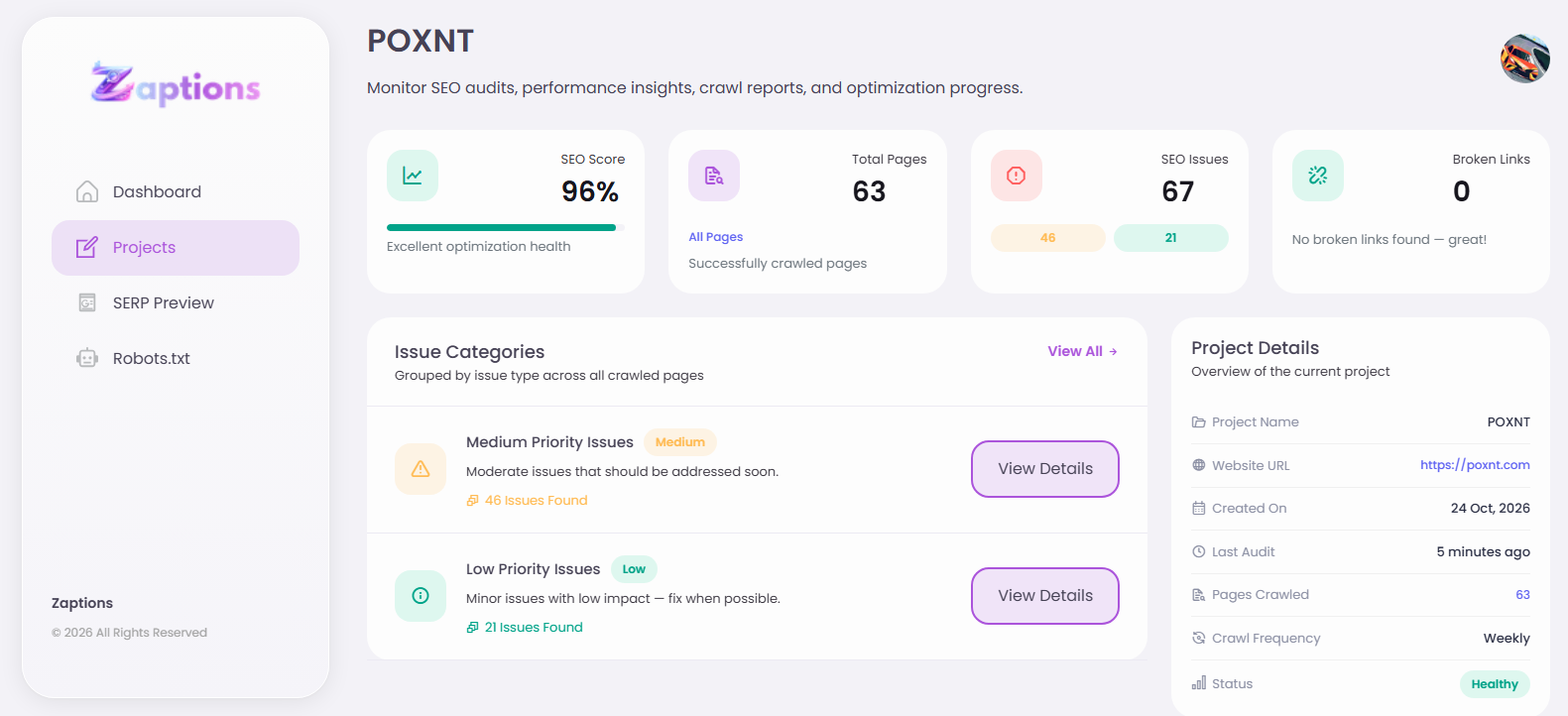
Once the scan is complete, analyze the SEO audit results.
Zaptions gives you insight with SEO health scores, severity of issues and suggestions on what needs attention.
Let's put it into a real-world use case. Say you have an online clothing store with 50 product pages. You notice a lot of the product pages are not ranking well in Google search.
You run a Zaptions audit. The results come back with some hypothetical issues:
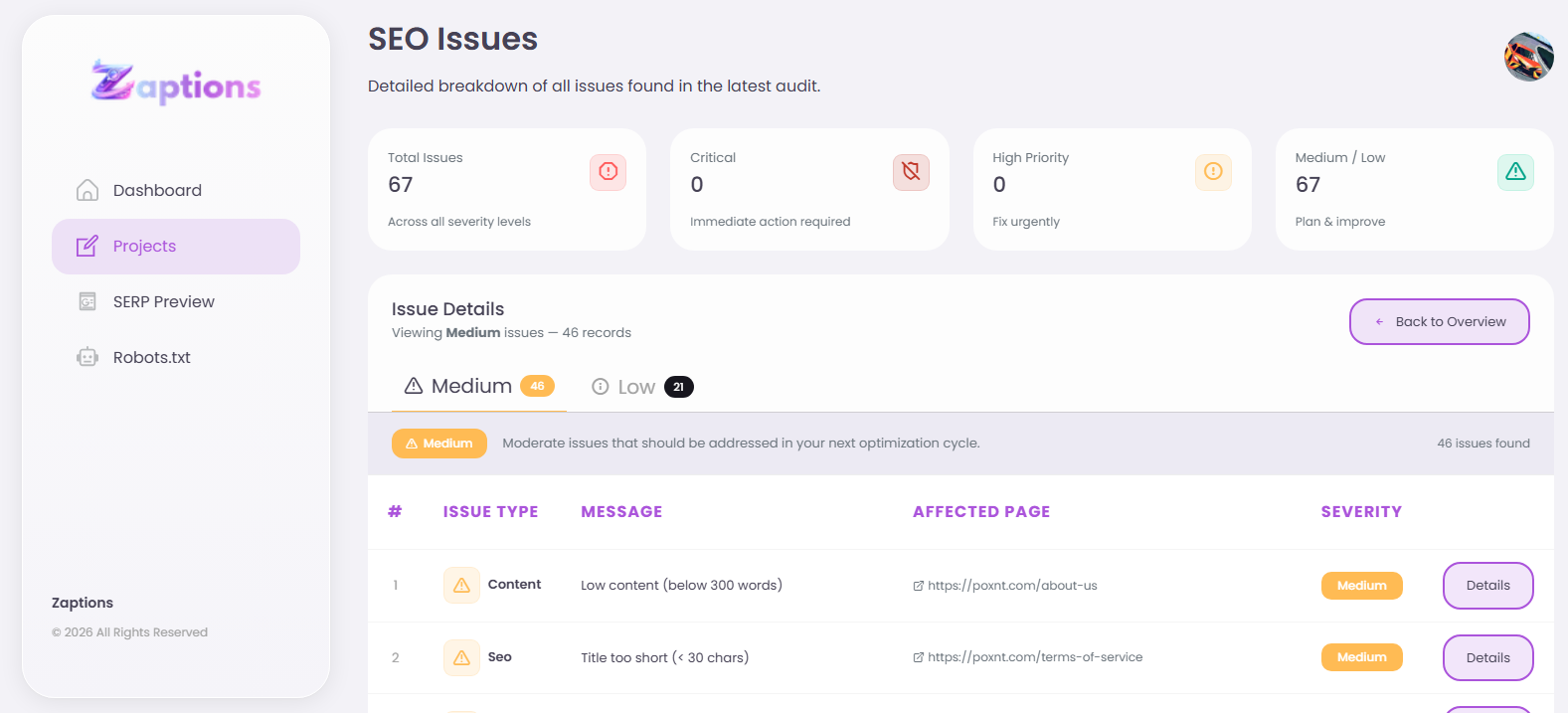
Now instead of going through and trying to find all the issues yourself, you can see a nice list of problems to look into and improve.
Step 5: Fix Missing Meta Titles and Descriptions
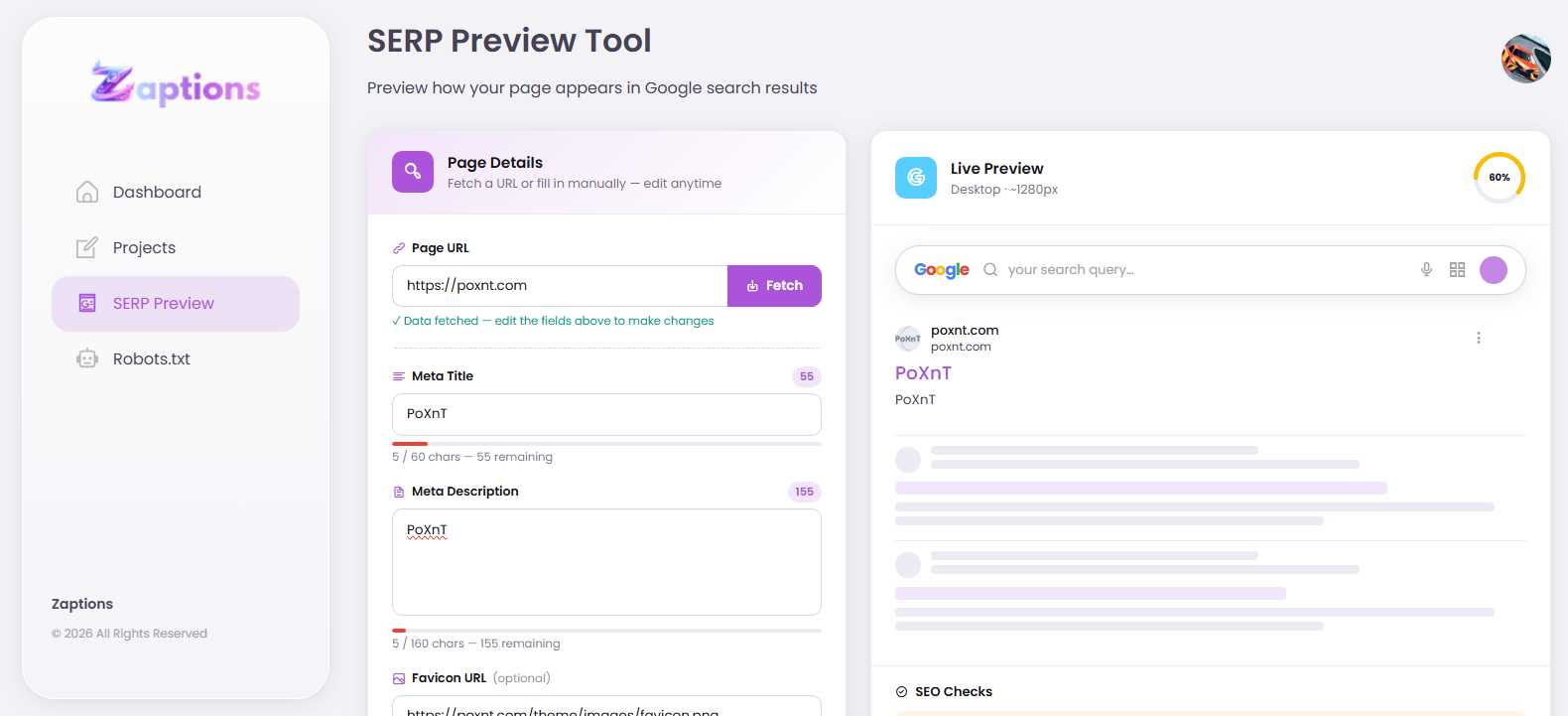
Review your website's metadata.
A meta title is a title for a webpage and a meta description is a short summary of a webpage.
Example
Before optimization:
Title: Products
Meta Description: Missing
After optimization:
Title: Women's Cotton T-Shirts | Example Fashion Store
Meta Description: T-Shirts made of 100% cotton with different styles and colors to add to your everyday fashion. Check it out at Example Fashion Store!
Apply this to the webpages identified by the audit and ensure each webpage has unique metadata.
Step 6: Identify and Fix Broken Links
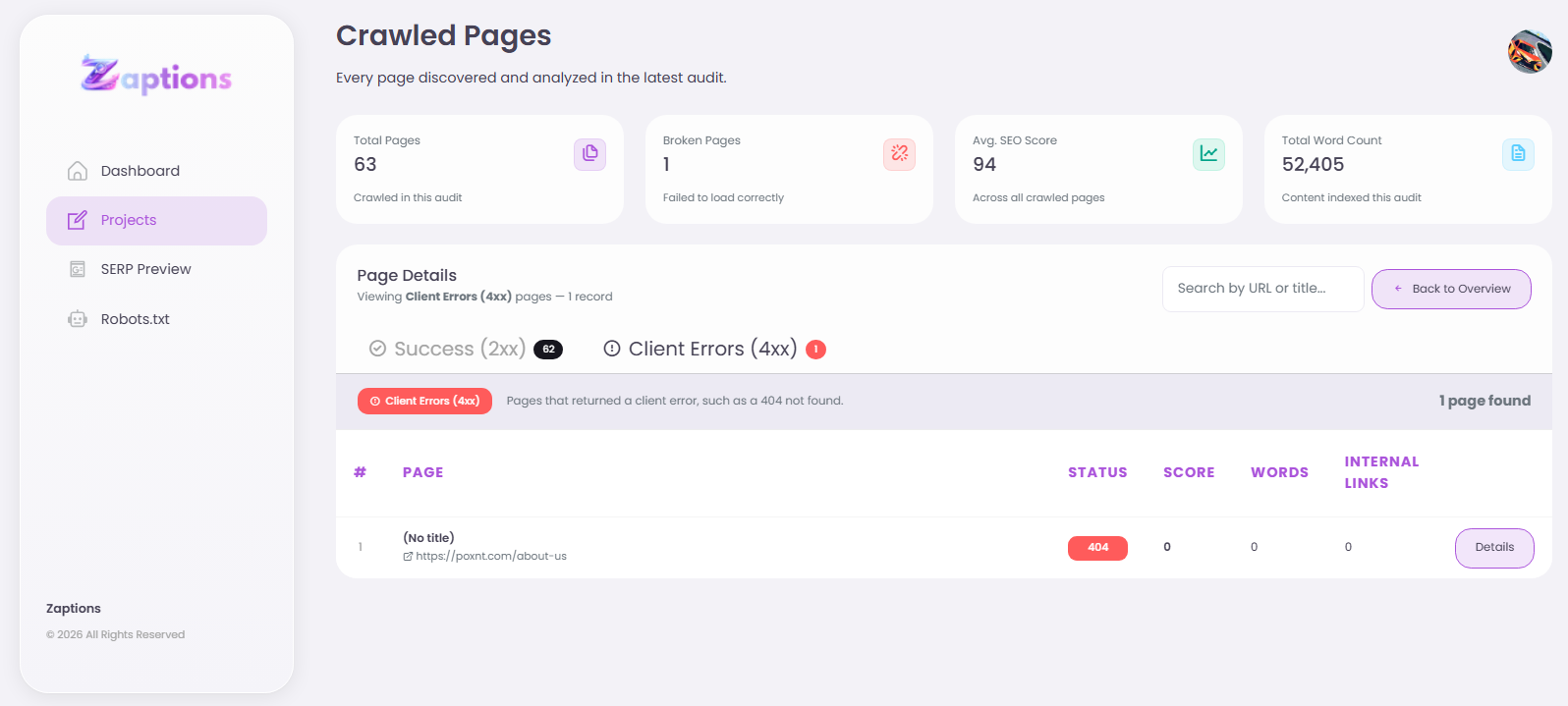
Broken links can irritate visitors and create obstacles for search engine crawlers.
If your website links to:
https://www.example-fashion-store.com/old-collection
and the page no longer exists, returning a 404 error,
Zaptitions can help you find broken links and review them.
To fix the issue::
- Locate the broken link.
- Check if there is a replacement page.
- Update the link to the replacement page.
- If the original page has been moved, do a 301 redirect to the replacement page.
- Remove the link if there is no replacement page.
This will help create a smoother experience for visitors and search engines.
Step 7: Improve Your Website's Heading Structure
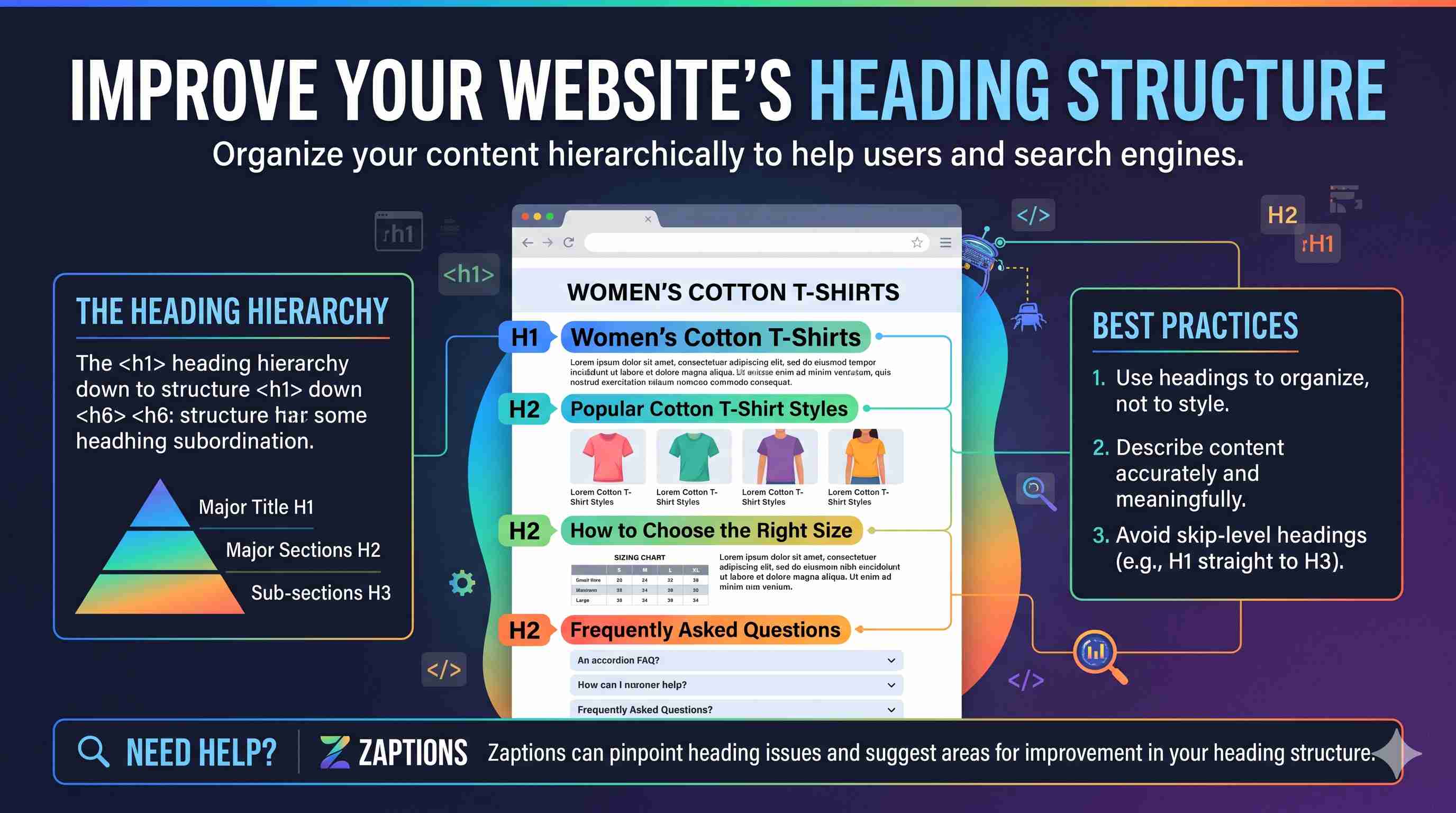
Use heading elements to organize your content.
Hierarchically, they can express that certain content is subordinate to other content.
For example, headings might be used as follows on a category page for Women’s Cotton T-Shirts:
H1: Women’s Cotton T-Shirts
H2: Popular Cotton T-Shirt Styles
H2: How to Choose the Right Size
H2: Frequently Asked Questions
Generally, use language in headings that most accurately and meaningfully describes the content.
Zaptions can help pinpoint heading issues and suggest areas for improvement in heading structure.
Step 8: Optimize Your Website Images
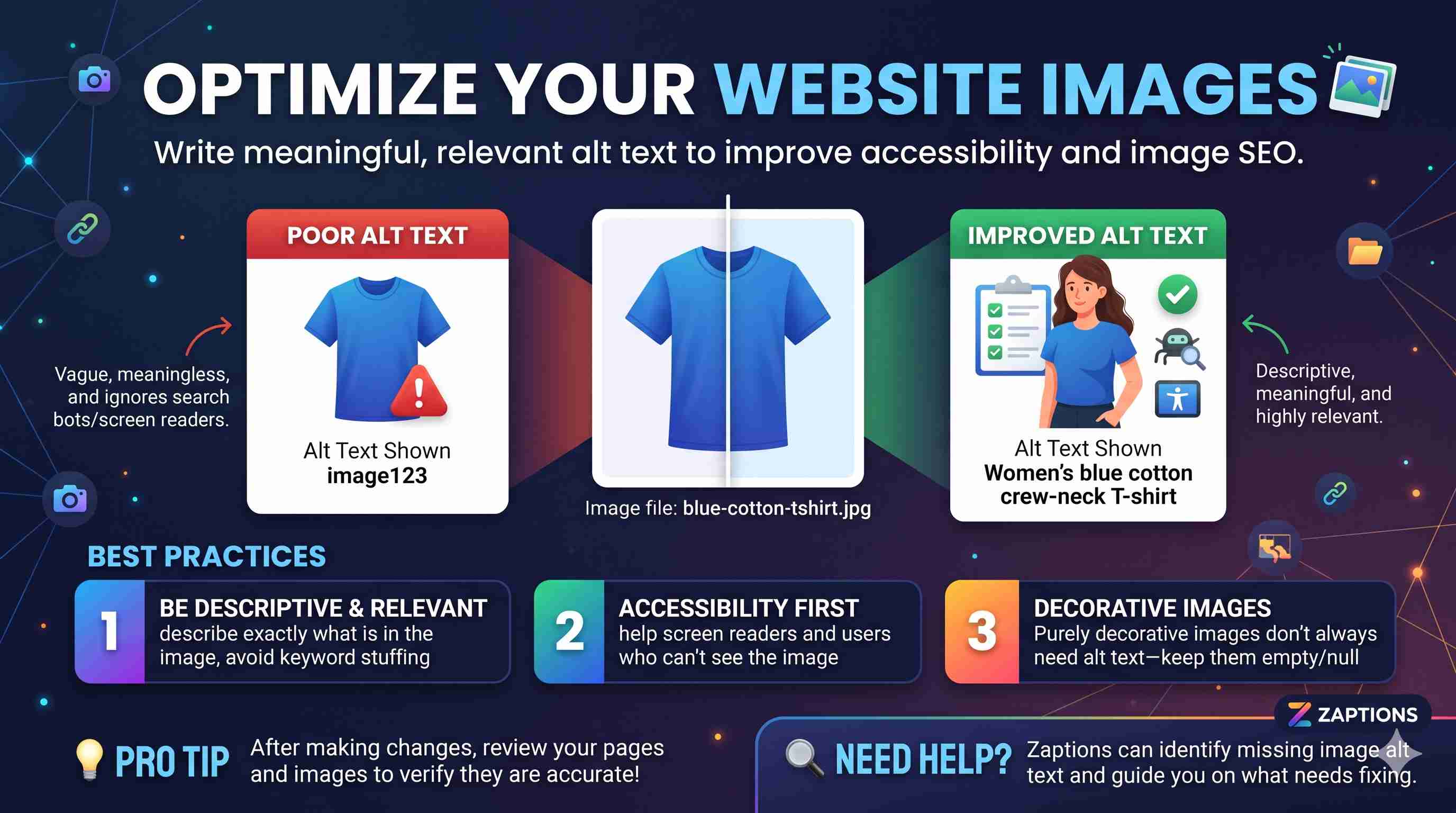
For e-commerce websites and blogs, images can convey messages or illustrate ideas quickly and effectively.
However, some images may lack the appropriate alt text. This can negatively impact accessibility and reduce the quality of image content for search engines.
Some examples of image files with poorly written alt text are
Image file: blue-cotton-tshirt.jpg
Poor alt text: image123
Improved alt text: Women's blue cotton crew-neck T-shirt
Alt text should be meanindful and relevant to the image. Decorative images don't always need alt text.
After making changes, review the pages and images in question to verify that your changes are accurate
Step 9: Prioritize Technical SEO Issues
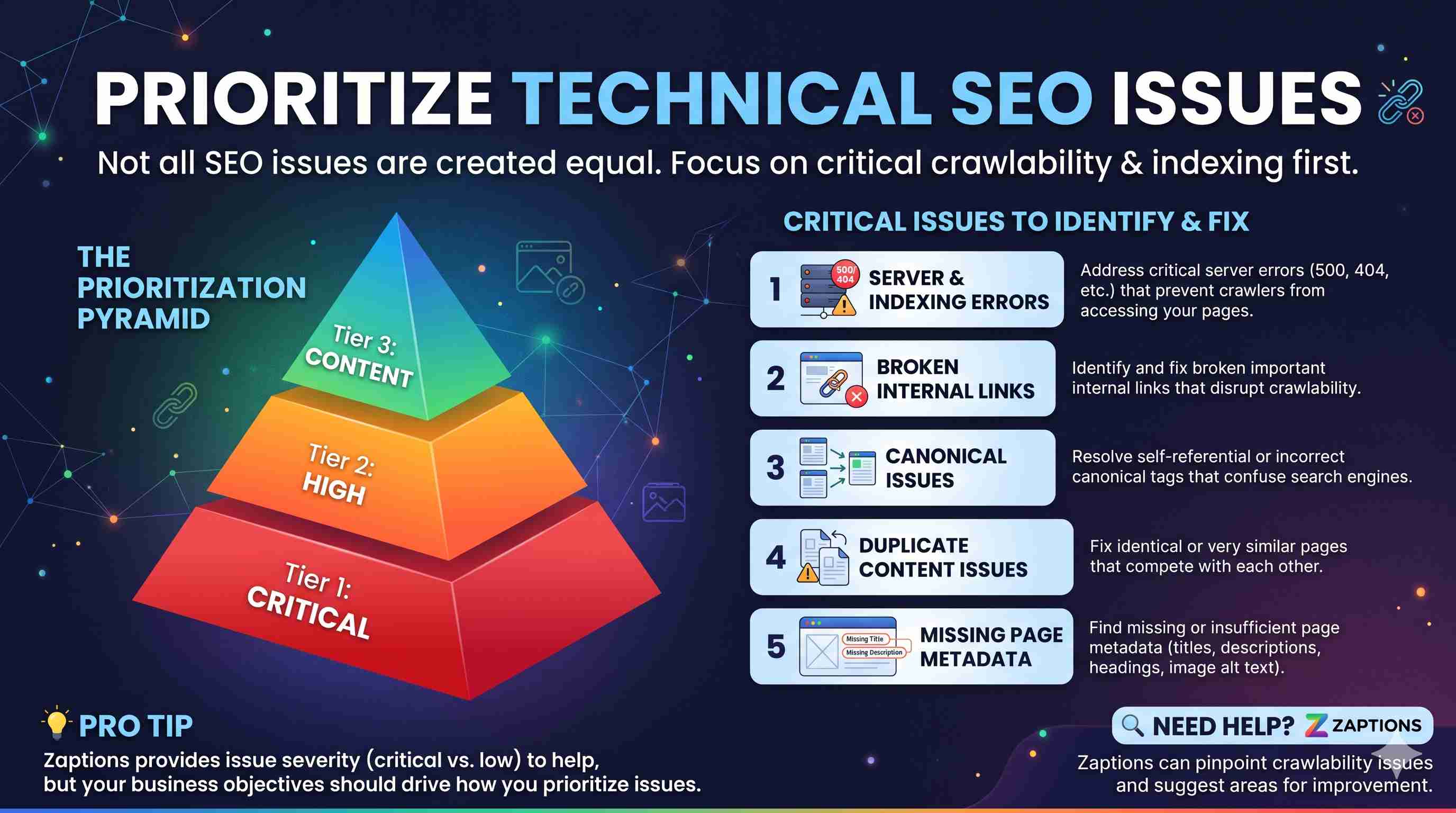
Not every SEO issue should be dealt with in the same manner.
Begin by identifying critical crawlability and indexing issues.
Some issues to help address this question might include:
- Broken important internal links.
- Server errors (500, 404, etc).
- Canonical issues.
- Duplicate content issues.
- Missing or insufficient page metadata.
Heading and image content and other issues pertaining to page content.
Zaptions provides issue severity to help guide your efforts, but the true nature of business objectives for a website should ultimately drive how you prioritize issues.
Step 10: Re-audit and see your progress
Once you have addressed your problems, go back to Zaptions to run another audit.
You can compare your report with the last one.
You can even do historical audits to see how your SEO health has progressed. See what else needs attention.
Example of an SEO Improvement Tracker
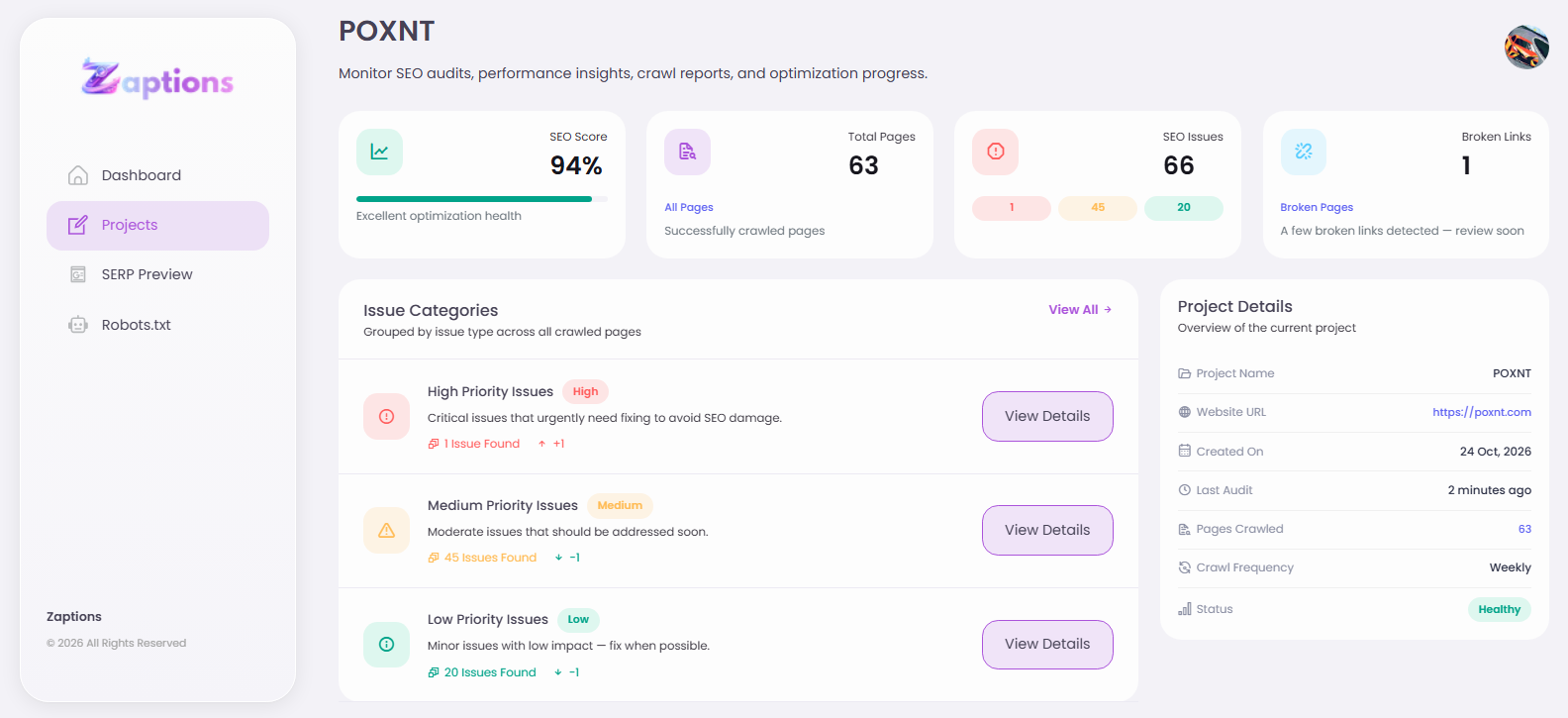
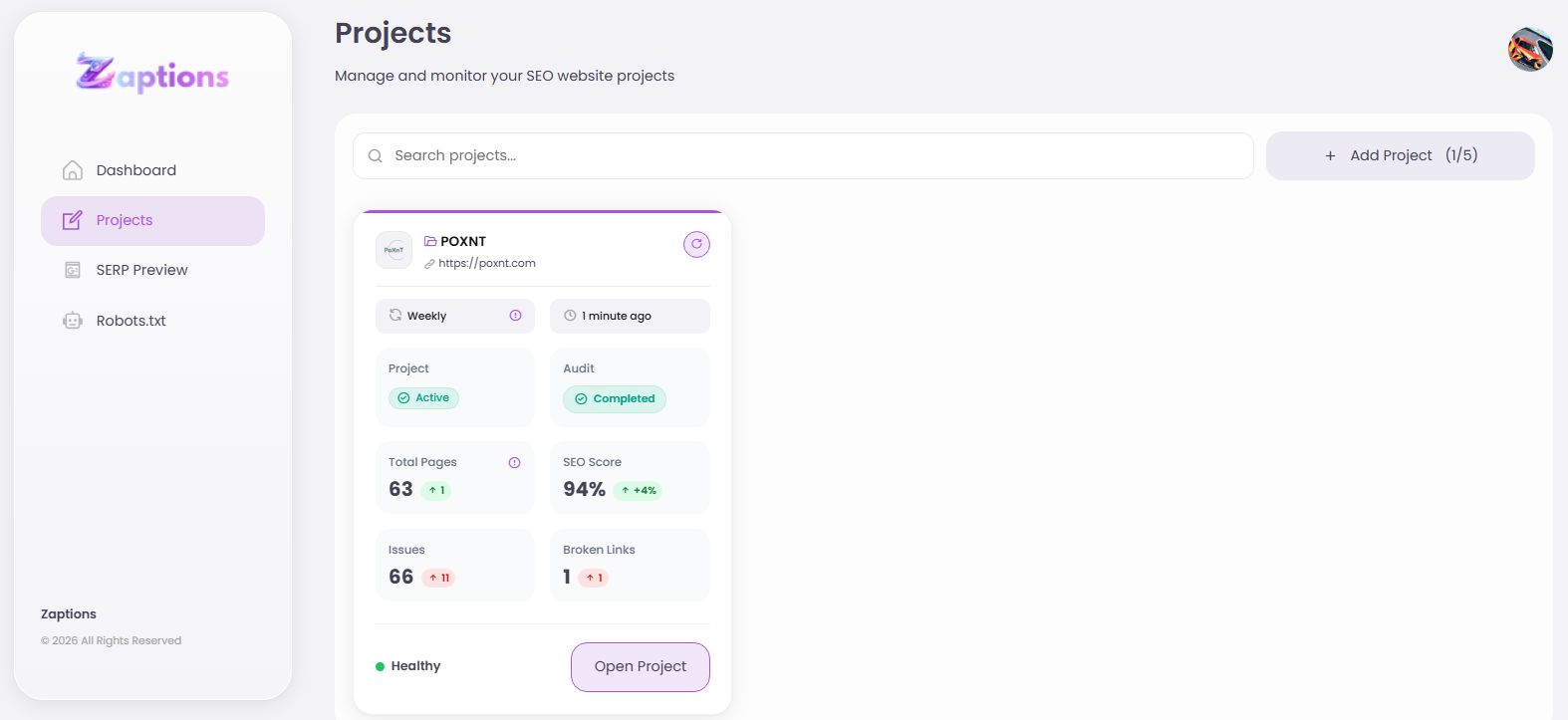
Don't assume better SEO health = better Google ranking.
Of course, there are other factors that affect your rankings in the SERP (search engine result pages) such as content relevance, competition, search intent, backlinks, and more.
Who Should Use Zaptions?
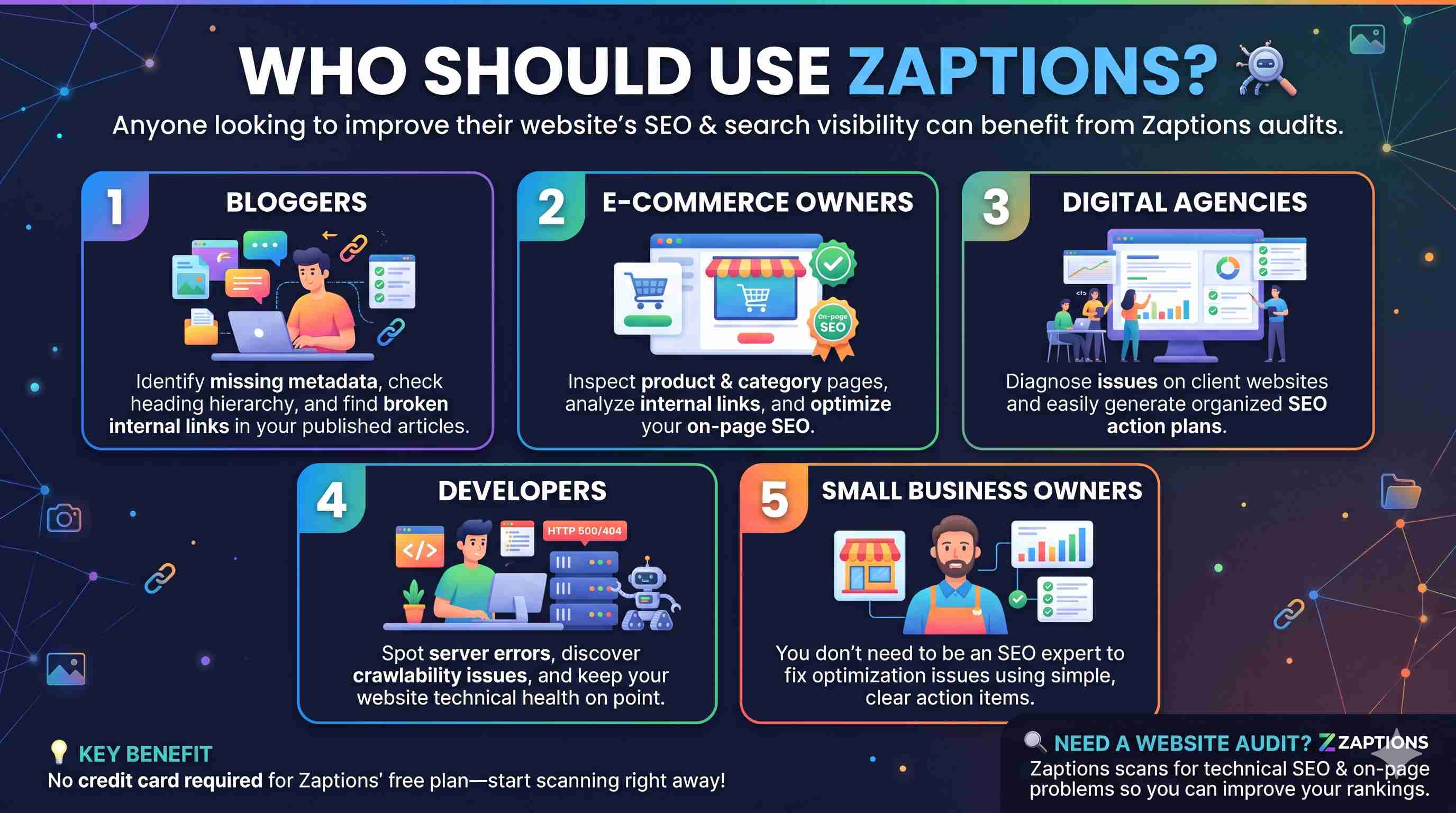
1. Bloggers
Need to check your blog for any technical problems? Perhaps, lack of metadata? Headings? Or maybe even broken internal links on your published articles. You can check all of that with Zaptions.
2. Owners of e-Commerce stores
Check your product pages, category pages, internal links, and on-page SEO. See if there are any improvements that you can make.
3. Digital Marketing Agencies
You can use Zaptions website audit report to find some problems on your client's website and then make an organized SEO improvement plan.
4. Developers
Check out HTTP errors, crawlability problems, link issues, and more other technical problems that could impact your website health.
5. Small Business Owners
Even if you don't have the knowledge of SEO, you can still take advantage of all the reports and recommendations to know what's wrong with your website's optimization.
Why should you use Zaptions to audit your website SEO for free?
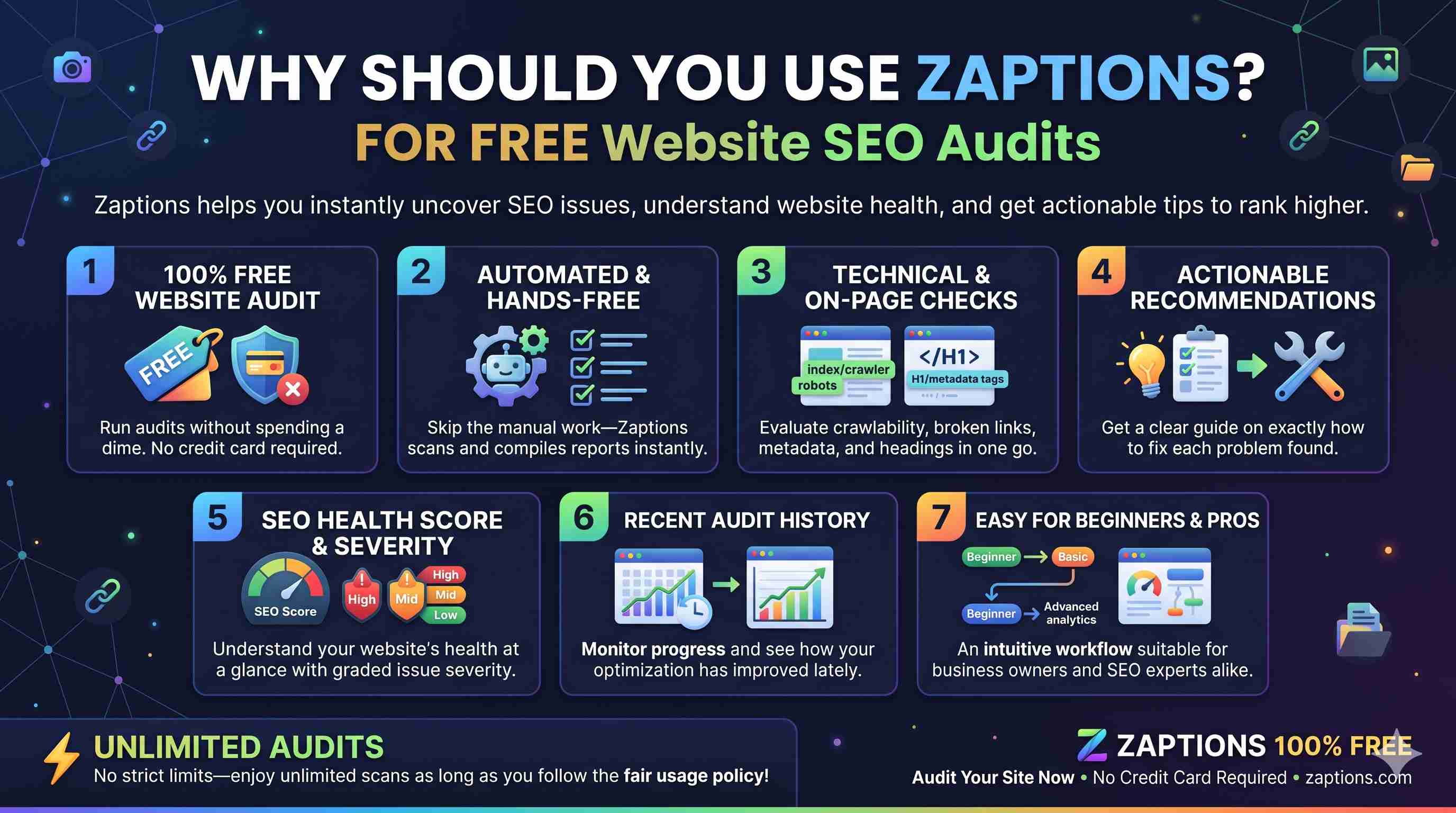
Zaptions has a lot of benefits that website owners can take advantage of when trying to know the health of your website's SEO.
- Free website audit. No credit card needed.
- Automated. You don't have to check a lot of things manually.
- Technical and on-page SEO checks.
- Get recommendations on how you can fix the problems they found.
- SEO health score and severity.
- Recent audit history. You can see how your site has improved lately.
- Easy workflow. Beginners and SEO pros can use it.
And they also claim unlimited audits as long as you don't exceed the fair usage policy.
Frequently Asked Questions
Is Zaptions free to use?
Yes. We claim to have a free SEO audit plan. No credit card needed.
Is Zaptions good for beginners?
Yes. Zaptions is built for both beginners and SEO pros.
We provide easy to understand explanation of the problems and the recommendations.
How long does it take to audit my website?
According to Zaptions, it takes a few minutes for most audits.
It depends on the size of your website and the number of pages they'll crawl.
Does Zaptions find broken links?
Yes. We mention that we can find broken links.
That's one of the features we claim.
Does Zaptions guarantee better google rankings?
No, you can't expect better ranking just by using SEO audit tools.
Yes, Zaptions help you find your problems and possible improvements but ranking is very dependent on many things.
How can I see my improvement after fixing my SEO problems?
You can compare your historical audit. You can see the results of your recent audit.
You can monitor your website health.
Final Thoughts
Fixing your website SEO doesn't have to be complicated.
You don't need expensive software or be highly technical.
Sometimes, the first step to doing it right is to know what's stopping your website from giving its best performance.
You can scan your website using Zaptions to find your technical and on-page SEO problems.
Whether you have a blog, e-commerce store, or just a business website, it's good to have an SEO audit from time to time to make your website healthier.
You can provide a better experience to your visitors
Do you want to know the SEO health of your website?
Go to Zaptions.com and get your free website SEO audit now!
Latest Posts
-
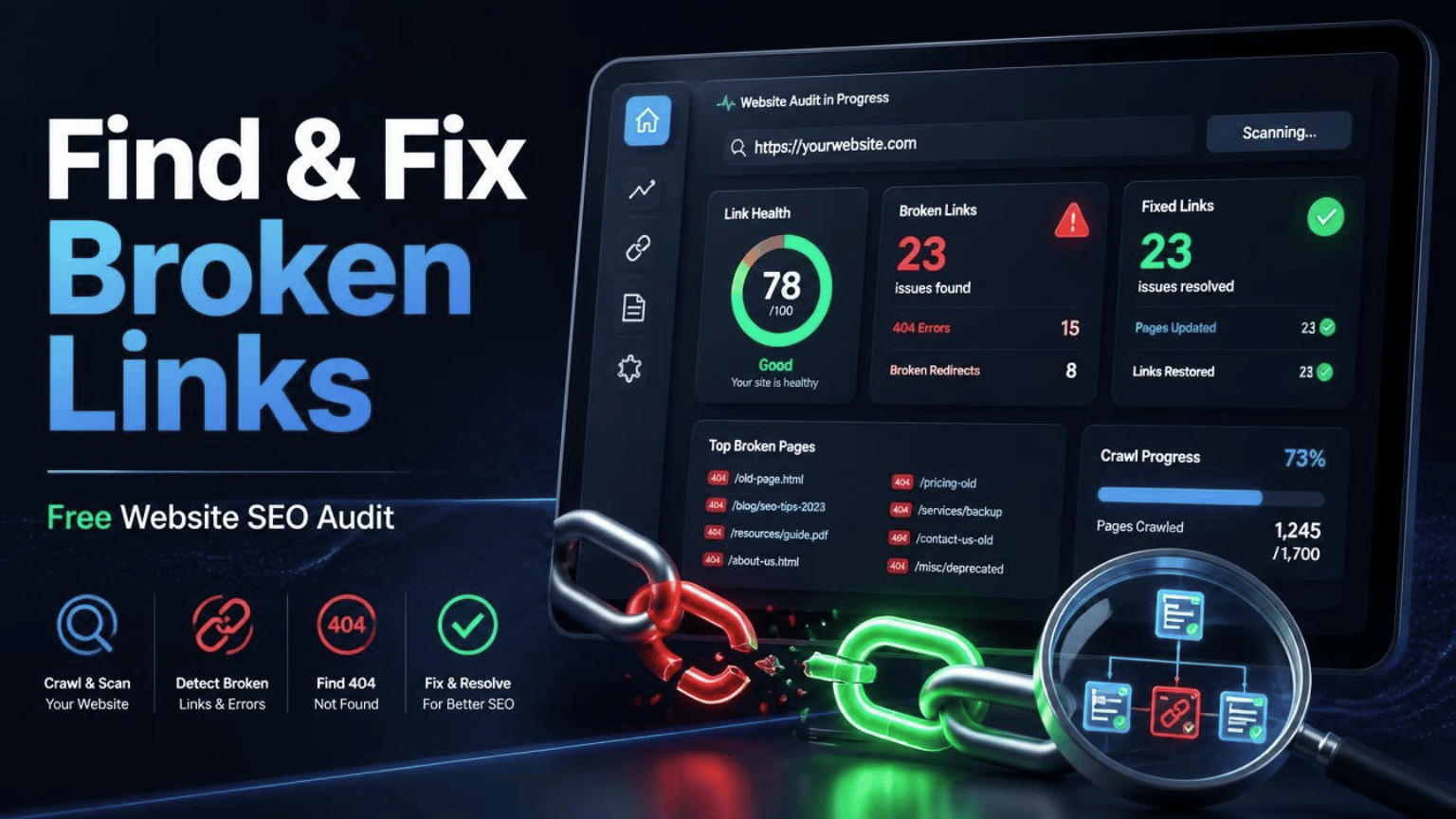
Free Broken Link Checker Guide
Nov 03, 2026 -
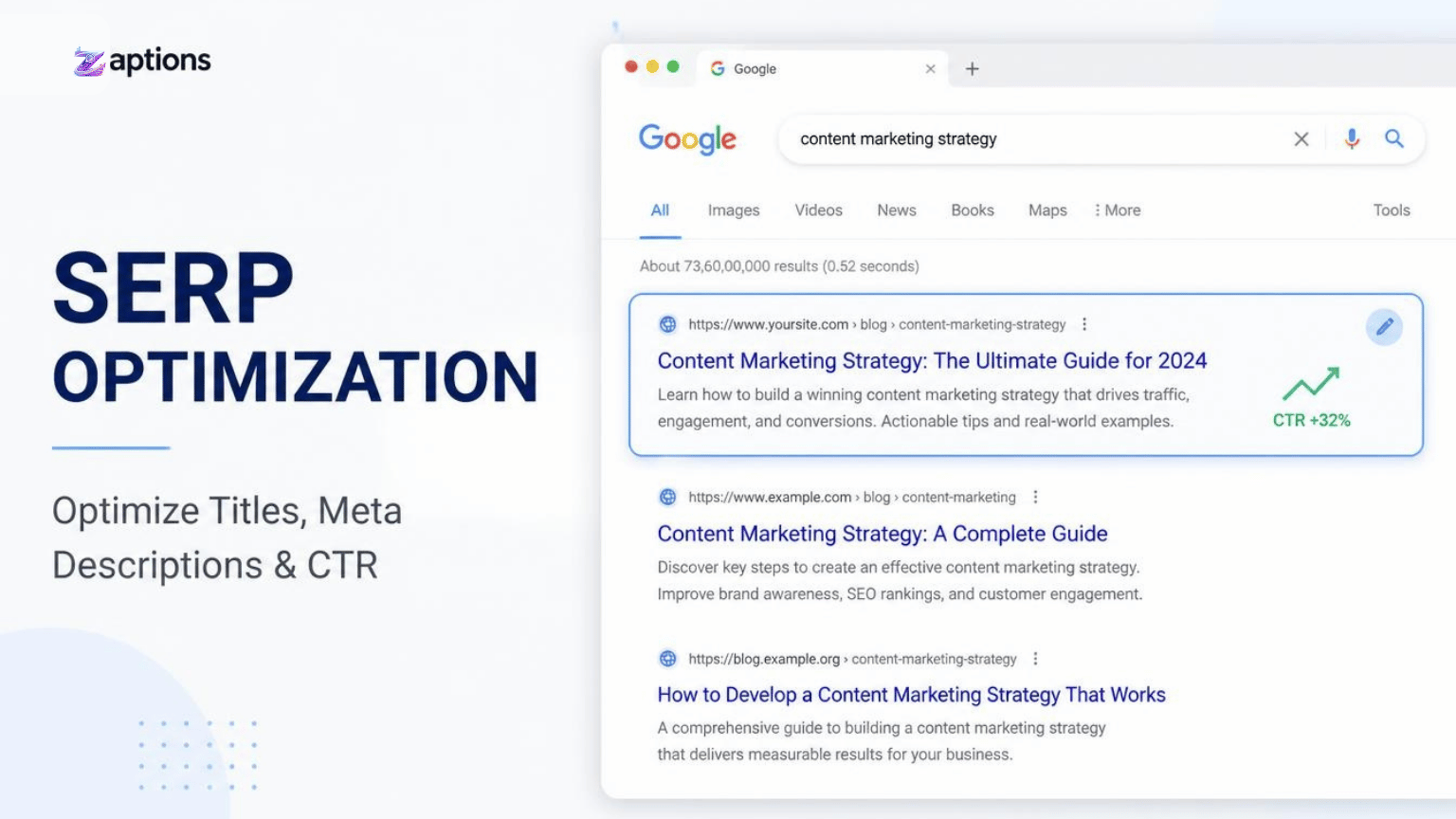
How SERP Optimization Improves Google Rankings
Oct 29, 2026 -
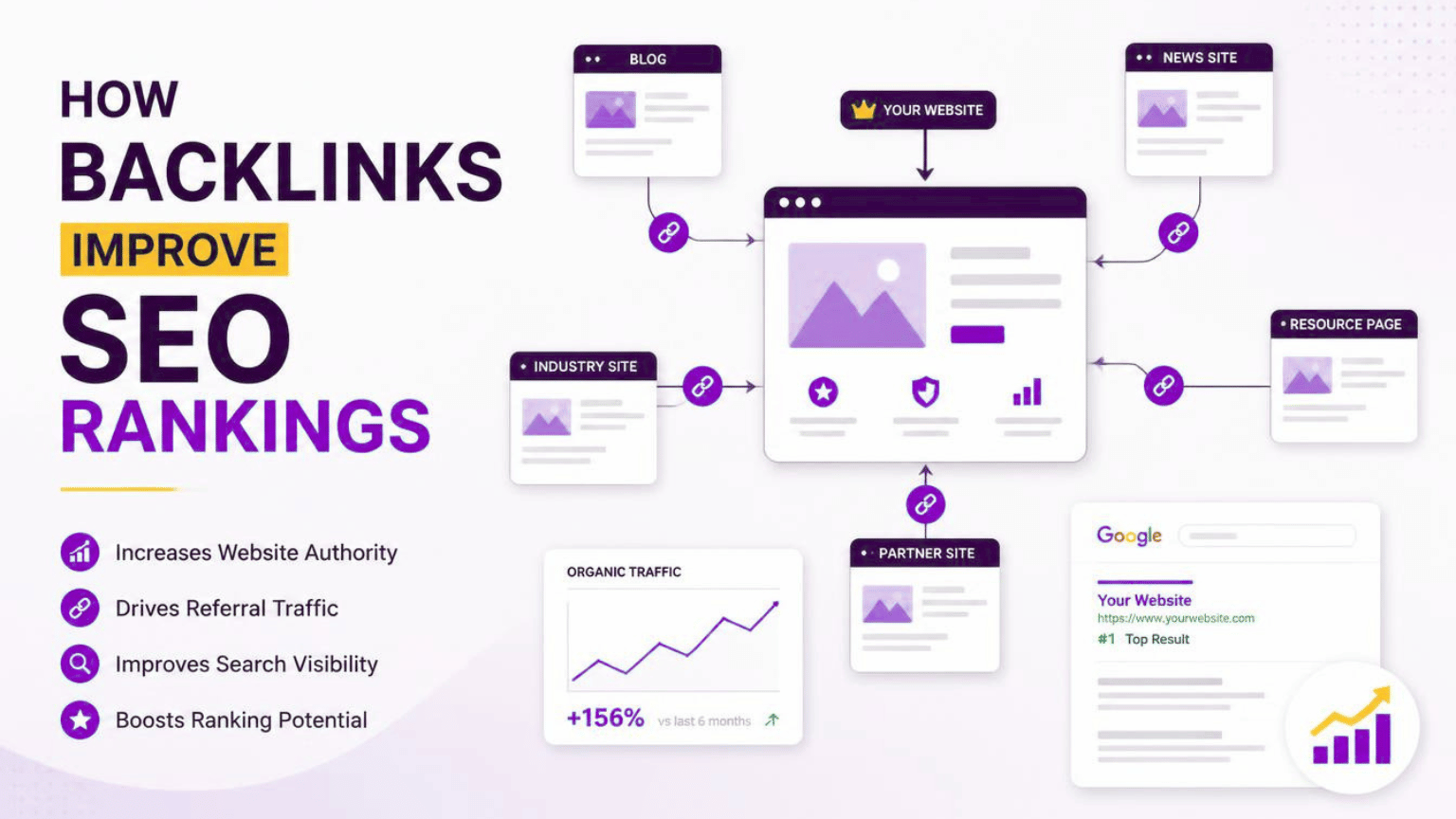
How Backlinks Help Improve SEO Rankings
Oct 27, 2026