

Having broken links on your website will have a negative impact on the user experience of visitors to your site. Not only does it make your key pages inaccessible, but it causes unnecessary SEO problems. It is important to regularly review links in your website whether you own a business website, online shop or personal blog.
The good news is that identifying broken links is simple.
By using Zaptions you will be able to identify broken links with our free website SEO audit. You can run an analysis of your links and other technical SEO issues in one place to give you a clear overview of what issues your website may have.
This guide will explain what broken links are, why they matter, how to identify them and how to fix them effectively.
What Is a Broken Link?
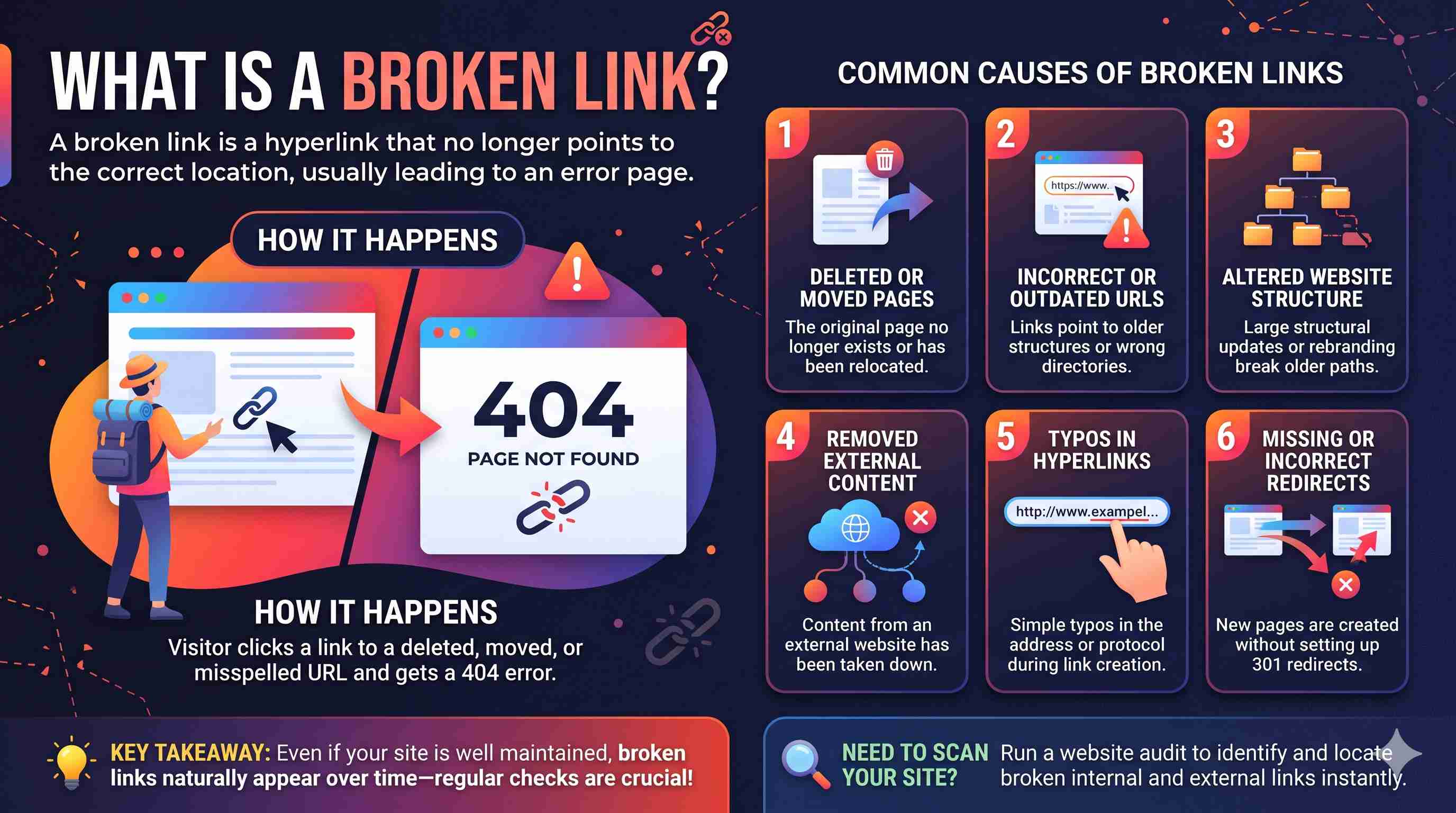
A broken link is a hyperlink which no longer points to the correct location.
When a visitor clicks on a broken link they may receive an error.
For example, if you have a blog post on your website and within it there is a link to a product page, and that product page has been deleted or the URL has changed (without being redirected) they may receive a 404 Page Not Found error.
There are many reasons why broken links can appear.
Broken links commonly occur because of:
- Pages have been deleted or moved.
- URLs are incorrect or out of date.
- Website structure has been altered.
- Content from an external website has been removed.
- Typos in hyperlinks.
- No redirects set up or incorrect redirects.
Even if your website is well maintained, broken links can appear over time so it is important to regularly check.
Why Are Broken Links an Issue for SEO?
Broken links can be detrimental to someone trying to visit your website. Here are a few reasons why.
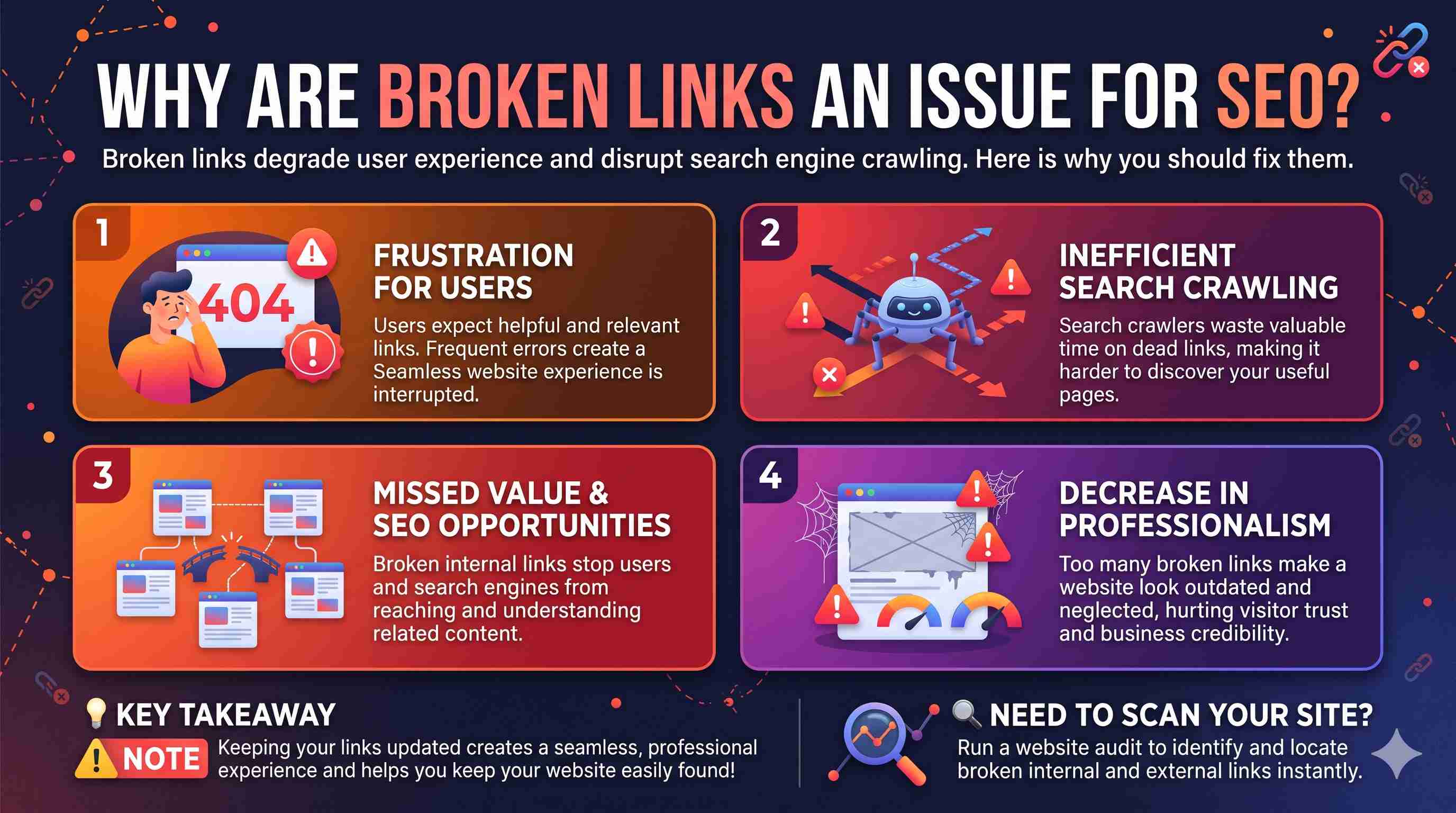
1. Creates a frustration for users
Users expect any links to be helpful and relevant.
A user will only get annoyed when they many errors turn up.
By rectifying any broken links you create a seamless website experience. This makes information much more easily reachable.
2. Search engines crawling less efficient
Crawlers are used by search engines to find information.
When there are broken links internally search crawlers will waste time searching for those links which do not provide any valuable information.
Whilst having a few broken links won’t negatively impact your rankings the benefits of having a smooth internal linking service will help keep your website easily found.
3. Missed opportunities from broken links
By linking to relevant pages internally search engines can understand the relationships between them.
However if the internal links are broken then users and search crawlers can not reach what they were meant to.
By rectifying these links you can improve your website navigation. This allows people to access your information much easier.
4. Decrease in professionalism
Websites with lots of broken links can appear as if they haven’t been well looked after and are out of date.
This can be key on a business website as users want to be able to navigate around your site easy and access the information they need.
By regularly keeping links updated you’ll improve the professionalism of your website.
How to Find Broken Links on Your Website for Free
Checking for broken links manually can be a long process when you have many pages.
Using a free broken link checker will help you find any broken links.
As part of our full Website SEO Audit tool, we have a broken link checker to help you find any issues with links on your site.
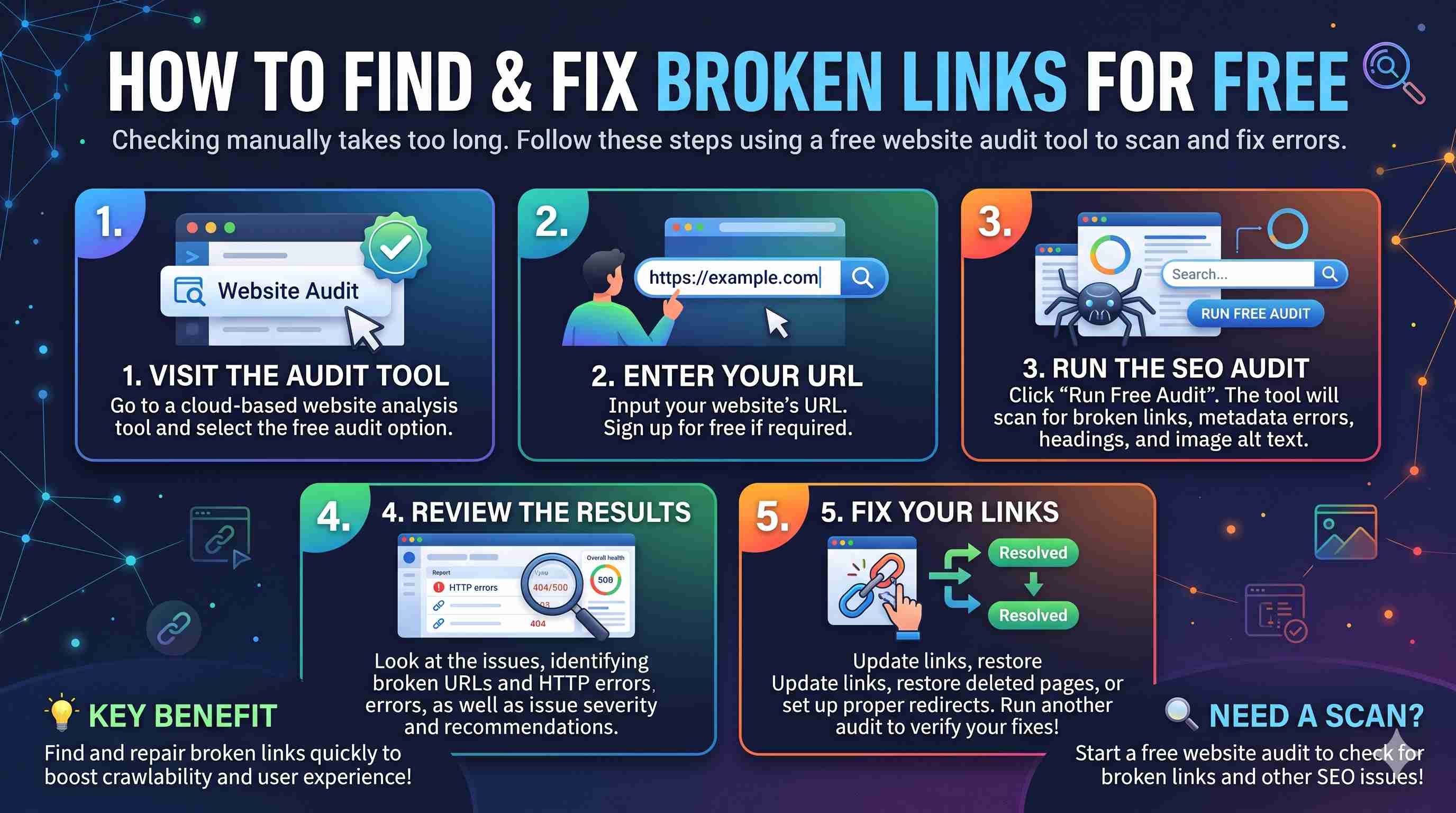
Step 1: Go to Zaptions
Visit Zaptions.com and click on the free website audit option.
Zaptions is a cloud based website analysis tool that helps website owners, developers, marketers and SEO to understand technical issues.
Step 2: Enter Your Website URL
Enter your website URL.
For example:
https://example.com
If you do not have a Zaptions account then you can sign up for free.
Step 3: Run the Website SEO Audit
Click the ‘Run Free Audit’ button and let Zaptions analyse your website.
It will scan your website for broken links and other technical and on-page SEO issues.
It will also look at your page titles, meta descriptions, headers, image alt tags and content.
You can find out what broken links you have as part of your SEO audit.
Step 4: Look At Your Issues
Once your audit has finished you can look at what issues you have.
Find any broken links and associated HTTP errors.
Zaptions also gives you an overview of your SEO health. You will also see what severity the issues are and recommendations.
Step 5: Fix Issues
Use your audit results to look into and fix any broken URLs.
Depending on the issue you will need to update any links, bring back a page that has been removed or set up a proper redirect.
Once you have made any changes run another audit to make sure any issues have been fixed.
How to Fix Broken Links on a Website
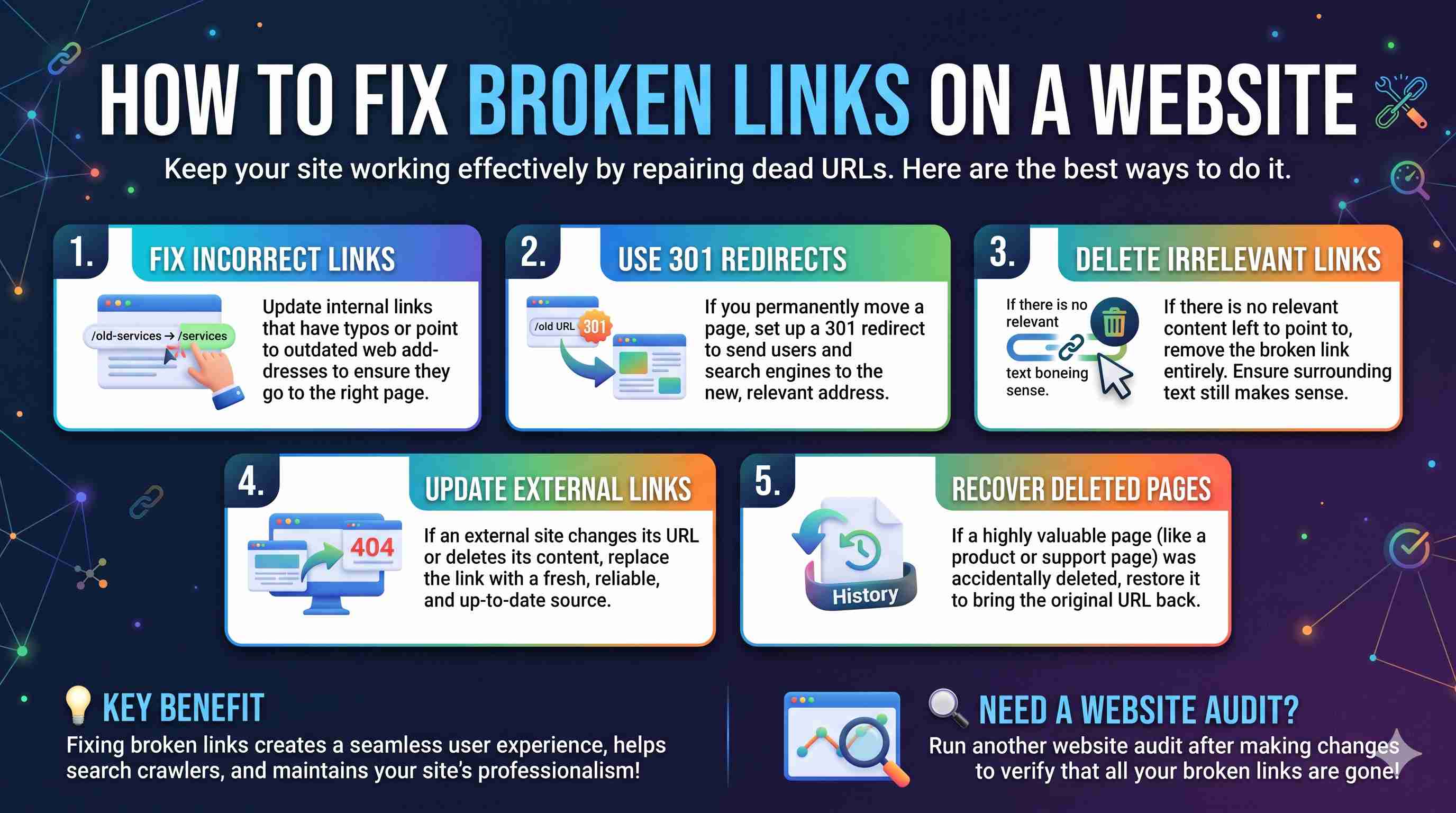
Once you have identified broken links on your site it's time to fix them to keep your website working effectively.
Here are some ways to do this:
Fix incorrect links
If a link has a typo or points to an incorrect web address, simply change it to the correct URL.
For example, if a page has been moved from:
example.com/old-services
to:
example.com/services
Then ensure any internal links are updated to point to the new page.
Use 301 redirects
If you have permanently moved a page to a new URL, using a 301 redirect will help send users and search engines to the new web address.
Using a redirect will be particularly useful if there could be any traffic going to the old URL.
Ensure that you are redirecting to a relevant page.
Delete irrelevant links
Sometimes there may not be any relevant content to link to.
In this case it might be best to delete the broken link.
Ensure that any content around the link still makes sense.
Update external links
Sometimes external websites can change their URLs or remove content without letting you know.
If an external source is no longer available, you may want to update it to an up-to-date and reliable source.
Recover deleted pages
If a valuable page has been accidentally deleted, it may be more appropriate to recover the page.
This can be useful for important pages such as product pages, support documentation and information.
Internal vs. External Broken Links: What's the Difference?
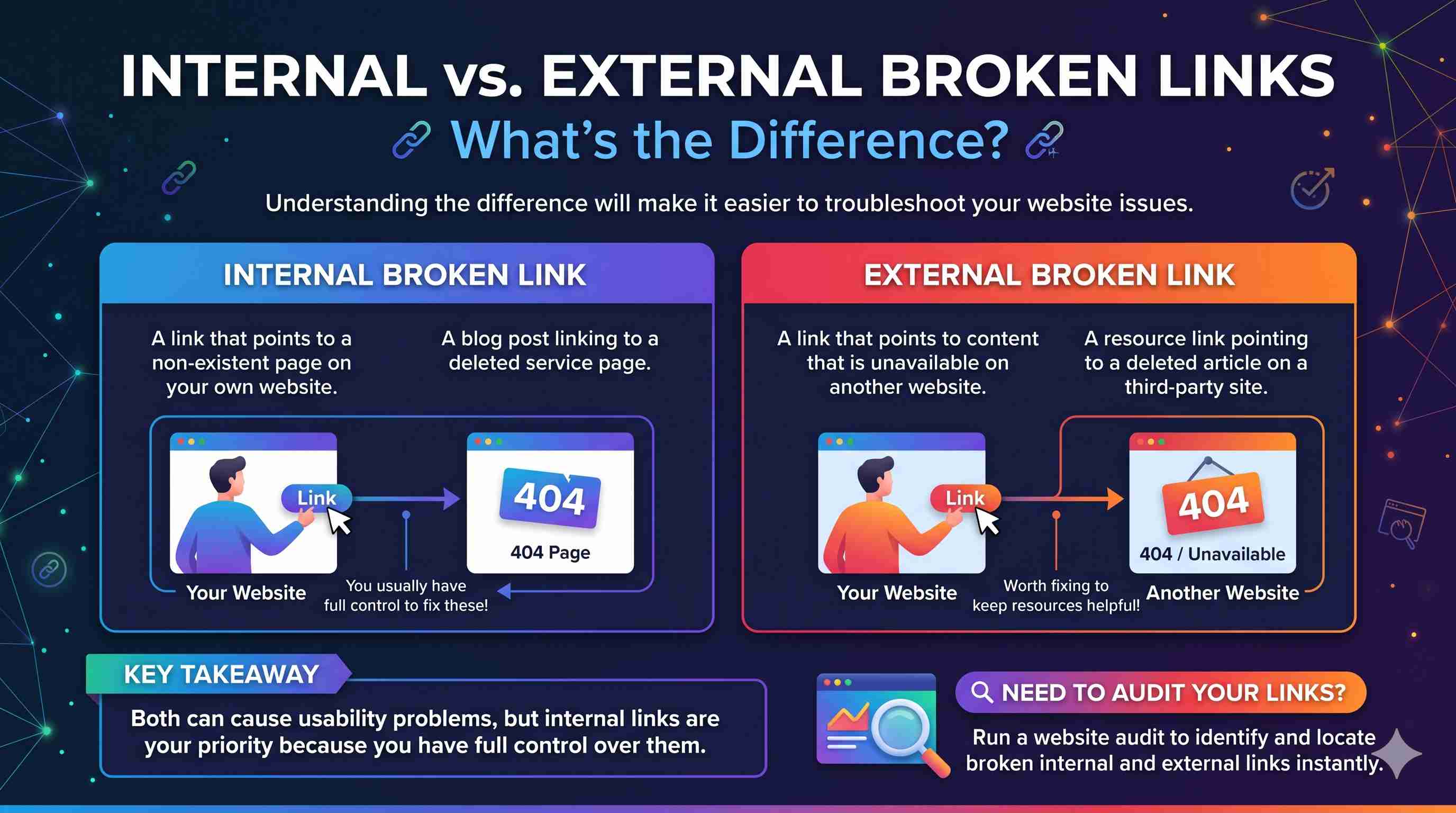
Understanding the difference between an internal and external broken link will make it easier to troubleshoot your issue.
| Link Type | Definition | Example |
|---|---|---|
| Internal broken link | A link that points to a non-existent page on your own site | A blog post linking to a deleted service page |
| External broken link | A link that points to content that is unavailable on another site | A resource link pointing to a deleted article |
Both can cause problems with usability on your site.
Internal broken links are especially important to look into as you will usually have control over where they go.
External broken links are also worth looking into to ensure that your visitors still have access to helpful resources.
Common HTTP Errors
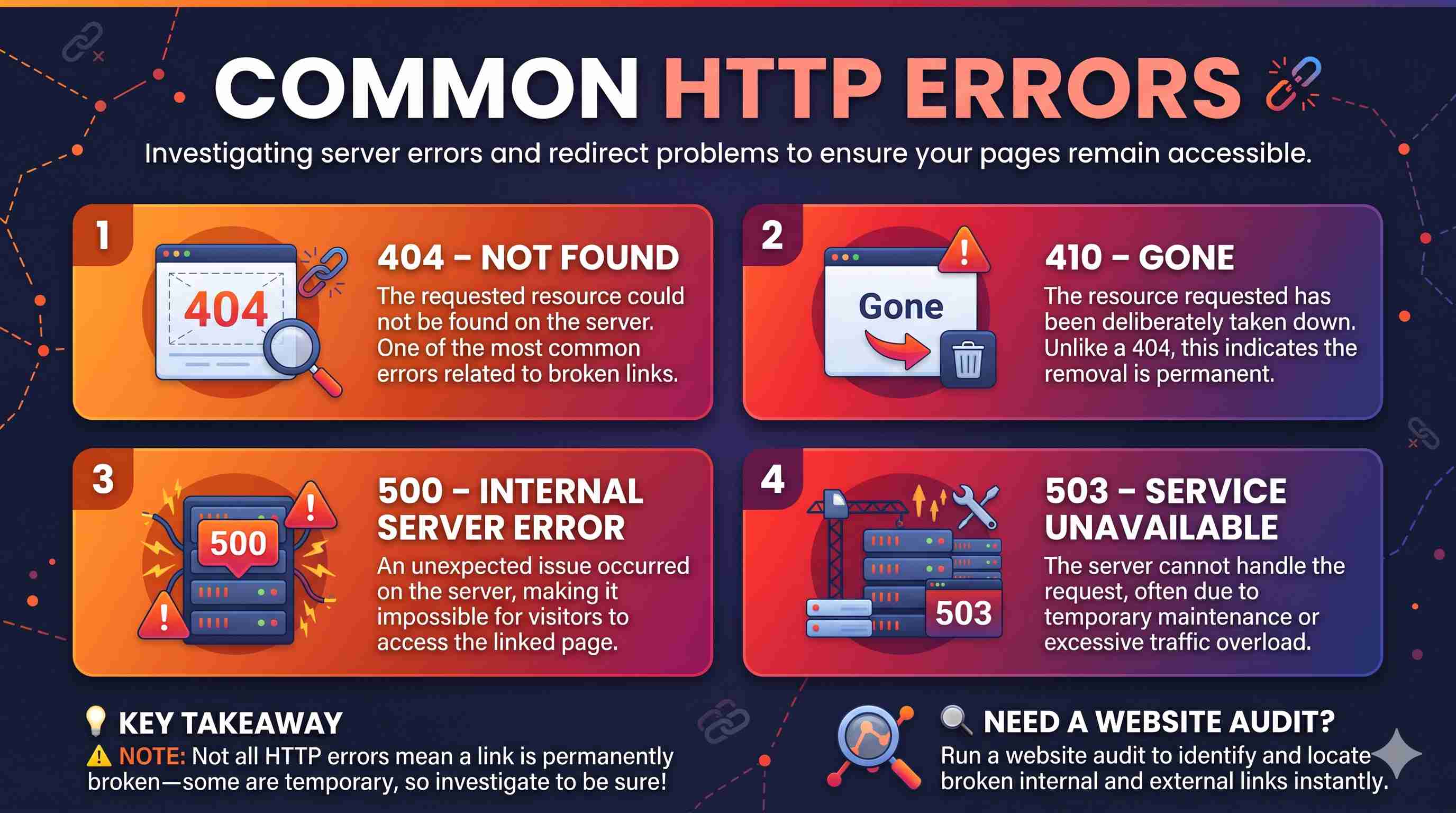
When looking into any issues you may have with your site you may come across a range of HTTP errors.
404 – Not Found
The requested resource could not be found on the server. This is one of the most common errors related to broken links.
410 – Gone
The resource requested has been deliberately taken down.
500 – Internal Server Error
This means there was an unexpected issue with the server. This can cause issues for visitors to access a linked page.
503 – Service Unavailable
The server is currently unable to handle the request. This could be due to it being under maintenance or overloaded.
Whilst not all HTTP errors indicate that your link is completely broken, it is important to investigate as the issue could be a temporary one with the server.
Why use Zaptions to detect broken links?
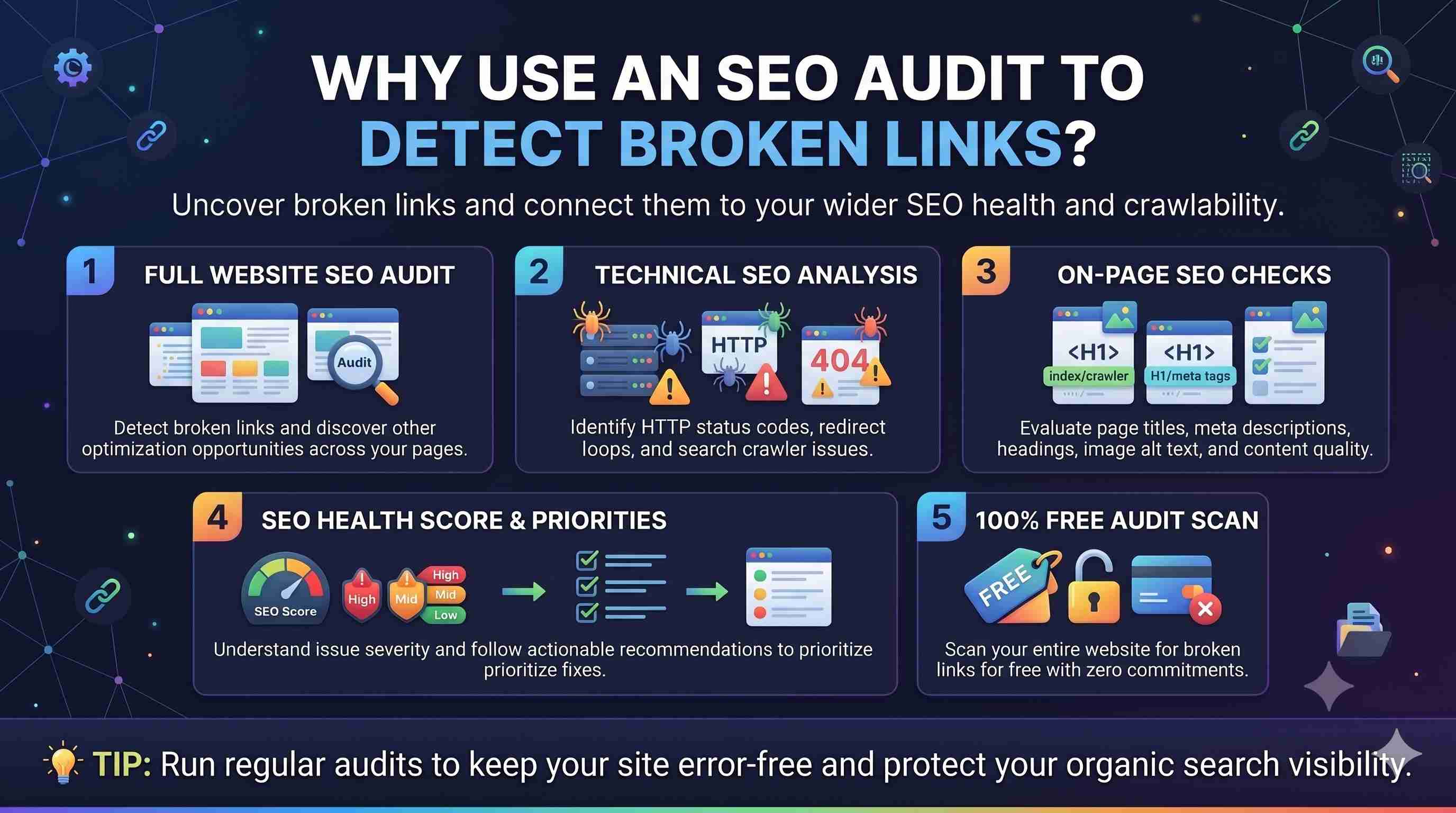
Many website owners want to understand how broken links are affecting their wider SEO strategy.
Zaptions provides a range of tools to detect broken links and analyse your website.
Full Website SEO Audit
Instead of solely detecting broken links, Zaptions identifies multiple aspects of your website.
This will allow you to find other optimisation opportunities.
Technical SEO Analysis
Zaptions can detect technical issues such as HTTP status codes and crawling issues.
On-Page SEO Checks
Your site will be analysed for important elements such as:
- Meta Titles & Descriptions.
- Headings.
- Alt Text.
- Content.
- Other optimisation opportunities.
SEO Health Score & Recommendations
Zaptions provides a breakdown of your website's SEO health. It also tells you how severe any issues are and what recommendations you can make.
This will help you prioritise issues.
Free Website Audit
Zaptions provides a free SEO audit plan without needing a credit card.
As part of the website audit you will be able to detect broken links for free.
How often should I check my website for broken links?
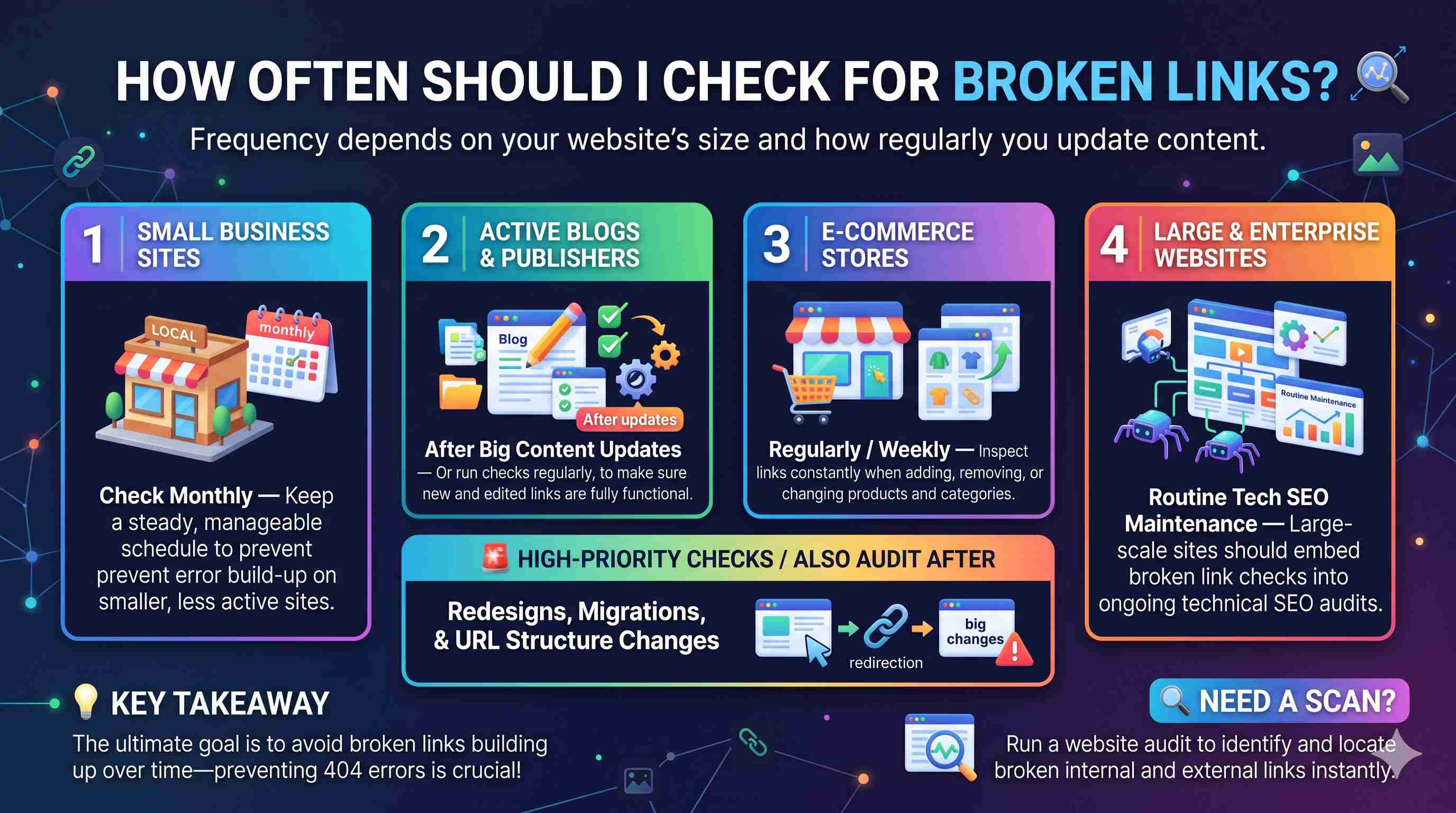
This depends on how large your website is and how regularly you update it.
For example:
- If you have a small business site you may want to check monthly.
- If you have an active blog, you may want to check your links after big content updates. You may also want to check regularly.
- If you have an e-commerce site you should check regularly when adding/removing products or categories.
- If you have a large website you should include checking for broken links as part of your technical SEO maintenance.
You may also want to run an audit if your website has been redesigned, migrated or had a big change to URLs.
The goal is to avoid broken links building up.
Frequently Asked Questions
Is there a free broken link checker?
Yes. The Website SEO Audit tool includes a free broken link checker. This will let you know if your site has any broken links.
Will broken links affect my Google ranking?
While you won’t get penalised directly for having broken links by Google; they can cause issues for users and can negatively impact your internal linking. It is a great idea to fix any broken links as part of your technical SEO.
How else can I check for broken links?
You can use a website audit tool like Zaptions. This will automatically crawl your website and give you a report of any issues with your links.
Are 404 pages bad for SEO?
Not necessarily. If the page does not exist then it is correct to return a 404. However, if important internal links are pointing to non-existent pages or causing users to receive repeated 404 status codes then it can become an issue.
Does Zaptions include a broken link checker?
Yes. As part of our Website SEO Audit tool, we include a broken link checker.
Can I check for broken links after I have made changes to my site?
Yes. Simply run another Website Audit.
Final Thoughts
Broken links are very common. Leaving these broken links can cause unnecessary issues.
By regularly finding old links, fixing incorrect links and keeping your internal linking clear you’ll make your website much easier to navigate.
While using a free broken link checker is a good place to start, it is key to understand the overall health of your site technically.
Zaptions makes it easy with our free Website SEO Audit tool which includes a broken link checker.
You can quickly and easily find many SEO issues rather than just focussing on one technical issue. This will help you make your website healthier and more accessible.
Run Your Free Website SEO Audit with Zaptions today and begin finding the issues that may be holding your website back.
Latest Posts
-
How SERP Optimization Improves Google Rankings
Oct 29, 2026 -
How Backlinks Help Improve SEO Rankings
Oct 27, 2026 -
How to Audit Your Website for Free
Oct 26, 2026